Getting your website to rank higher in search results doesn’t have to be complicated. On-page SEO fundamentals are the building blocks that help search engines understand and rank your content better.
This comprehensive checklist is designed for website owners, bloggers, digital marketers, and anyone who wants to improve their site’s search visibility without getting lost in technical jargon. You don’t need to be an SEO expert to implement these strategies.
We’ll walk you through the essential on-page optimization techniques that actually move the needle. You’ll learn how to craft compelling page titles and meta descriptions that grab attention in search results, plus discover how to structure your content with strategic header tags that both users and search engines love.
We’ll also cover the technical side made simple – from optimizing your images for faster loading times to creating clean, user-friendly URLs that boost your rankings. By the end, you’ll have a clear roadmap to transform your website into a search engine magnet.
Optimize Your Page Titles for Maximum Search Visibility
Craft compelling titles under 60 characters
Page titles pack serious punch in search rankings, and keeping them under 60 characters prevents Google from cutting them off in search results. When your title gets truncated with those annoying three dots, you lose valuable real estate that could convince someone to click your link.
Think of your title tag as prime advertising space. Every character counts, so make each one work hard for you. Skip filler words like “the,” “and,” or “of” when possible. Instead of “The Complete Guide to On-Page SEO Fundamentals,” try “Complete On-Page SEO Guide” – it’s shorter and just as effective.
Tools like Screaming Frog or free browser extensions can help you audit your current titles and spot ones that are too long. Most SEO platforms also flag lengthy titles during site crawls, making this an easy fix during your on-page optimization process.
Include primary keywords naturally
Your target keyword should appear in your page title, but jamming it in awkwardly hurts more than it helps. Search engines have gotten smarter about understanding context and user intent, so natural language wins over keyword stuffing every time.
Place your main keyword toward the beginning of the title when it makes sense. “On-Page SEO Best Practices for 2024″ flows better than “2024 On-Page SEO Best Practices” and gives your keyword more weight. But don’t sacrifice readability just to front-load keywords.
Consider search intent when crafting titles. Someone searching “on page seo basics” wants beginner-friendly content, while “advanced on-page seo techniques” targets experienced marketers. Match your title to what users actually want to find.
Make titles unique for each page
Duplicate titles confuse search engines and dilute your ranking potential. Each page on your site serves a different purpose, so each deserves its own unique title that reflects that specific content.
Create a simple spreadsheet to track all your page titles during audits. This helps you spot duplicates and ensures you’re not accidentally competing against yourself for the same keywords. Many websites unknowingly have multiple pages with identical or nearly identical titles, which splits their ranking power.
Product pages, blog posts, and service pages all need distinct titles that accurately describe their content. Generic titles like “Home” or “Services” waste opportunities to rank for valuable search terms.
Write for users first, search engines second
The best page titles solve real problems for real people. While SEO fundamentals matter, your title needs to make sense to humans who will actually click and read your content.
Ask yourself what someone would type into Google when looking for your page’s content. Then craft a title that directly addresses that need. “Fix Broken Internal Links in WordPress” speaks to a specific problem better than “WordPress Link Optimization Strategies.”
Numbers, questions, and power words like “ultimate,” “complete,” or “proven” can boost click-through rates when they genuinely reflect your content’s value. But avoid clickbait tactics that promise more than you deliver – search engines track user behavior and will penalize pages with high bounce rates.
Master Meta Descriptions That Drive Clicks

Write compelling descriptions within 155 characters
Your meta description acts as your website’s elevator pitch in search results. When someone sees your page listed on Google, the meta description is often their first impression of what you offer. This snippet needs to grab attention and convince users to click your link instead of the nine other results competing for their attention.
The 155-character limit isn’t arbitrary – Google typically truncates descriptions beyond this point, cutting off your message mid-sentence. This creates an unprofessional appearance and wastes valuable real estate. Count every character, including spaces and punctuation, to ensure your full message displays.
Successful meta descriptions tell a complete story within their constraints. Start with your most compelling benefit or unique value proposition. Address the user’s search intent directly – if they’re looking for “best running shoes,” mention comfort, durability, or performance right away. End with a reason to take action, whether that’s learning more, getting a discount, or solving their problem.
Consider these character-efficient techniques: use numbers (“5 proven strategies”), power words (“ultimate,” “essential,” “proven”), and emotional triggers (“transform,” “discover,” “unlock”). Every word should earn its place by either informing the user or motivating them to click.
Include target keywords and call-to-action phrases
Strategic keyword placement in meta descriptions serves two purposes: it signals relevance to search engines and creates visual cues for users. When someone searches for “on-page SEO techniques,” seeing those exact words highlighted in bold within your description increases click-through rates significantly.
Place your primary keyword naturally within the first 120 characters when possible. This ensures visibility even if Google decides to show a shorter snippet. However, avoid keyword stuffing – your description should read naturally and provide genuine value to human readers.
Call-to-action phrases transform passive descriptions into active invitations. Strong CTAs like “Learn how,” “Discover why,” “Get started,” or “Find out” encourage engagement. Industry-specific CTAs work even better: “Master these techniques,” “Boost your rankings,” or “Improve your SEO” speak directly to your audience’s goals.
The combination of keywords and CTAs creates powerful meta descriptions. For example: “Master on-page SEO fundamentals with our complete guide. Learn 8 proven techniques to boost your search rankings and drive more organic traffic.”
Avoid duplicate meta descriptions across pages
Duplicate meta descriptions represent a massive missed opportunity and can confuse search engines about which page to prioritize for specific queries. Each page on your website serves a unique purpose and targets different user intents, so their meta descriptions should reflect this individuality.
Search engines view duplicate meta descriptions as a sign of low-quality content or lazy optimization. When multiple pages share identical descriptions, Google often ignores your custom text and generates its own snippets from your page content. These auto-generated descriptions rarely capture your page’s value as effectively as carefully crafted ones.
Create a systematic approach to avoid duplication. Start by auditing your existing meta descriptions using on-page SEO tools or manually checking your pages. Document each description and identify duplicates immediately. For similar pages, focus on the unique aspects – different products, services, locations, or target audiences.
| Page Type | Unique Elements to Highlight |
|---|---|
| Product pages | Specific features, benefits, pricing |
| Service pages | Location, specialization, process |
| Blog posts | Topic angle, insights, takeaways |
| Category pages | Product range, filtering options |
Each meta description should reflect the specific value that individual page provides to visitors, creating a cohesive yet diverse set of search result snippets that accurately represent your content.
Structure Content with Strategic Header Tags
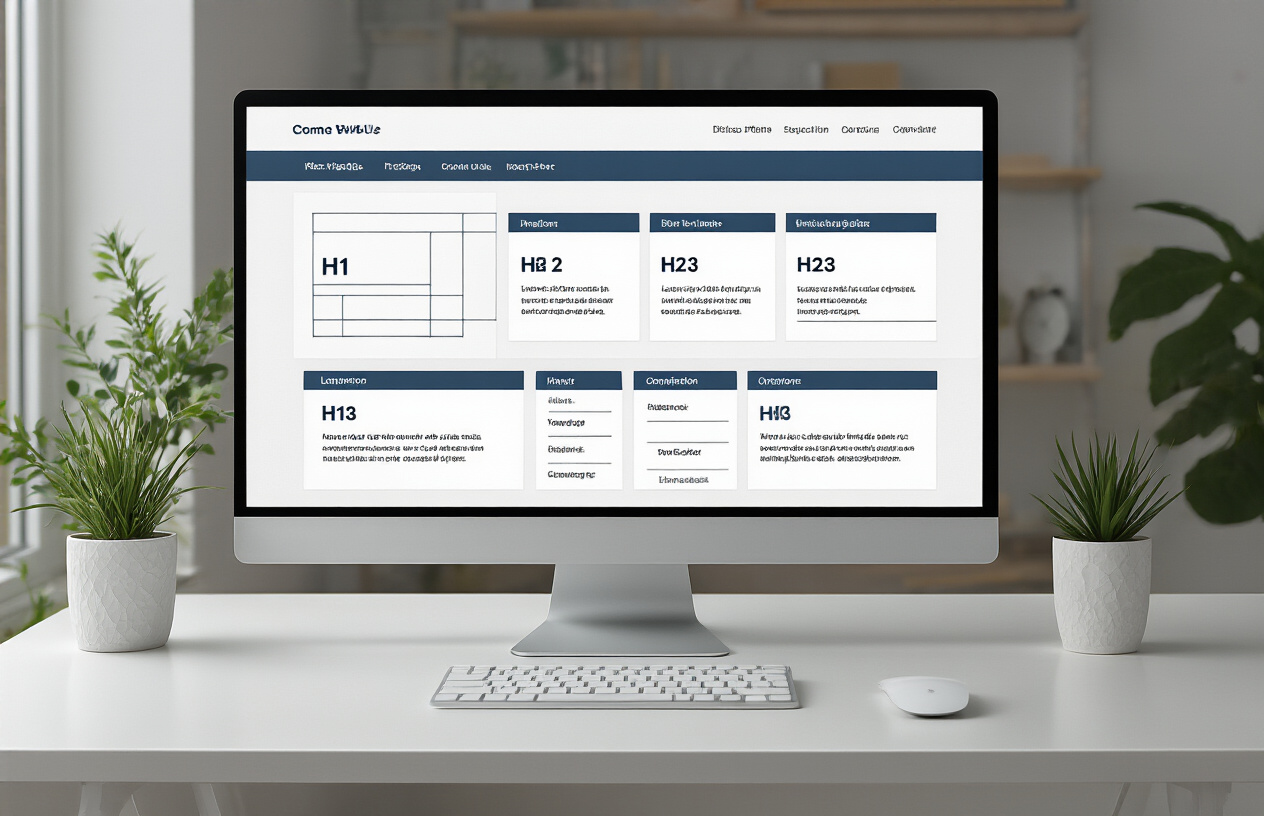
Use Single H1 Tag Per Page with Primary Keyword
Every page on your website should have exactly one H1 tag – think of it as your page’s main headline. This isn’t just about on-page SEO best practices; it’s about creating clear communication with both search engines and visitors about what your page covers.
Your H1 tag should naturally include your primary keyword, but don’t force it. If you’re writing about “on-page SEO fundamentals,” your H1 might be something like “Complete On-Page SEO Fundamentals Guide for Higher Rankings” rather than stuffing keywords unnaturally.
Search engines use your H1 to understand your page’s main topic, so make it count. Keep it under 60 characters when possible and make sure it accurately reflects your content’s primary focus.
Create Logical Hierarchy with H2-H6 Tags
Header tags work like an outline – they create a logical flow that guides readers through your content. Your H2 tags should represent your main sections, while H3 tags break down those sections into subtopics.
Here’s how a proper hierarchy looks:
| Header Level | Purpose | Example |
|---|---|---|
| H1 | Main page topic | Complete On-Page SEO Guide |
| H2 | Major sections | Technical SEO Elements |
| H3 | Subsections | Page Speed Optimization |
| H4 | Detailed points | Image Compression Techniques |
Never skip header levels – don’t jump from H2 directly to H4. This confuses both readers and search engines trying to understand your content structure.
Include Relevant Keywords in Subheadings
Your H2 and H3 tags offer perfect opportunities to include related keywords naturally. If your main topic is on-page optimization SEO, your subheadings might include phrases like “SEO on-page techniques” or “on-page SEO tutorial steps.
Don’t stuff keywords into every header – aim for natural language that serves your readers first. Search engines are smart enough to understand context and related terms, so focus on creating headers that genuinely help users navigate your content.
Make Headers Scannable for Better User Experience
Most people scan content before reading it fully, and your headers serve as their roadmap. Write headers that clearly communicate what each section covers, making it easy for visitors to jump to the information they need.
Good scannable headers answer specific questions or promise specific solutions. Instead of vague headers like “Important Information,” use specific ones like “How to Optimize Header Tags in 5 Minutes” or “Common Header Tag Mistakes That Hurt Rankings.”
Your headers should work together to tell the complete story of your page, even if someone only reads the headings. This approach improves user experience and helps search engines better understand your content’s structure and relevance.
Implement Internal Linking for Better Site Authority

Link to relevant pages using descriptive anchor text
Creating effective internal links starts with choosing the right anchor text – the clickable words that guide users and search engines to your content. Skip generic phrases like “click here” or “read more” and use descriptive text that tells readers exactly what they’ll find on the destination page. For example, instead of “learn more about SEO,” use “comprehensive on-page SEO best practices guide” as your anchor text.
This approach helps search engines understand the relationship between your pages while giving users clear expectations. When you link to your content about meta descriptions, use anchor text like “meta description optimization techniques” rather than vague phrases. This strategy strengthens your site’s topical relevance and improves user experience.
Keep your anchor text natural and varied. Don’t stuff the same keyword-rich phrases repeatedly throughout your content. Mix exact-match keywords with partial matches and branded terms to create a natural linking pattern that search engines trust.
Create topic clusters with pillar pages
Topic clusters represent one of the most powerful on-page SEO techniques for building site authority. This strategy involves creating comprehensive pillar pages that cover broad topics, then supporting them with cluster pages that dive deep into specific subtopics.
Your pillar page serves as the main hub – think of it as your definitive guide to a core topic like “on-page search engine optimization.” This page should be extensive, covering the fundamentals while linking out to more specific cluster pages that explore individual elements in detail.
Cluster pages focus on narrow aspects of your main topic. For an SEO site, these might include pages about title tag optimization, meta description best practices, or header tag strategies. Each cluster page should link back to the pillar page and to other relevant cluster pages within the same topic group.
This structure creates a web of related content that search engines can easily understand and index. When you consistently link between related pages using this cluster model, you’re telling search engines that these pages are connected and authoritative on their shared topic.
Maintain reasonable link density throughout content
Balance is everything when it comes to internal linking density. Too few internal links waste opportunities to guide users through your site and distribute page authority. Too many links create a cluttered experience that confuses readers and dilutes the value of each link.
Aim for 2-5 internal links per 1,000 words of content, depending on your content length and structure. This ratio provides enough linking opportunities without overwhelming your readers. Focus on quality over quantity – every internal link should serve a purpose and add value to the user experience.
Place your most important internal links higher in your content where they’re more likely to be noticed and clicked. The first few paragraphs and section beginnings are prime real estate for strategic internal linking.
Consider the flow of your content when adding internal links. Links should feel natural within the context, supporting the narrative rather than interrupting it. When discussing related topics, that’s the perfect moment to link to deeper resources on your site.
Monitor your internal linking patterns regularly. Use tools to identify pages that aren’t receiving enough internal links and pages that might be over-linked. This analysis helps you maintain a healthy internal linking structure that supports both user experience and search engine optimization.
Optimize Images for Speed and Search Rankings
Compress images without sacrificing quality
Web images need to strike a perfect balance between visual appeal and loading speed. Large image files slow down your website significantly, which search engines penalize with lower rankings. The key is finding the sweet spot where your images look crisp while maintaining minimal file sizes.
Start by choosing the right file format for different image types. JPEG works best for photographs and complex images with many colors, while PNG is ideal for graphics with transparent backgrounds or sharp edges. For simple illustrations and logos, consider SVG format, which scales beautifully at any size without quality loss.
Compression tools can reduce file sizes by 70-80% without noticeable quality degradation. Free options like TinyPNG, Squoosh, or ImageOptim automatically optimize your images. For WordPress users, plugins like Smush or EWWW Image Optimizer handle compression automatically when you upload files.
Before uploading, resize images to the exact dimensions you need. Don’t upload a 3000×2000 pixel image if your blog only displays it at 600×400 pixels. Your device and browser waste resources downloading unnecessary pixels.
Use descriptive file names with target keywords
Search engines can’t see your images, but they read file names. Instead of uploading “IMG_2347.jpg,” rename your files with descriptive, keyword-rich names like “blue-running-shoes-nike.jpg” or “chocolate-chip-cookie-recipe.jpg.”
This simple step helps search engines understand your image content and can improve your rankings for relevant searches. When someone searches for “blue running shoes,” your properly named image has a better chance of appearing in image search results.
Keep file names clean and readable. Use hyphens to separate words, avoid spaces or special characters, and keep names under 60 characters when possible. Make each file name specific enough that someone could understand the image content from the name alone.
Write compelling alt text for accessibility and SEO
Alt text serves two critical purposes: helping visually impaired users understand your images through screen readers and providing search engines with image context. Every image on your website should have descriptive alt text that explains what’s happening in the picture.
Write alt text naturally, as if you’re describing the image to someone over the phone. Instead of “image of dog,” write “golden retriever puppy playing with red tennis ball in backyard.” This approach provides valuable context while naturally incorporating relevant keywords.
Keep alt text between 5-15 words for optimal effectiveness. Focus on the image’s most important elements and how they relate to your content. Don’t stuff keywords unnaturally, but include relevant terms when they genuinely describe the image.
Skip alt text only for purely decorative images that don’t add meaning to your content. For these images, use empty alt attributes (alt=””) so screen readers skip them entirely.
Implement responsive images for mobile users
More than half of web traffic comes from mobile devices, making responsive images essential for user experience and search rankings. Your images must look great and load quickly across all screen sizes.
Use the HTML srcset attribute to serve different image sizes based on the user’s device. This means mobile users download smaller files while desktop users get high-resolution versions. A typical implementation might serve a 400px wide image to phones, 800px to tablets, and 1200px to desktop monitors.
CSS can help create responsive images using max-width: 100% and height: auto properties. This ensures images scale down proportionally on smaller screens without breaking your layout.
Consider implementing lazy loading, which delays image loading until users scroll near them. This technique dramatically improves initial page load times, especially for pages with many images. Most modern browsers support native lazy loading with the simple loading=”lazy” attribute.
Test your images across different devices and connection speeds. What looks perfect on your high-speed office connection might load painfully slowly for users on mobile networks. Tools like Google PageSpeed Insights show how your images perform in real-world conditions.
Enhance Page Loading Speed for Better Rankings

Minimize HTTP requests and file sizes
Every time someone visits your website, their browser makes HTTP requests to load various elements like images, scripts, stylesheets, and fonts. The more requests needed, the slower your page loads. Think of it like ordering food at a restaurant – the more items you order, the longer you wait.
Start by combining multiple CSS files into one and doing the same with JavaScript files. This simple change can cut your HTTP requests in half. Next, remove any unused plugins, widgets, or third-party scripts that aren’t essential to your page’s function. Many websites carry dead weight from old experiments or forgotten integrations.
Image optimization plays a huge role in file size reduction. Compress your images without sacrificing quality using tools like TinyPNG or ShortPixel. WebP format images load 25-30% faster than traditional JPEG files while maintaining visual quality. For icons and simple graphics, consider using SVG format or CSS sprites to reduce individual image requests.
Minify your CSS, JavaScript, and HTML files by removing unnecessary spaces, comments, and line breaks. This process can shrink file sizes by 10-20% without changing functionality. Most content management systems offer plugins that handle minification automatically.
Enable browser caching and compression
Browser caching stores copies of your website files on visitors’ devices, so returning users don’t need to download everything again. Setting proper cache headers can dramatically improve loading times for repeat visitors.
Configure your server to set appropriate expiration dates for different file types. Static resources like images, CSS, and JavaScript files should have longer cache periods (30 days to 1 year), while HTML pages might cache for shorter periods (1-7 days) depending on how frequently you update content.
Gzip compression reduces file sizes by up to 70% during transfer between your server and visitors’ browsers. Most web servers support Gzip compression, but you need to enable it in your server configuration. This compression works especially well on text-based files like HTML, CSS, and JavaScript.
For WordPress users, caching plugins like WP Rocket or W3 Total Cache handle both browser caching and compression settings automatically. These tools also offer additional features like database optimization and lazy loading.
Optimize CSS and JavaScript delivery
How you load CSS and JavaScript files significantly impacts your page speed scores and user experience. Render-blocking resources prevent your page from displaying content until they finish loading, creating frustrating delays for visitors.
Move non-critical JavaScript to the bottom of your HTML document or use the “async” and “defer” attributes. Async allows scripts to download in the background while the page continues loading, while defer waits until the HTML parsing completes before executing the script.
Critical CSS should be inlined directly in the HTML head, while non-critical styles can be loaded asynchronously. This approach ensures visitors see styled content immediately without waiting for entire stylesheets to download. Tools like Critical or PurgeCSS help identify which styles are essential for above-the-fold content.
Consider lazy loading for JavaScript that powers features below the fold or interactive elements users might never engage with. This technique loads scripts only when needed, reducing initial page load times and improving Core Web Vitals scores that Google uses for ranking decisions.
Create SEO-Friendly URLs That Users Love
Keep URLs short and descriptive
Short, clean URLs perform better in search results and create a better user experience. Search engines prefer URLs under 60 characters, making them easier to crawl and index. Users can quickly understand what your page covers just by looking at the URL structure.
A descriptive URL like /digital-marketing-strategies immediately tells both users and search engines what content they’ll find. Compare this to a messy URL like /page?id=12345&cat=marketing&ref=homepage – the first option clearly wins for both clarity and SEO value.
Keep your URLs focused on the main topic. Remove unnecessary words like “and,” “the,” or “of” that don’t add value. For example, /best-practices-for-content-marketing works better as /content-marketing-best-practices.
Include primary keywords in URL structure
Your URL structure should reflect your on-page SEO strategy by incorporating primary keywords naturally. This practice helps search engines understand your content’s focus and can improve your rankings for those targeted terms.
Place your most important keyword near the beginning of the URL when possible. If you’re targeting “on page SEO basics,” a URL like /on-page-seo-basics-guide works perfectly. This approach aligns with on-page SEO fundamentals while maintaining readability.
Avoid keyword stuffing in URLs – this can hurt your rankings and looks spammy to users. One or two relevant keywords work better than cramming five keywords into a single URL.
Use hyphens instead of underscores
Search engines treat hyphens as word separators, while underscores connect words into single terms. This makes hyphens the clear winner for URL optimization. Google recognizes “content-marketing-tips” as three separate words but reads “content_marketing_tips” as one long word.
This small detail impacts how search engines interpret your URLs and can affect your visibility for specific keyword searches. Most on-page SEO tools recommend hyphens as a best practice for this exact reason.
Avoid unnecessary parameters and characters
Clean URLs without excessive parameters perform better in search results and provide better user experiences. Avoid dynamic parameters like session IDs, tracking codes, or database queries in your main URL structure.
Characters like “&,” “?,” “=” and “%” make URLs look complicated and can confuse both users and search engines. If you must use parameters, keep them minimal and use URL rewriting to create cleaner versions.
Remove special characters, spaces, and symbols that don’t serve a purpose. Stick to letters, numbers, and hyphens for the cleanest URL structure.
Implement proper URL canonicalization
Canonical URLs prevent duplicate content issues when multiple URLs lead to the same page. This happens often with tracking parameters, print versions, or different URL variations accessing identical content.
Set up canonical tags to point search engines toward your preferred URL version. This concentrates your page authority on one URL instead of splitting it across multiple versions.
Use 301 redirects when changing URL structures to preserve SEO value and maintain user experience. This ensures old bookmarks and links still work while directing authority to your new URLs.
Boost Mobile Performance and User Experience
Ensure responsive design across all devices
Mobile-first design isn’t just a trend—it’s a necessity for successful on-page SEO. Your website needs to automatically adapt its layout, images, and content to provide an optimal viewing experience across smartphones, tablets, and desktops. Responsive design ensures that users can navigate your site effortlessly regardless of their device, which directly impacts your search rankings since Google uses mobile-first indexing.
Start by implementing flexible grid layouts that scale proportionally. Use CSS media queries to define different styles for various screen sizes, ensuring your content remains readable and accessible on smaller screens. Test your design on multiple devices and screen resolutions to identify any layout issues or content that might be cut off or difficult to interact with.
Google’s algorithms heavily favor mobile-optimized websites, making responsive design a critical component of on-page SEO best practices. Websites that aren’t mobile-friendly risk losing visibility in search results and experiencing higher bounce rates as frustrated users quickly leave poorly optimized pages.
Optimize touch elements and navigation
Touch-friendly navigation creates a seamless user experience that keeps visitors engaged longer on your site. Design buttons, links, and interactive elements with adequate spacing—at least 44 pixels in height and width—to prevent accidental taps and improve usability for users with different finger sizes.
Simplify your navigation menu for mobile devices by using collapsible hamburger menus or accordion-style dropdowns. Ensure that all clickable elements are easily accessible with thumbs, considering how users naturally hold their phones. Place important navigation elements within the thumb zone—the area easily reachable without stretching or repositioning the device.
Consider implementing swipe gestures for image galleries or product carousels, but always provide alternative navigation methods for users who might not discover these features. Touch elements should provide immediate visual feedback when tapped, confirming that the action was registered and improving the overall user experience.
Test mobile page speed regularly
Mobile page speed directly influences both user experience and search engine rankings. Use tools like Google PageSpeed Insights, GTmetrix, or Lighthouse to regularly monitor your mobile performance metrics. These on-page SEO tools provide detailed insights into loading times, core web vitals, and specific optimization recommendations.
Compress images and use next-generation formats like WebP to reduce file sizes without sacrificing quality. Minimize JavaScript and CSS files, and consider implementing lazy loading for images and videos below the fold. Enable browser caching and use a content delivery network (CDN) to serve your content from servers closer to your users’ locations.
Monitor your Core Web Vitals metrics—Largest Contentful Paint (LCP), First Input Delay (FID), and Cumulative Layout Shift (CLS)—as these are key ranking factors in Google’s algorithm. Set up automated monitoring to track performance changes after updates or content additions, ensuring your mobile optimization efforts remain effective over time.

Getting your on-page SEO right doesn’t have to feel overwhelming when you break it down into manageable pieces. From crafting compelling page titles and meta descriptions that grab attention in search results to organizing your content with proper headers, each element works together to boost your site’s visibility. Don’t forget the behind-the-scenes work either – optimizing your images, speeding up loading times, and creating clean URLs all play crucial roles in how search engines and users interact with your site.
The real game-changer comes from treating these fundamentals as an ongoing process rather than a one-time task. Start with the basics like updating your titles and descriptions, then gradually work through internal linking, mobile optimization, and speed improvements. Your website visitors will notice the difference, and search engines will reward your efforts with better rankings. Pick one or two areas from this checklist and tackle them this week – your future self will thank you for laying this solid SEO foundation.
FAQs
What exactly is on-page SEO?
On-page SEO is all about making changes to your own website to help it show up better in search results. This includes things like writing good titles, using the right keywords, making sure your content is helpful, and having a fast-loading website. It’s basically everything you can control on your site to make search engines like Google understand what your pages are about.
Why should I care about on-page SEO for my website?
When you get on-page SEO right, more people will find your website through Google searches. This means more visitors, and if you run a business, that often means more customers. It’s like having a well-organized store with clear signs – people can find what they’re looking for easier, and search engines can recommend your site to others.
How do I write good title tags for my pages?
Keep your title tags between 50-60 characters so they don’t get cut off in search results. Put your main keyword near the beginning and make sure each page has a unique title. Write them like you’re talking to real people, not just search engines. For example, “Best Coffee Shops in Seattle” works better than “Coffee Shops Seattle Coffee Best.”
What’s the difference between title tags and H1 headings?
Your title tag is what shows up as the clickable link in search results and at the top of your browser tab. Your H1 heading is the main headline visitors see when they actually visit your page. They can be similar but don’t have to be exactly the same. Think of the title tag as your book cover and the H1 as your chapter title.
How many keywords should I use on each page?
Focus on one main keyword per page, plus maybe 2-3 related keywords. Don’t try to stuff in tons of keywords – it actually hurts more than it helps. Write naturally and make sure your content sounds good when people read it. If your keyword fits naturally into your writing about 1-3 times per 100 words, you’re probably doing fine.
What makes a good meta description?
Write meta descriptions between 150-160 characters that summarize what’s on your page. Include your main keyword and make it sound interesting enough that people want to click. Think of it like a movie trailer – give people a taste of what they’ll get if they visit your page, but don’t give everything away.
How do internal links help with SEO?
Internal links connect your pages together, which helps search engines understand your site structure and find all your content. They also keep visitors on your site longer by guiding them to related pages. Use descriptive text for your links instead of just “click here” – something like “check out our beginner’s guide to SEO” works much better.
Does my website speed really matter for SEO?
Yes, website speed is really important. If your pages take more than 3 seconds to load, many people will leave before they even see your content. Google also considers page speed when deciding how to rank websites. You can check your speed with free tools like Google PageSpeed Insights and look for simple fixes like compressing images.
How do I make my website mobile-friendly?
Most people browse the web on their phones now, so your site needs to look good on small screens. Use a responsive design that automatically adjusts to different screen sizes. Make sure your text is readable without zooming in, buttons are easy to tap, and pages load quickly on mobile connections. Google actually ranks mobile-friendly sites higher.
How long does it take to see results from on-page SEO changes?
You might see small improvements within a few weeks, but bigger changes usually take 3-6 months to really show up in search results. SEO is more like planting a garden than flipping a switch – it takes time for search engines to notice your changes and for your rankings to improve. Keep making good content and improvements, and be patient with the process.