Duplicate meta descriptions can quietly sabotage your website’s search rankings and click-through rates. This guide is designed for website owners, SEO specialists, and digital marketers who want to identify and eliminate duplicate meta descriptions for better SEO performance.
Meta descriptions serve as your website’s elevator pitch in search results, but when multiple pages share identical descriptions, search engines struggle to understand which page deserves ranking priority. This creates missed opportunities for organic traffic and can confuse potential visitors about what each page offers.
We’ll walk you through how to spot duplicate meta descriptions across your site using both free and premium tools. You’ll also learn proven strategies to fix existing duplicates and create unique, compelling descriptions that boost your click-through rates. Plus, we’ll cover advanced optimization techniques that align with current search trends, including how AI overviews impact meta descriptions SEO and best practices for preventing future duplication issues.
Understanding Duplicate Meta Descriptions and Their SEO Impact
What Are Meta Descriptions and Why They Matter for Search Rankings
Meta descriptions are HTML attributes that provide brief summaries of web page content, typically appearing as snippets under page titles in search engine results. These 150-160 character descriptions act as your website’s elevator pitch to potential visitors, giving them a preview of what they’ll find on your page.
Search engines use meta descriptions as ranking signals, though not as direct factors. Google evaluates the relevance and quality of these descriptions when determining how to present your pages in search results. Well-crafted meta descriptions can significantly boost your website’s visibility and attract more qualified traffic.
The meta descriptions seo importance becomes clear when you consider how these snippets influence user behavior. They’re essentially advertisements for your content, competing with dozens of other results on the same search page. When your meta description accurately reflects your page content and includes relevant keywords naturally, search engines are more likely to display it prominently.
How Duplicate Meta Descriptions Harm Your Website’s Performance
Duplicate meta descriptions seo impact extends far beyond simple redundancy issues. When multiple pages share identical meta descriptions, search engines struggle to understand what makes each page unique, leading to several problems that can tank your rankings.
Search engines may choose not to display your carefully crafted meta description at all, instead generating their own snippet from your page content. This automated approach often produces less compelling descriptions that fail to capture your page’s true value proposition.
The duplicate meta descriptions seo problem also creates internal competition within your own website. Search engines can’t easily determine which page should rank higher for specific queries when multiple pages present the same meta information. This confusion can lead to:
- Lower click-through rates from search results
- Reduced organic traffic to affected pages
- Weaker overall domain authority
- Missed opportunities for targeted keyword optimization
Common Scenarios Where Duplicate Meta Descriptions Occur
Duplicate meta descriptions wordpress sites commonly suffer from several predictable patterns. E-commerce websites frequently generate duplicate descriptions across product variations, category pages, or filtered results. Each color variant of a t-shirt might share the same meta description, even though the pages serve different user intents.
Pagination creates another common duplicate meta descriptions scenario. Blog category pages, search results, and product listings often carry identical meta descriptions across page 1, 2, 3, and beyond. Duplicate meta descriptions pagination issues confuse search engines about which page deserves priority ranking.
Content management systems sometimes default to using the same meta description template across multiple pages. Yoast seo duplicate meta descriptions warnings often catch these issues, but many website owners ignore or misunderstand these alerts.
Other frequent scenarios include:
- Tag pages and category archives sharing descriptions
- Location-based landing pages using templated content
- Seasonal campaign pages reusing previous year’s descriptions
- Multilingual sites copying descriptions across language versions
The Connection Between Meta Description Quality and Click-Through Rates
Best practices for meta descriptions seo revolve around crafting unique, compelling descriptions that accurately represent each page’s content. Quality meta descriptions directly influence click-through rates, which search engines interpret as user satisfaction signals.
Research shows that pages with unique meta descriptions seo best practice implementation can see click-through rate improvements of 20-30% compared to duplicate or auto-generated descriptions. When users see relevant, specific information in search snippets, they’re more likely to click through to your website.
With the rise of ai overviews impact on meta descriptions seo, creating distinctive, valuable descriptions becomes even more critical. AI-generated search features often pull from existing meta descriptions, so high-quality, unique descriptions can help your content appear in these enhanced search results.
Effective meta descriptions should include your target keywords naturally while addressing user search intent. They should answer the question “Why should I click on this result instead of the others?” Your description becomes your competitive advantage in crowded search results, making the difference between a visitor and a missed opportunity.
Identifying Duplicate Meta Descriptions on Your Website

Using Google Search Console to Spot Duplication Issues
Google Search Console offers a straightforward way to identify duplicate meta descriptions across your website. Navigate to the “Pages” report under the “Indexing” section, where you’ll find a dedicated section for “Duplicate, submitted URL not selected as canonical.” This report reveals pages with identical meta descriptions that Google has flagged.
The “Coverage” report also highlights pages with missing or duplicate meta descriptions. Look for warnings labeled “Duplicate meta descriptions” or “Missing meta descriptions” to get a comprehensive view of your site’s meta description issues. These reports show exactly which URLs are affected, making it easy to prioritize your fixes.
Pay special attention to the “Enhancements” section, which sometimes flags duplicate meta description issues that impact your site’s search appearance. Google Search Console updates this data regularly, so check back frequently to monitor your progress as you implement fixes.
Leveraging SEO Crawling Tools for Comprehensive Analysis
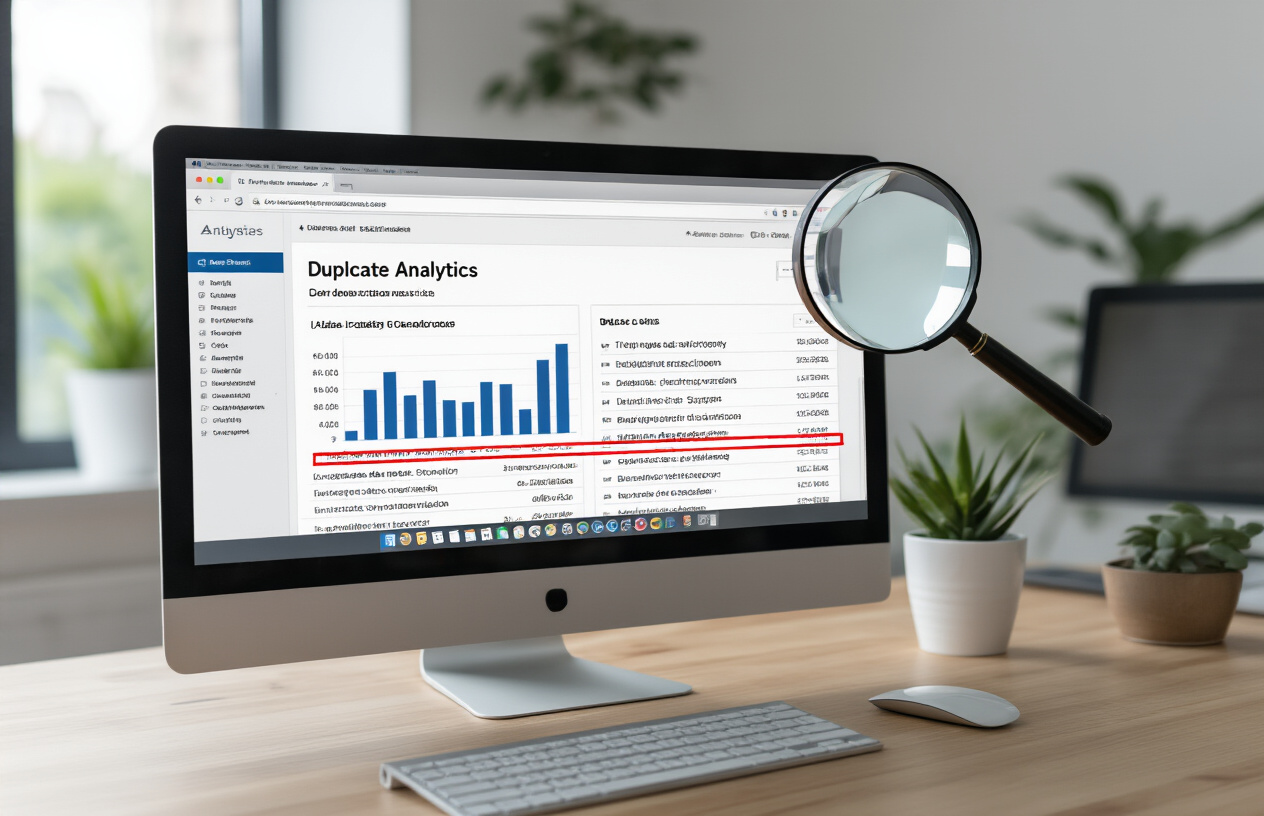
Professional SEO crawling tools provide deeper insights into duplicate meta descriptions seo issues than Google Search Console alone. Tools like Screaming Frog, Sitebulb, and DeepCrawl scan your entire website and generate detailed reports showing every instance of duplicate content in meta descriptions.
These tools excel at identifying patterns in your duplication issues. You might discover that certain page templates automatically generate identical meta descriptions, or that your CMS is creating duplicate meta data across similar product pages. Most crawling tools allow you to export results to spreadsheets, making it easier to track your progress.
| Tool | Key Features | Best For |
|---|---|---|
| Screaming Frog | Free tier available, detailed HTML analysis | Small to medium websites |
| Sitebulb | Visual reports, technical SEO insights | Agencies and consultants |
| DeepCrawl | Enterprise-level crawling, API integration | Large websites |
Set up regular crawls to catch new duplicate meta description issues before they impact your SEO performance. Many tools offer scheduling features that automatically scan your site and send reports to your inbox.
Manual Methods to Check for Duplicate Content
Sometimes you need to get hands-on with manual checking methods, especially for smaller websites or specific sections. Use site search operators in Google to find potential duplicates by searching for site:yoursite.com “exact meta description text”. This technique reveals all pages using identical descriptions.
Browser extensions like SEO Meta in 1 Click or MozBar display meta descriptions as you browse your site, making it easy to spot duplicates during regular site reviews. These tools show meta descriptions directly in your browser, allowing you to compare pages side-by-side.
Create a simple spreadsheet to track meta descriptions manually. Include columns for URL, page title, meta description, and character count. This approach works well for small websites or when auditing specific page categories. You can quickly sort and filter to identify exact matches or similar descriptions that need attention.
WordPress users dealing with duplicate meta descriptions wordpress issues can check their database directly using phpMyAdmin or similar tools. Search for identical entries in the postmeta table where meta_key relates to SEO plugins like Yoast or RankMath.
Creating a Priority List of Pages to Address First
Not all duplicate meta descriptions carry equal weight for your SEO performance. Start by prioritizing high-traffic pages that appear in your Google Analytics reports. These pages generate the most visibility and clicks, so fixing their meta description duplicate content issues provides immediate benefits.
Focus next on your money pages – product pages, service pages, and conversion-focused content that directly impact your business goals. These pages often compete against each other in search results when they share identical descriptions, which hurts your overall performance.
Consider the search volume and competition level for keywords these pages target. Pages competing for high-volume keywords need unique meta descriptions more urgently than low-traffic informational content. Use tools like Google Keyword Planner or SEMrush to assess keyword potential.
Create categories based on page types and tackle them systematically:
- High Priority: Homepage, main category pages, top-performing blog posts
- Medium Priority: Product pages, service pages, important landing pages
- Low Priority: Archive pages, tag pages, older blog posts with minimal traffic
Track your progress using a simple scoring system. Assign points based on traffic volume, conversion potential, and keyword competition. This approach ensures you’re maximizing the SEO impact of your efforts while working through duplicate meta descriptions systematically.
Remember that duplicate meta descriptions pagination issues often affect multiple pages simultaneously. Fixing template-level problems can resolve dozens of duplicate issues at once, making them high-priority targets regardless of individual page metrics.
Proven Strategies to Fix Duplicate Meta Descriptions

Writing Unique and Compelling Meta Descriptions for Each Page
Creating unique meta descriptions for every page on your website is the most straightforward way to eliminate duplicate meta description issues. Each page serves a different purpose and targets specific keywords, so your meta descriptions should reflect these differences.
Start by auditing your existing meta descriptions and identifying pages with identical or similar content. Focus on your most important pages first – homepage, product pages, service pages, and high-traffic blog posts. For each page, write a meta description that captures the unique value proposition and includes relevant keywords naturally.
Keep your meta descriptions between 150-160 characters to avoid truncation in search results. Make them compelling by including action words, benefits, and specific details that differentiate each page from others on your site. For example, instead of using generic descriptions like “Learn more about our services,” write specific ones like “Get 24/7 emergency plumbing repairs in Denver. Licensed plumbers with 5-star reviews and same-day service guaranteed.”
When writing meta descriptions for similar pages, highlight what makes each one unique. Product variations should emphasize different features, colors, or specifications. Blog posts should focus on specific angles or subtopics covered in each article.
Implementing Dynamic Meta Description Generation for Large Sites
Large websites with thousands of pages face a significant challenge when manually writing unique meta descriptions. Dynamic meta description generation offers a scalable solution that automatically creates unique descriptions based on page content and structured data.
Set up template-based systems that pull information from your database to generate descriptions automatically. For e-commerce sites, combine product names, key features, prices, and availability status. For blog sites, extract the first sentence or two from your content, ensuring they contain your target keywords.
Use conditional logic to create variations based on page type, category, or user behavior. For instance, category pages might pull the top-selling products and their key features, while individual product pages could highlight specifications, reviews scores, and shipping information.
WordPress users can leverage plugins like Yoast SEO or RankMath that offer dynamic meta description features. These tools can automatically generate descriptions based on your content while allowing manual overrides for critical pages.
Consider implementing schema markup and structured data to provide search engines with more context about your pages. This helps search engines understand your content better and can improve how your pages appear in search results.
Removing or Updating Generic Default Meta Descriptions
Many websites suffer from duplicate meta descriptions because of default templates or CMS settings that generate generic descriptions across multiple pages. Identifying
Advanced Optimization Techniques for Meta Descriptions

Incorporating Target Keywords Naturally and Effectively
Strategic keyword placement in meta descriptions requires finesse – you want search engines to understand your content’s relevance without sounding robotic. The key is weaving keywords into compelling sentences that feel natural to readers. Place your primary keyword within the first 120 characters when possible, as this ensures visibility even when descriptions get truncated.
Consider these approaches for natural keyword integration:
- Front-load important terms: Start with your most valuable keywords while maintaining readability
- Use semantic variations: Include related terms and synonyms to capture broader search queries
- Avoid keyword stuffing: Multiple repetitions harm both user experience and SEO performance
- Match user language: Use the same terms your audience searches for, not internal jargon
Crafting Action-Oriented Language That Drives Clicks
Meta descriptions serve as mini-advertisements for your content. Action verbs create urgency and compel users to click through to your website. Words like “discover,” “learn,” “unlock,” “master,” and “transform” suggest immediate value and benefits.
Effective action-oriented descriptions often:
- Begin with strong verbs that promise specific outcomes
- Include emotional triggers like “proven,” “exclusive,” or “expert-backed”
- Address pain points directly and offer solutions
- Create curiosity gaps that can only be resolved by clicking
Optimizing Character Length for Maximum Visibility
Google typically displays 150-160 characters of meta descriptions in search results, though this varies based on device and character width. Mobile displays often show fewer characters, making concise descriptions even more critical.
| Device Type | Optimal Length | Considerations |
|---|---|---|
| Desktop | 150-160 characters | Full visibility in most cases |
| Mobile | 120-130 characters | Smaller screens require brevity |
| Featured Snippets | 40-50 characters | Extremely limited space |
Write descriptions that deliver your core message within 120 characters while using the remaining space for supporting details. This ensures your key points remain visible across all devices and display formats.
A/B Testing Different Meta Description Variations
Testing different meta description approaches reveals what resonates with your specific audience. Create variations that test different elements:
Testing Variables:
- Question-based vs. statement-based formats
- Feature-focused vs. benefit-focused messaging
- Different emotional appeals and urgency levels
- Varying keyword placement and density
Track click-through rates from organic search results to identify winning variations. Google Search Console provides valuable data on impressions, clicks, and CTR for each page. Run tests for at least 2-4 weeks to gather statistically significant data.
Aligning Meta Descriptions with Search Intent
Understanding why people search for specific terms helps craft descriptions that match their expectations. Search intent typically falls into four categories:
Intent Types and Description Strategies:
- Informational: Promise comprehensive answers and expert insights
- Navigational: Clearly identify your brand and specific page content
- Commercial: Highlight product benefits, comparisons, and social proof
- Transactional: Emphasize immediate action, offers, and conversion opportunities
Review the top-ranking pages for your target keywords to understand what type of content Google considers most relevant. Align your meta descriptions with this intent while differentiating your unique value proposition. Pages targeting “how to fix duplicate meta descriptions” should emphasize practical solutions and step-by-step guidance rather than theoretical concepts.
Preventing Future Meta Description Duplication

Establishing Content Creation Guidelines for Your Team
Creating a comprehensive style guide prevents duplicate meta descriptions from appearing in the first place. Your content team needs clear instructions about crafting unique meta descriptions for every page. Start by documenting specific requirements: each meta description should be 150-160 characters, include target keywords naturally, and summarize the page’s unique value proposition.
Train your writers to research existing meta descriptions before creating new ones. Set up a shared spreadsheet or content management system where team members can track meta descriptions across your site. This simple step eliminates accidental duplicates during content creation.
Establish approval workflows that include meta description reviews. Before publishing any content, require a team member to verify the meta description doesn’t match existing pages. Consider creating templates for different page types while ensuring each implementation remains unique. For example, product pages might follow a pattern like “[Product Name] – [Key Benefit] | [Brand Name]” but with completely different content for each product.
Setting Up Automated Monitoring and Alert Systems
Modern SEO tools make monitoring duplicate meta descriptions seo issues automatic. Configure your chosen platform to scan your website weekly and flag any duplicates immediately. Popular tools like Screaming Frog, SEMrush, or Google Search Console can detect these problems before they impact your rankings.
Set up email alerts that notify your SEO team when new duplicates appear. This proactive approach catches issues from content updates, template changes, or WordPress plugin conflicts that might create duplicate meta descriptions WordPress problems. Many tools allow you to customize alert thresholds – you might want immediate notifications for high-priority pages and weekly summaries for less critical ones.
Consider implementing automated checks in your content management system. Some platforms offer plugins that warn content creators when they’re about to publish duplicate meta data. These real-time warnings prevent issues rather than fixing them after the fact.
Regular SEO Auditing Schedule and Best Practices
Schedule comprehensive SEO audits monthly to catch meta description issues alongside other optimization opportunities. During these audits, use duplicate meta tags checker tools to identify patterns in your duplication problems. You might discover that certain content types or website sections consistently generate duplicates.
Create audit checklists that include specific duplicate content meta checks. Review pagination pages, category archives, and search result pages – these areas often create duplicate meta description problems without proper optimization. Document your findings and track improvement over time.
Establish quarterly reviews of your meta description guidelines. As your website grows and content strategies evolve, your prevention methods need updates too. Regular team training sessions keep everyone aligned with best practices for meta descriptions seo and ensure new team members understand the importance of unique descriptions for every page.

Duplicate meta descriptions can seriously hurt your search rankings, but the good news is they’re completely fixable. By using tools like Google Search Console or SEO crawlers, you can quickly spot these duplicates across your site. Once you’ve found them, create unique, compelling descriptions for each page that match your content and include your target keywords naturally.
The best approach combines immediate fixes with long-term prevention. Write meta descriptions that grab attention while staying under 160 characters, and set up regular audits to catch new duplicates before they become problems. When you take control of your meta descriptions, you’re giving search engines clear signals about what each page offers and helping users decide whether to click through to your content. Start with your most important pages first, then work through the rest systematically – your organic traffic will thank you for it.
FAQs
What are meta descriptions and why do they matter for SEO?
Meta descriptions are short summaries (usually 150-160 characters) that describe what a webpage is about. They appear under your page title in search results. While they don’t directly affect your search ranking, they help people decide whether to click on your link, which can improve your click-through rates.
How do I know if my website has duplicate meta descriptions?
You can find duplicate meta descriptions by using free tools like Google Search Console, Screaming Frog SEO Spider, or online SEO checkers. These tools will scan your website and show you which pages have identical or missing meta descriptions.
Why are duplicate meta descriptions bad for my website?
Duplicate meta descriptions confuse search engines about which page to show for specific searches. They also make your search results look repetitive and unprofessional, reducing the chances that people will click on your links. This can hurt your website’s overall performance in search results.
What’s the ideal length for a meta description?
Keep your meta descriptions between 150-160 characters. If they’re too long, search engines will cut them off with “…” which looks incomplete. If they’re too short, you’re missing the chance to provide helpful information that could encourage clicks.
How do I write unique meta descriptions for each page?
Focus on what makes each page different. Describe the specific content, benefits, or information visitors will find on that particular page. Include relevant keywords naturally, but write for people first, not search engines.
Should I include keywords in my meta descriptions?
Yes, include relevant keywords, but do it naturally. When someone searches for those keywords, they’ll appear in bold in your meta description, making your result more eye-catching. However, don’t stuff keywords – focus on creating helpful, readable descriptions.
What should I do if I have hundreds of pages with duplicate meta descriptions?
Start with your most important pages – homepage, popular blog posts, and main service pages. Fix these first since they likely get the most traffic. Then work through the rest systematically. Consider using templates for similar pages (like product pages) while still making each one unique.
Can I leave meta descriptions blank and let search engines create them?
While search engines can create descriptions automatically, it’s better to write your own. Auto-generated descriptions might not highlight your page’s best features or include your target keywords. Writing your own gives you control over how your pages appear in search results.
How often should I update my meta descriptions?
Review your meta descriptions every few months or when you update your content. If a page’s focus changes, update the meta description to match. Also, check your search performance – if certain pages have low click-through rates, try rewriting their meta descriptions.
How long does it take to see results after fixing duplicate meta descriptions?
Search engines typically notice changes within a few days to a few weeks. However, you might not see significant traffic improvements immediately. The real benefit comes from better click-through rates over time, which can take 1-3 months to show clear patterns in your analytics.