Voice search is changing how people find information online, and if you’re not creating conversational content for voice search, you’re missing out on a huge opportunity. More people are asking their phones, smart speakers, and devices questions using natural language instead of typing short keywords into search boxes.
What Is Conversational Search and Why It Matters
What is conversational search? Simply put, it’s when people use natural, everyday language to search for information instead of using short, choppy keywords. Instead of typing “pizza delivery near me,” someone might ask their voice assistant, “Where can I get pizza delivered to my house tonight?”
This shift toward conversational search means content creators need to think differently about how they write. Your content needs to match how people actually talk and ask questions in real life.
The numbers tell the story clearly. Over 50% of adults use voice search daily, and this number keeps growing. Smart speakers are in millions of homes, and mobile voice search is becoming the default for many users. This isn’t just a trend – it’s becoming the new normal.
Why Traditional SEO Falls Short
Old-school SEO focused on short keywords like “best restaurants” or “car insurance rates.” But when someone uses voice search, they’re more likely to ask complete questions like “What are the best restaurants in downtown Chicago for a romantic date?” or “How much should I expect to pay for car insurance as a new driver?”
Your content needs to anticipate and answer these longer, more specific questions to succeed in voice search results.
Understanding How People Use Voice Search
Voice conversation patterns are different from typed searches in several important ways. When people speak their searches, they tend to:
- Use complete sentences and questions
- Include more context and details
- Speak more casually and naturally
- Ask follow-up questions
- Expect immediate, direct answers
The Three Types of Voice Searches
Local searches make up a huge portion of voice queries. People ask things like “Where’s the nearest coffee shop?” or “What time does the library close today?” If your business serves local customers, optimizing for these searches is essential.
Information searches involve people seeking answers to specific questions. These might be “How do I change a tire?” or “What’s the difference between savings and checking accounts?” These searches present great opportunities for educational content.
Commercial searches happen when people are ready to buy or take action. Examples include “Order me a large pepperoni pizza” or “Book me a hotel room in Miami for next weekend.”
Key Elements of Conversational Content
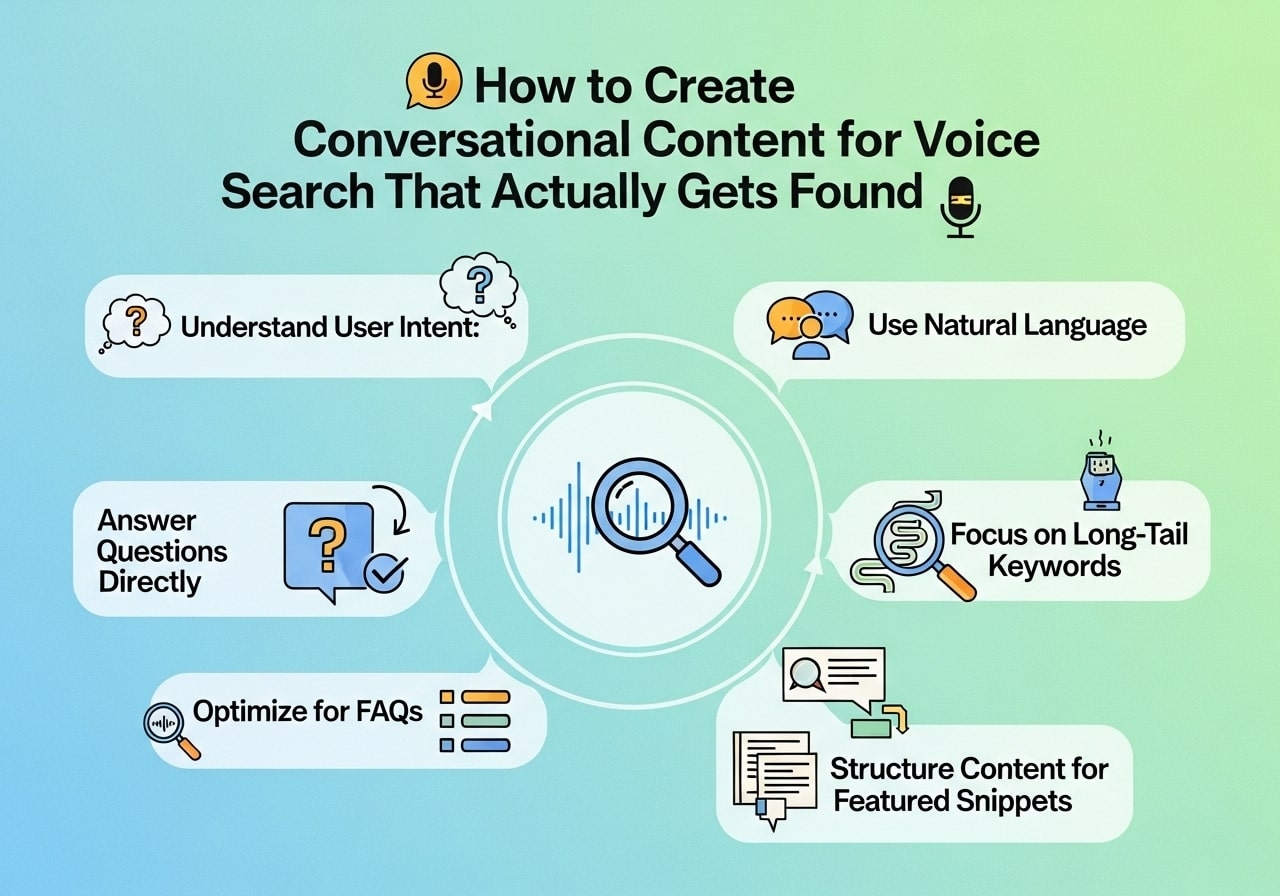
Creating effective conversational content for voice search requires understanding several key elements that make content voice-search friendly.
Natural Language Patterns
Your content should mirror how people actually speak. This means using contractions (like “you’re” instead of “you are”), everyday vocabulary, and complete sentences that flow naturally when read aloud.
Instead of writing: “Optimal pizza establishments proximate to user location”
Write: “What are the best pizza places near me?”
Question-Based Structure
Structure your content around the questions your audience actually asks. Start sections with common questions, then provide clear, direct answers. This approach aligns perfectly with how people use conversational search.
Featured Snippet Optimization
Voice assistants often pull answers from featured snippets – those highlighted boxes that appear at the top of Google search results. To increase your chances of getting featured:
- Answer questions concisely in 40-60 words
- Use bullet points and numbered lists
- Include clear headers that match common questions
- Provide comprehensive but scannable information
Conversational Search Examples That Work
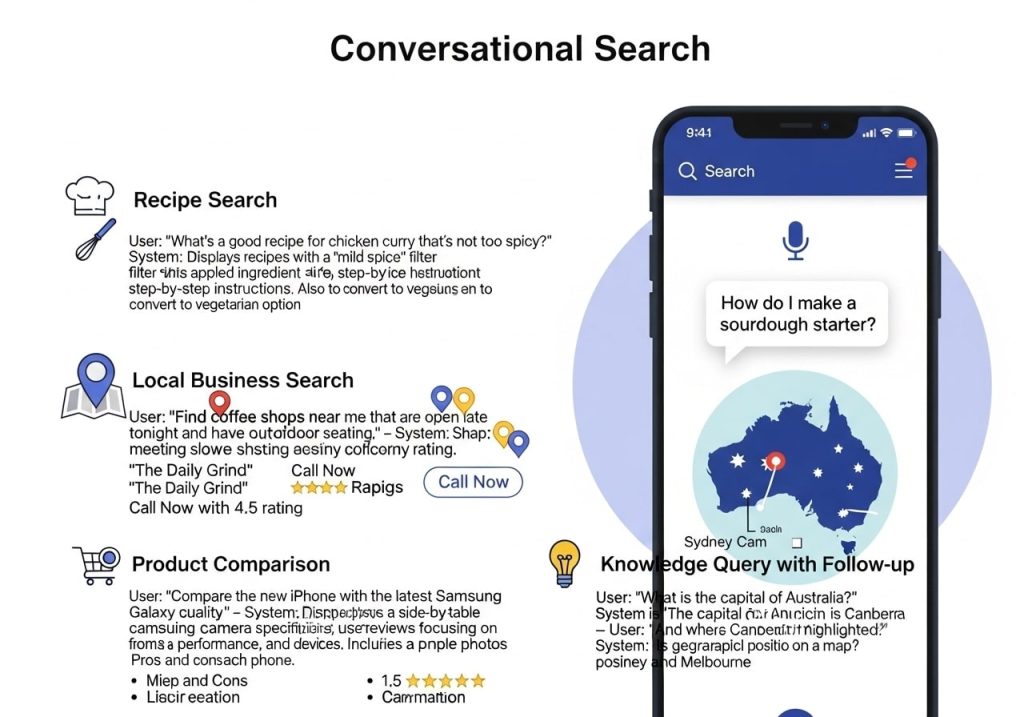
Let’s look at some conversational search examples and conversational content examples that perform well in voice search results.
Example 1: Recipe Content
Poor approach: “Chocolate chip cookie ingredients”
Better approach: “What ingredients do I need to make chocolate chip cookies from scratch?”
The content should then provide a clear, conversational answer: “To make chocolate chip cookies from scratch, you’ll need flour, butter, brown sugar, white sugar, eggs, vanilla extract, baking soda, salt, and chocolate chips. Most people have these basic ingredients in their kitchen already.”
Example 2: How-To Content
Poor approach: “Car tire change procedure”
Better approach: “How do I change a flat tire on my car?”
Follow with step-by-step instructions written in simple, conversational language that someone could easily follow while listening.
Example 3: Local Business Information
Poor approach: “Business hours location contact”
Better approach: “What time does [Business Name] close today?”
Then provide clear, immediate information: “[Business Name] closes at 9 PM today. We’re located at [address] and you can call us at [phone number] if you need directions.”
Writing in a Conversational Voice: Best Practices
Developing a conversational voice in your writing takes practice, but these strategies will help you get there faster.
Use Personal Pronouns
Write as if you’re talking directly to one person. Use “you,” “your,” “we,” and “our” throughout your content. This creates the feeling of a real conversation rather than a formal document.
Keep Sentences Shorter
Long, complex sentences work fine in written content, but they’re harder to process when spoken aloud. Aim for sentences that are easy to understand when heard rather than read.
Include Transitional Phrases
Conversational voice examples often include natural transitions like “Here’s the thing,” “Now, let’s talk about,” or “You might be wondering.” These phrases make your content flow more naturally and feel more like a real conversation.
Ask and Answer Questions
Throughout your content, ask questions that your readers might be thinking, then answer them immediately. This technique keeps people engaged and mirrors natural conversation patterns.
Google Conversational Search Optimization
Google conversational search has become increasingly sophisticated at understanding natural language and user intent. Here’s how to optimize for Google’s voice search algorithms.
Focus on User Intent
Google wants to provide the most helpful answer to each query. Think about why someone is asking a particular question and what they really need to know. Then structure your content to provide that information as clearly as possible.
Use Schema Markup
Schema markup helps Google understand your content better and increases your chances of appearing in voice search results. Use FAQ schema for question-and-answer content, and local business schema if you serve local customers.
Optimize for Mobile
Most voice searches happen on mobile devices, so your website must load quickly and display properly on phones and tablets. Google prioritizes mobile-friendly sites in all search results, including voice searches.
Create FAQ Pages
Frequently Asked Questions pages are perfect for voice search optimization. They naturally include the questions people ask and provide direct answers. Structure these pages with clear questions as headers followed by comprehensive but concise answers.
Common Mistakes to Avoid
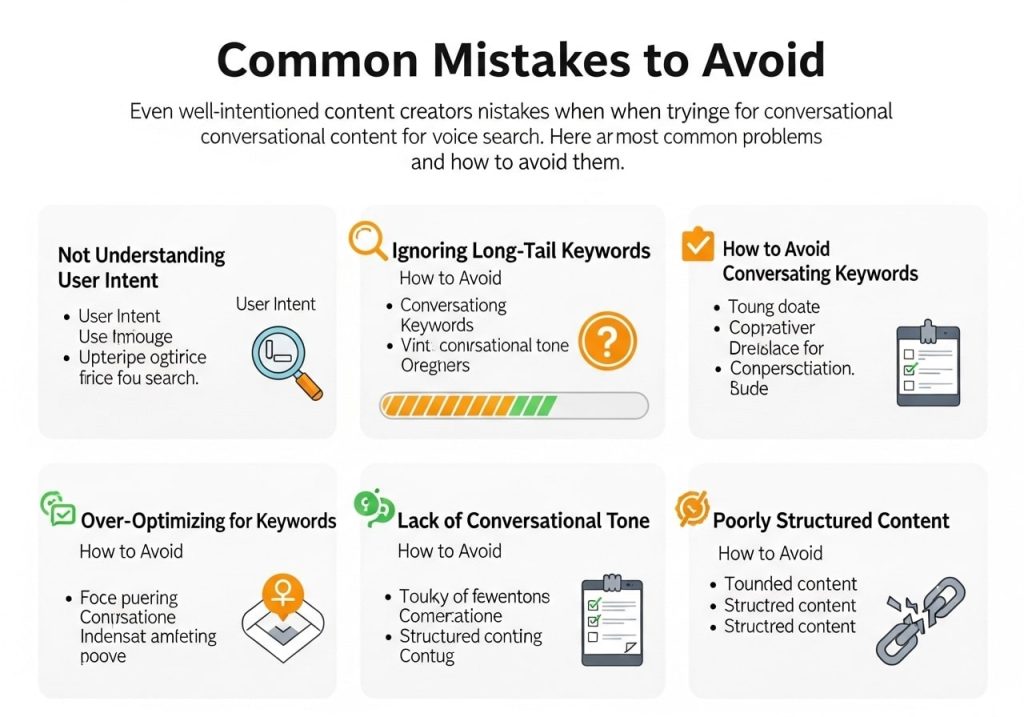
Even well-intentioned content creators make mistakes when trying to optimize for conversational content for voice search. Here are the most common problems and how to avoid them.
Mistake 1: Overusing Keywords
While keywords are important, stuffing them unnaturally into your content hurts readability and doesn’t help with voice search. Focus on natural language first, then incorporate keywords where they fit naturally.
Mistake 2: Ignoring Local Intent
Many voice searches have local intent, even when it’s not explicitly stated. Someone asking “Where can I buy fresh flowers?” probably wants local options, not an online store across the country.
Mistake 3: Making Answers Too Long
Voice search users want quick, accurate answers. If your response to a simple question takes three paragraphs, people will lose interest. Provide the essential information first, then offer additional details for those who want them.
Mistake 4: Using Technical Language
Conversational voice meaning implies using language that regular people understand. Avoid jargon, technical terms, and industry buzzwords unless you immediately explain them in simple terms.
Tools and Techniques for Success
Several tools and techniques can help you create better conversational content for voice search.
Keyword Research Tools
Use tools like Answer The Public, Google’s “People Also Ask” feature, and keyword research platforms to find the actual questions people ask about your topics. These tools reveal the natural language patterns your audience uses.
Voice Testing
Read your content aloud or use text-to-speech software to hear how it sounds. If it feels awkward when spoken, it probably needs revision. Your content should flow naturally when read aloud.
Competitor Analysis
Look at what content currently ranks for voice searches in your industry. What questions are they answering? How do they structure their responses? Use this information to improve your own approach.
Analytics and Search Console
Monitor your Google Search Console data to see which voice search queries are bringing people to your site. This information helps you understand what’s working and what opportunities you might be missing.
Measuring Your Results
Tracking the success of your conversational search optimization efforts requires looking at specific metrics and indicators.
Featured Snippet Tracking
Monitor how often your content appears in featured snippets, as these are prime sources for voice search results. Tools like SEMrush and Ahrefs can help track your featured snippet performance.
Long-Tail Keyword Performance
Voice searches tend to be longer and more specific than typed searches. Track your rankings for longer, question-based keywords to see how well your conversational content performs.
Local Search Visibility
If your business serves local customers, monitor your local search rankings and Google My Business insights. Many voice searches have local intent, so strong local SEO is crucial.
User Engagement Metrics
Look at metrics like time on page, bounce rate, and pages per session. If people find your content through voice search and then engage with your site, it indicates your content successfully answers their questions.
Creating effective conversational content for voice search isn’t just about following a checklist – it’s about understanding how people naturally communicate and structuring your content to match those patterns. Focus on providing clear, helpful answers to real questions, write in a natural conversational voice, and always prioritize user experience over keyword density.
The future of search is conversational, and businesses that adapt their content strategy now will have a significant advantage. Start by identifying the questions your audience asks, then create content that answers those questions in a natural, helpful way.
Ready to improve your voice search performance? Begin by auditing your existing content to see how well it matches conversational search patterns, then gradually optimize and create new content with these principles in mind.
FAQs
What exactly is voice search content?
Voice search content is writing that matches how people naturally speak when they ask questions out loud to devices like Alexa, Google Assistant, or Siri. Instead of typing “best pizza NYC,” someone might say “What’s the best pizza place near me?” Your content needs to answer these spoken questions in a conversational way.
Why should I care about optimizing for voice search?
More people are using voice search every day – especially on mobile phones and smart speakers. If your content doesn’t match how people actually talk, you’re missing out on potential visitors and customers. Voice search results often come from the top-ranking pages, so getting this right can really boost your visibility.
How is voice search different from regular search?
Voice searches are usually longer and more conversational. People type “weather today” but say “What’s the weather like today?” Voice searches are also more likely to be questions, and people expect quick, direct answers rather than having to scroll through lots of information.
What types of questions should my content answer?
Focus on the questions your audience actually asks. Think about who, what, where, when, why, and how questions related to your business. For example, if you’re a dentist, answer questions like “How often should I brush my teeth?” or “What causes tooth pain?” Keep a list of questions customers ask you in person or over the phone.
How long should my answers be?
Keep answers between 40-60 words when possible. Voice assistants prefer concise, complete answers they can read aloud quickly. You can always provide more detail after the main answer, but lead with the most important information first.
Should I write exactly like people talk?
Yes, but keep it professional and clear. Use contractions like “don’t” instead of “do not” and write in a friendly, helpful tone. Imagine you’re explaining something to a friend who asked you a question – that’s the right level of casual conversation.
Where should I put these conversational answers on my website?
Create a dedicated FAQ section, add them to relevant blog posts, or include them in product descriptions. You can also create separate pages for common questions. The key is making sure these answers are easy for search engines to find and understand.
How do I find the right questions to answer?
Check what questions people ask on sites like Quora or Reddit related to your industry. Look at the “People also ask” section in Google search results. Use tools like Answer the Public or just pay attention to what customers ask you directly. Your customer service team is a great source for common questions.
Do I need to change my entire website for voice search?
No, you don’t need to start over. Start by adding conversational Q&A sections to your existing pages. Review your current content and see where you can make it sound more natural and direct. Small changes can make a big difference over time.
How will I know if my voice search optimization is working?
Watch your website analytics for increases in organic traffic, especially from long-tail keyword phrases that sound like questions. You can also test your content by asking voice assistants questions related to your business and seeing if your content appears in the results. Keep track of which pages are getting more visitors and engagement.