A high bounce rate can be frustrating for any website owner. When visitors leave your site after viewing just one page, you’re missing opportunities to engage them, build relationships, and drive conversions. Learning how to reduce bounce rate on website pages is essential for improving your online success and getting better results from your digital marketing efforts.
Understanding Bounce Rate Basics
Before diving into strategies, let’s clarify what bounce rate means. A bounce occurs when someone visits your website and leaves without interacting with any other pages or elements. The bounce rate is the percentage of single-page sessions divided by all sessions on your site.
Lower bounce rate is better in most cases because it indicates that visitors find your content engaging enough to explore further. However, the context matters. A blog post that fully answers someone’s question might naturally have a higher bounce rate, and that’s perfectly normal.
Many people wonder is lower bounce rate good – the answer is usually yes, but you need to consider your specific goals and content type. A bounce rate between 26-40% is considered excellent, while 41-55% is average, and anything above 70% needs attention.
Why Your Bounce Rate Matters
Understanding bounce rate reasons helps you see why this metric is important for your website’s success. High bounce rates can indicate several problems:
- Your content doesn’t match what visitors expected
- Pages load too slowly
- The design looks unprofessional or outdated
- Navigation is confusing
- Content is hard to read or poorly organized
Search engines like Google also consider user engagement signals when ranking websites. If people quickly leave your site, it might signal that your content isn’t valuable, which can hurt your search rankings.
What Is a Healthy Bounce Rate?
What is a healthy bounce rate varies by industry and content type:
- E-commerce sites: 20-45%
- Lead generation sites: 30-50%
- Content/blog sites: 40-60%
- Landing pages: 70-90% (can be normal)
- Support/FAQ pages: 10-30%
Remember that bounce acceptable rate depends on your specific situation. A single-page website or a contact page might naturally have higher bounce rates.
15 Effective Ways to Reduce Bounce Rate
1. Improve Page Loading Speed
Slow loading pages are one of the biggest bounce rate reasons. Research shows that 40% of people abandon a website that takes more than 3 seconds to load.
How to improve loading speed:
- Optimize images by compressing them
- Use a content delivery network (CDN)
- Choose reliable web hosting
- Minimize HTTP requests
- Enable browser caching
- Remove unnecessary plugins
Tools like Google PageSpeed Insights can help you identify specific speed issues and get recommendations for improvement.
2. Create Compelling Headlines
Your headline is often the first thing visitors see. If it doesn’t grab attention or match their expectations, they’ll leave immediately. How to reduce bounce rate through better content starts with writing headlines that make people want to read more.
Tips for better headlines:
- Include your target keyword naturally
- Promise a clear benefit or solution
- Use numbers when relevant (like “15 Ways” or “7 Tips”)
- Create urgency or curiosity
- Keep them under 60 characters for better display
3. Write Better Content
Content quality directly impacts how long people stay on your site. How to reduce bounce rate through better content involves creating material that truly helps your audience.
Content improvement strategies:
- Write in short, easy-to-read paragraphs
- Use bullet points and numbered lists
- Include relevant images and graphics
- Answer questions thoroughly
- Add examples and case studies
- Update old content regularly
Make sure your content matches search intent. If someone searches for “how to reduce bounce rate,” they want practical tips, not just a definition.
4. Improve User Experience
Poor user experience is a major reason why is my bounce rate so high. Visitors should be able to easily navigate and interact with your site.
UX improvement checklist:
- Use clean, professional design
- Ensure text is easy to read (good contrast, appropriate font size)
- Avoid intrusive ads or popups
- Make navigation intuitive
- Use white space effectively
- Ensure buttons and links are easy to click
5. Add Videos to Your Pages
How does video reduce bounce rate? Videos keep people engaged longer and can explain complex topics more effectively than text alone. Research shows that pages with videos have 2.6 times longer average time on page.
Video best practices:
- Keep videos under 2 minutes for most topics
- Add captions for accessibility
- Ensure fast loading
- Include a clear thumbnail
- Embed videos properly rather than linking externally
6. Internal Linking Strategy
Strategic internal links encourage visitors to explore more of your content. This is one of the most effective ways to reduce bounce rate because it gives people clear next steps.
Internal linking tips:
- Link to related articles within your content
- Use descriptive anchor text
- Add “related posts” sections
- Include links in your navigation menu
- Create topic clusters around main subjects
For example, if you’re writing about how to reduce bounce rate in SEO, link to related articles about keyword research or content optimization.
7. Mobile Optimization
With over 50% of web traffic coming from mobile devices, poor mobile experience is often why is my bounce rate so high. Mobile users are especially likely to leave if your site doesn’t work well on their devices.
Mobile optimization essentials:
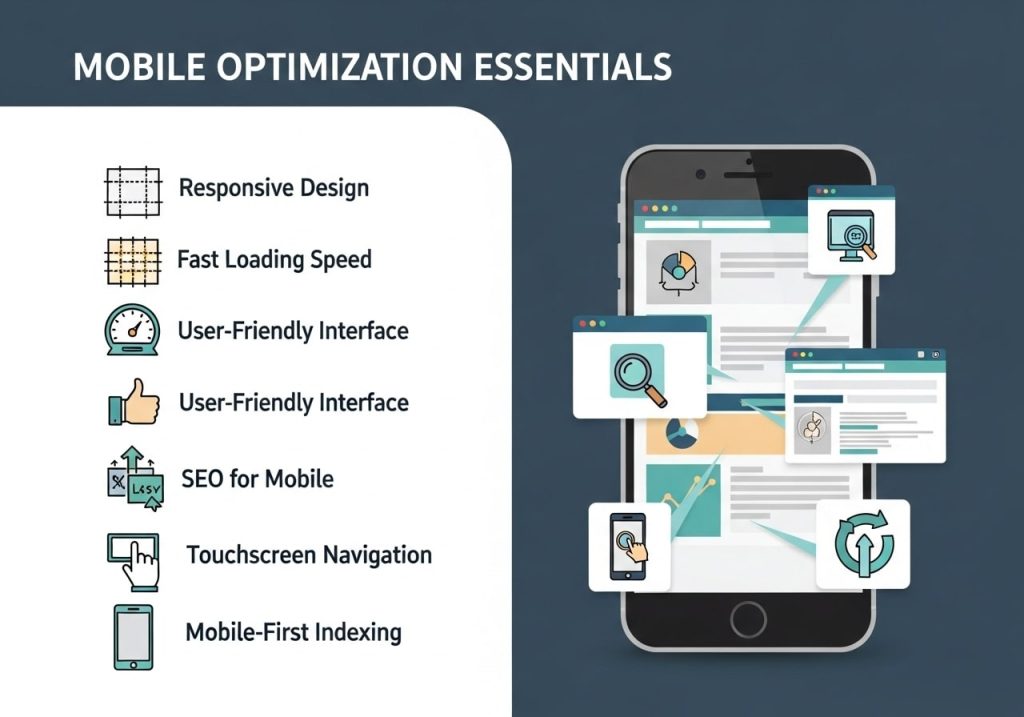
- Use responsive design
- Make buttons and links easily tappable
- Optimize images for smaller screens
- Ensure fast mobile loading speeds
- Test your site on various devices
8. Clear Call-to-Actions
Visitors need to know what to do next on your site. Clear calls-to-action (CTAs) guide them toward engagement and help reduce bounce rate on website pages.
Effective CTA strategies:
- Use action-oriented language (“Download,” “Read More,” “Get Started”)
- Make CTAs visually prominent
- Place them strategically throughout your content
- Test different colors and wording
- Ensure they’re relevant to the content
9. Related Content Suggestions
Showing related content at the end of articles or in sidebars gives visitors reasons to stay longer. This is particularly effective for how to reduce bounce rate on blog posts.
Related content best practices:
- Show 3-5 related articles
- Use compelling titles and thumbnails
- Base suggestions on similar topics or tags
- Place them prominently but not intrusively
- Update suggestions regularly
10. Fix Technical Issues
Technical problems can cause immediate exits. Regular site maintenance helps reduce bounce rate website issues.
Common technical fixes:
- Fix broken links (404 errors)
- Ensure forms work properly
- Remove or update outdated content
- Fix JavaScript errors
- Ensure all pages display correctly
- Check that search functionality works
11. Target the Right Keywords
If your content doesn’t match what people are searching for, they’ll leave quickly. How to reduce bounce rate in SEO involves better keyword targeting and search intent matching.
Keyword targeting tips:
- Research what your audience actually searches for
- Match content to search intent (informational, navigational, transactional)
- Use long-tail keywords for specific topics
- Analyze competitor content for keyword ideas
- Update content based on keyword performance
12. Use Exit-Intent Popups
Exit-intent technology can detect when someone is about to leave your site and display a targeted message. While popups can be annoying, exit-intent ones are less intrusive and can be effective tricks to reduce bounce rate.
Exit-intent popup ideas:
- Offer a discount or free resource
- Suggest related content
- Ask for feedback
- Promote newsletter signup
- Provide contact information
13. Improve Navigation
Confusing navigation is a common reason visitors leave sites quickly. Clear, logical navigation helps people find what they’re looking for and encourages exploration.
Navigation improvement tips:
- Use clear, descriptive menu labels
- Organize content into logical categories
- Add a search bar
- Include breadcrumb navigation
- Ensure navigation works on mobile
- Add a sitemap page
14. Add Search Functionality
A search bar helps visitors quickly find specific information, which can significantly reduce bounce rate on my website. This is especially important for larger sites with lots of content.
Search functionality tips:
- Make the search bar prominent and easy to find
- Include search suggestions or autocomplete
- Show helpful results even for misspelled queries
- Display related content when no exact matches exist
- Track search queries to understand what people want
15. Social Proof and Trust Signals
People are more likely to stay and engage with sites they trust. Adding social proof and trust signals can help reduce bounce rate of website pages.
Trust signal examples:
- Customer testimonials and reviews
- Security badges and certifications
- Social media follower counts
- Industry awards or recognition
- Professional associations
- Contact information and about pages
How to Reduce Bounce Rate in Google Analytics
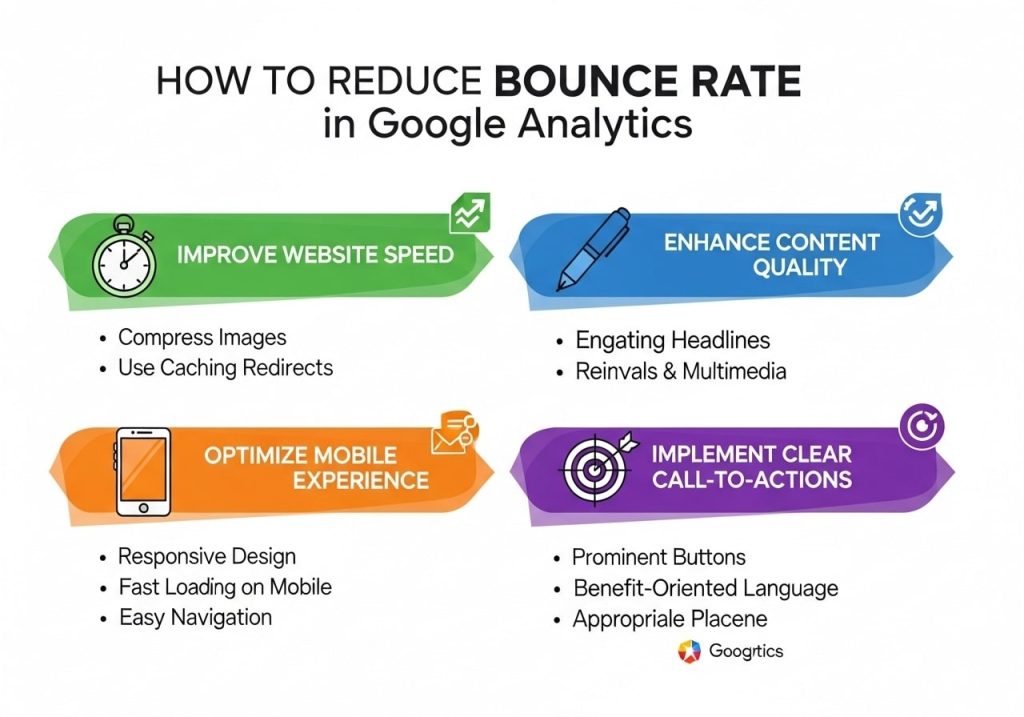
How to reduce bounce rate google analytics tracking starts with understanding your data. Google Analytics provides detailed bounce rate information that helps you identify problem areas.
Analytics insights to check:
- Bounce rate by page to find problematic content
- Bounce rate by traffic source to identify quality issues
- Mobile vs desktop bounce rates
- Bounce rate by location or demographics
- Time-based bounce rate trends
Set up goals and events in Google Analytics to better understand user engagement beyond just page views.
Platform-Specific Tips
How to Reduce Bounce Rate Shopify
E-commerce sites have unique challenges. How to reduce bounce rate ecommerce strategies include:
- Optimize product pages with detailed descriptions
- Show customer reviews and ratings
- Offer live chat support
- Display related or recommended products
- Ensure secure checkout process
- Add size guides and return policies
How to Reduce Bounce Rate WordPress
WordPress users can take advantage of specific plugins and features:
- Use reduce bounce rate plugin options like Related Posts or Popular Posts
- Optimize themes for speed and mobile
- Implement proper SEO practices
- Use analytics plugins to track performance
- Add social sharing buttons
How to Reduce Bounce Rate on Landing Page
Landing pages require special attention since they’re often the first impression:
- Ensure message match between ads and landing page content
- Use clear, compelling headlines
- Minimize distractions and focus on one main goal
- Include testimonials or social proof
- Make forms simple and easy to complete
Common Bounce Rate Reasons
Understanding bounce rate reasons helps you address the root causes:
Content-related reasons:
- Content doesn’t match visitor expectations
- Poor writing quality or organization
- Outdated or inaccurate information
- Too much promotional content
Technical reasons:
- Slow loading speeds
- Mobile compatibility issues
- Broken functionality
- Poor site search
Design reasons:
- Unprofessional appearance
- Hard to read text
- Confusing navigation
- Intrusive ads or popups
Measuring Success
Reducing bounce rate is an ongoing process that requires regular monitoring and adjustment. Track these metrics to measure improvement:
- Overall bounce rate trends over time
- Bounce rate changes after implementing specific strategies
- Time on page and pages per session
- Conversion rate improvements
- User engagement metrics
Remember that bounce rate lower better isn’t always true – focus on meaningful engagement rather than just keeping people on your site longer.
Conclusion
Learning how to reduce bounce rate takes time and consistent effort, but the results are worth it. By focusing on user experience, content quality, technical performance, and clear navigation, you can create a website that keeps visitors engaged and encourages them to explore further.
Start by identifying your biggest problem areas using analytics data, then implement the strategies that make the most sense for your specific situation. Whether you need to reduce bounce rate on website pages through better content, faster loading speeds, or improved mobile experience, small changes can lead to significant improvements.
Remember that what is reduce bounce rate success looks like varies by industry and content type. Focus on providing value to your visitors, and your bounce rate will naturally improve as people find your site more engaging and useful.
What strategies will you try first to improve your bounce rate? Start with the quick wins like fixing technical issues and improving page speed, then work on longer-term improvements like content quality and user experience.
FAQs
What exactly is bounce rate and why should I care about it?
Bounce rate is the percentage of people who visit your website and leave after viewing just one page. Think of it like someone walking into your store, looking around for a few seconds, then walking right back out without buying anything. A high bounce rate usually means visitors aren’t finding what they need or your site isn’t grabbing their attention fast enough.
What’s considered a “good” bounce rate for most websites?
Most websites see bounce rates between 40-60%, but this really depends on your industry and type of site. Blog posts might have higher bounce rates (60-70%) because people often read one article and leave, which is totally normal. E-commerce sites usually aim for lower rates (20-40%) since you want people browsing multiple products.
How can I tell if my website’s loading speed is hurting my bounce rate?
You can check your site speed using free tools like Google PageSpeed Insights or GTmetrix. If your pages take longer than 3 seconds to load, you’re probably losing visitors. People are pretty impatient online – even a 2-second delay can make them hit the back button and find what they need somewhere else.
What’s the biggest mistake people make with their homepage that drives visitors away?
The biggest mistake is making visitors guess what your website is about or what you do. Your homepage should clearly explain who you are and how you help people within the first few seconds. If someone lands on your site and can’t figure out if they’re in the right place, they’ll leave immediately.
How important is mobile optimization for keeping visitors on my site?
Mobile optimization is huge – more than half of web traffic comes from mobile devices now. If your site looks broken, loads slowly, or is hard to navigate on a phone, people will bounce right off. Your site needs to work just as well on a small screen as it does on a desktop computer.
Should I be worried about pop-ups scaring visitors away?
Pop-ups can definitely hurt your bounce rate if they’re annoying or appear too quickly. The key is timing and relevance. Don’t hit visitors with a pop-up the second they arrive – let them browse for at least 30 seconds first. Make sure your pop-up offers something valuable, not just another sales pitch.
How can I make my content more engaging to keep people reading?
Break up your text with headings, bullet points, and short paragraphs – big blocks of text scare people away. Use images and videos to explain your points. Write like you’re talking to a friend, not giving a lecture. Ask questions and tell stories that your readers can relate to.
What role does website navigation play in bounce rate?
Navigation is like the map of your store – if people can’t find what they’re looking for easily, they’ll leave frustrated. Keep your main menu simple with clear labels. Add a search bar for larger sites. Make sure your most important pages are easy to find within 2-3 clicks.
How can internal linking help reduce my bounce rate?
Internal links are like breadcrumbs that lead visitors deeper into your website. When you mention related topics in your content, link to other pages on your site that cover those topics. This gives people more reasons to stick around and explore. Just make sure the links make sense and add value to what they’re reading.
How long should I wait to see improvements in my bounce rate after making changes?
Give your changes at least 2-4 weeks to show real results. Website analytics can be noisy day-to-day, so you need enough data to see clear trends. Focus on making one or two changes at a time so you can tell what’s actually working. Keep tracking your bounce rate monthly rather than obsessing over daily numbers.