
Real 3D Flip Book Plugin and Installation Guide
What is the Real 3D Flip Book Plugin?
The Real 3D Flip Book plugin is a powerful WordPress plugin that transforms static PDF documents into engaging, interactive 3D flipbooks. This innovative tool allows website owners to display magazines, catalogs, brochures, and ebooks in a realistic page-flipping format that mimics the experience of reading a physical book.
Unlike traditional PDF viewers, this WordPress flipbook plugin creates an immersive reading experience with smooth page transitions, realistic shadows, and interactive elements. The plugin supports various file formats including PDF, images, and HTML content, making it versatile for different types of publications.
The 3D flipbook plugin has gained popularity among businesses, educational institutions, and content creators who want to present their digital publications in an engaging way. From digital magazines to product catalogs, this tool helps transform boring static content into captivating interactive experiences.
Real 3D FlipBook Premium Plugin WordPress
Get the Premium Real 3D FlipBook Plugin
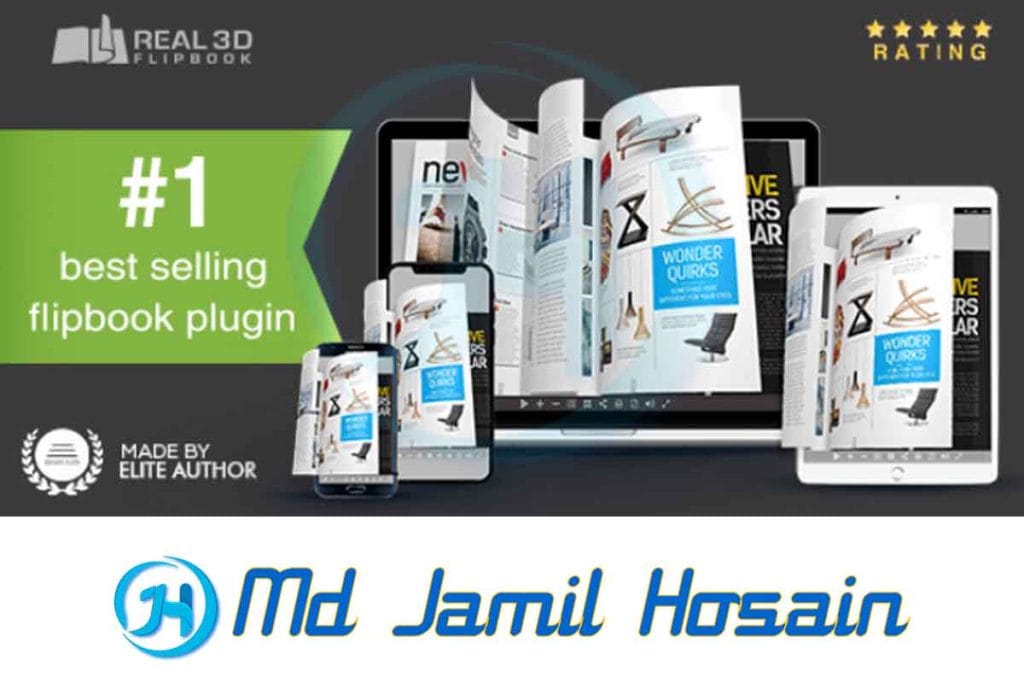
Why Choose Real 3D Flip Book for WordPress?
When searching for the best 3D flipbook plugin, several factors make Real 3D stand out from competitors. First, its compatibility with WordPress makes integration seamless for website owners already using the platform. The plugin works with most WordPress themes and doesn’t require extensive technical knowledge to implement.
The Real 3D Flip Book for WordPress offers superior performance compared to many alternatives. It loads quickly, even with large PDF files, thanks to its smart loading technology that displays pages as users navigate through them. This approach ensures your website maintains fast loading speeds while providing rich interactive content.
Another significant advantage is the plugin’s responsive design. Your interactive 3D flipbook will look great on desktop computers, tablets, and mobile devices. The touch-friendly interface makes it easy for mobile users to flip through pages using swipe gestures, while desktop users can use mouse clicks or keyboard navigation.
The plugin also provides excellent SEO benefits. Search engines can index the text content within your flipbooks, helping improve your website’s search rankings. This feature is particularly valuable for businesses using flipbooks to showcase products or services.
Key Features of the Best 3D Flipbook Plugin
The Real 3D Flip Book plugin comes packed with features that make it stand out as the best 3D flipbook plugin available for WordPress. Here are the most important features:
Visual Effects and Animation
- Realistic page-turning animations with shadow effects
- Smooth transitions between pages
- Customizable animation speed
- 3D depth effects that create a realistic book appearance
- Multiple page-turning sounds for enhanced user experience
Customization Options
- Multiple pre-designed themes and skins
- Customizable toolbar with various control options
- Adjustable book dimensions and aspect ratios
- Color scheme customization for branding consistency
- Custom background options including images and colors
Navigation Features
- Table of contents with clickable links
- Search functionality within the flipbook content
- Bookmark creation and management
- Thumbnail navigation panel
- Auto-flip functionality for presentations
Mobile Optimization
- Fully responsive design for all devices
- Touch-friendly controls for mobile users
- Optimized loading for slower internet connections
- Pinch-to-zoom functionality for detailed viewing
Real 3D Flipbook Installation Guide
Installing the Real 3D Flip Book plugin is straightforward, but following the proper steps ensures optimal performance. Here’s a comprehensive Real 3D flipbook installation guide:
Method 1: WordPress Admin Dashboard Installation
- Log into your WordPress admin dashboard
- Navigate to Plugins > Add New
- Search for “Real 3D Flip Book”
- Click “Install Now” next to the plugin
- After installation, click “Activate Plugin”
- The plugin will now appear in your WordPress admin menu
Method 2: Manual Installation
- Download the plugin ZIP file from the official WordPress repository
- Go to Plugins > Add New in your WordPress dashboard
- Click “Upload Plugin” at the top of the page
- Choose the downloaded ZIP file and click “Install Now”
- Once installed, activate the plugin
Initial Setup
After activation, you’ll find the Real 3D Flip Book menu in your WordPress dashboard. The flipbook plugin setup requires configuring basic settings:
- Set default dimensions for your flipbooks
- Choose your preferred animation settings
- Configure mobile optimization options
- Set up default toolbar options
- Establish file upload limits and formats
How to Create Flipbooks WordPress Using Real 3D
Learning how to create a flipbook in WordPress using the Real 3D plugin is easier than you might think. The process involves several steps, but the intuitive interface makes it accessible for users of all skill levels.
Preparing Your Content
Before creating your first 3D flipbook for website, prepare your content properly:
- PDF Files: Ensure your PDF is high-quality and properly formatted
- Images: Use high-resolution images (at least 300 DPI) for best results
- File Size: Optimize file sizes for web use to ensure fast loading
- Content Structure: Organize your content with clear page breaks
Creating Your First Flipbook
To create flipbooks WordPress style:
- Go to Real 3D Flip Book > Add New in your WordPress dashboard
- Enter a title for your flipbook
- Upload your PDF file or images using the media uploader
- Configure basic settings like dimensions and page layout
- Preview your flipbook to ensure it displays correctly
- Save your flipbook and note the shortcode generated
Embedding Flipbooks in Posts and Pages
Once created, you can embed your flipbook anywhere on your website:
- Use the provided shortcode in posts, pages, or widgets
- Utilize the Gutenberg block for easy insertion
- Add flipbooks to your theme template files using PHP functions
- Create dedicated flipbook pages for better organization
Real 3D Flipbook Tutorial: Step-by-Step Process
This detailed Real 3D flipbook tutorial will walk you through creating a professional-looking flipbook from start to finish.
Step 1: Content Preparation
Start by preparing your source material. If you’re working with a PDF, ensure it’s optimized for web viewing. Large file sizes can slow down loading times, so consider compressing your PDF while maintaining quality.
For image-based flipbooks, organize your images in the correct order and ensure consistent dimensions. Name your files sequentially (page-01.jpg, page-02.jpg, etc.) for easier management.
Step 2: Plugin Configuration
Before creating your first flipbook, configure the plugin settings:
- Navigate to Real 3D Flip Book > Settings
- Set default dimensions that work well for your website layout
- Choose animation preferences that match your brand style
- Configure mobile settings for optimal mobile performance
- Set up default toolbar options based on user needs
Step 3: Creating the Flipbook
- Click “Add New” in the Real 3D Flip Book menu
- Enter a descriptive title for your flipbook
- Upload your PDF file or select images from your media library
- Configure specific settings for this flipbook
- Set up the table of contents if needed
- Preview the flipbook to check appearance and functionality
Step 4: Customization
Customize your flipbook’s appearance:
- Select a theme that matches your website design
- Adjust colors to match your brand guidelines
- Configure toolbar options based on user needs
- Set up auto-flip timing if creating a presentation
- Add background music or sound effects if desired
Step 5: Publishing
Once satisfied with your flipbook:
- Save your work and copy the generated shortcode
- Create a new page or post where you want to display the flipbook
- Paste the shortcode or use the Gutenberg block
- Preview the page to ensure proper display
- Publish when ready
Flipbook Design WordPress: Customization Options
The flipbook design WordPress capabilities of Real 3D are extensive, allowing you to create flipbooks that perfectly match your website’s aesthetic. Understanding these customization options helps you create professional-looking publications.
Theme Selection
The plugin includes several pre-designed themes:
- Classic Theme: Traditional book appearance with leather-like covers
- Modern Theme: Clean, minimalist design suitable for contemporary websites
- Magazine Theme: Colorful design perfect for digital magazines
- Corporate Theme: Professional appearance for business documents
Color Customization
Personalize your flipbook’s color scheme:
- Background Colors: Choose solid colors or gradients
- Text Colors: Adjust for optimal readability
- Interface Elements: Customize toolbar and navigation colors
- Accent Colors: Set colors for links and interactive elements
Layout Options
Control how your flipbook appears:
- Single Page Mode: Display one page at a time
- Double Page Mode: Show two pages side by side like an open book
- Responsive Layouts: Automatic adjustment based on screen size
- Custom Dimensions: Set specific width and height values
Interactive Elements
Add interactive features to engage readers:
- Clickable Links: Maintain functionality from original PDF
- Embedded Videos: Include multimedia content
- Interactive Forms: Keep form functionality intact
- Audio Elements: Add sound effects or narration
Creating a 3D Flipbook Gallery
A 3D flipbook gallery showcases multiple flipbooks in an organized, visually appealing format. This feature is particularly useful for businesses with multiple catalogs, publishers with various magazines, or educational institutions with different course materials.
Gallery Setup
Creating a flipbook gallery involves:
- Planning Your Gallery Structure: Organize flipbooks by category, date, or topic
- Creating Individual Flipbooks: Ensure all flipbooks follow consistent design guidelines
- Setting Up the Gallery Page: Use the plugin’s gallery shortcode or create a custom page
- Adding Descriptions: Include brief descriptions for each flipbook
- Implementing Search and Filter Options: Help users find relevant content quickly
Gallery Customization
Customize your gallery appearance:
- Grid Layout: Choose the number of columns for flipbook thumbnails
- Thumbnail Size: Set consistent thumbnail dimensions
- Sorting Options: Allow users to sort by title, date, or category
- Pagination: Handle large numbers of flipbooks efficiently
Best Practices for Galleries
- Use consistent thumbnail designs for professional appearance
- Include clear titles and descriptions for each flipbook
- Implement category filtering for easy navigation
- Ensure fast loading times by optimizing thumbnail images
- Make the gallery mobile-friendly for all users
Real 3D Flipbook Premium vs Free Version
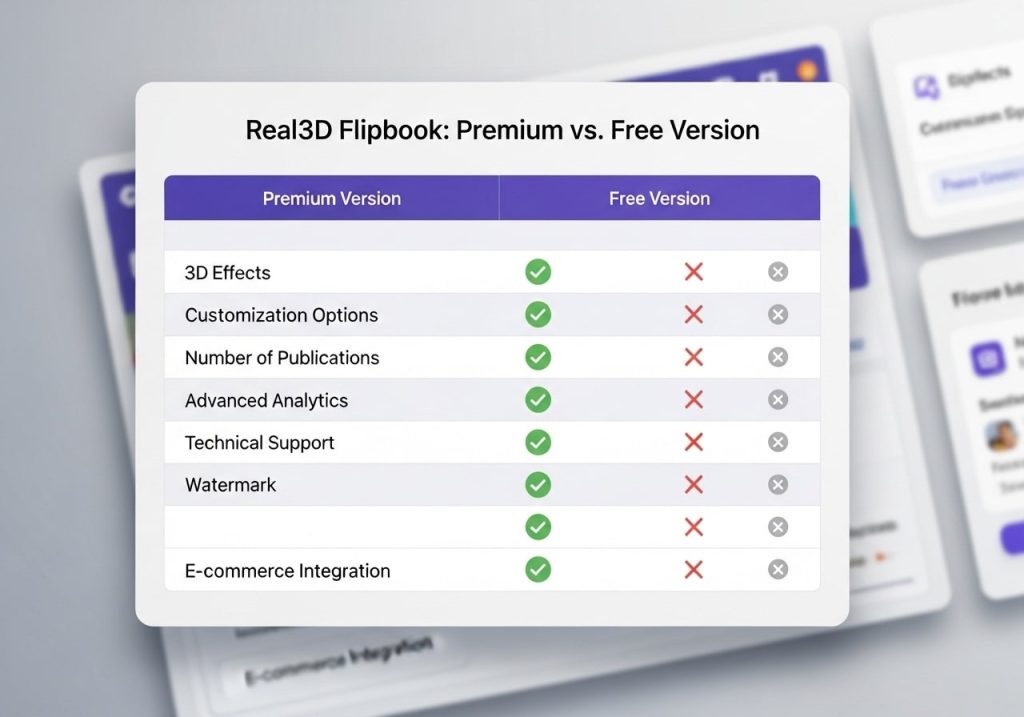
Understanding the differences between Real 3D flipbook premium and free versions helps you make an informed decision about which option best suits your needs.
Free Version Features
The free version includes:
- Basic flipbook creation functionality
- Standard themes and customization options
- Mobile responsiveness
- Basic animation effects
- Simple toolbar options
- WordPress integration
Premium Version Advantages
The premium version offers additional features:
- Advanced Customization: More themes, colors, and layout options
- Enhanced Performance: Faster loading and better optimization
- Additional File Formats: Support for more document types
- Advanced Analytics: Detailed reader engagement statistics
- Premium Support: Priority customer service and technical assistance
- Commercial License: Use for client projects and commercial purposes
- Regular Updates: Frequent feature additions and improvements
Making the Right Choice
Consider upgrading to premium if you:
- Need advanced customization options
- Require commercial usage rights
- Want detailed analytics and reporting
- Need priority customer support
- Plan to create multiple flipbooks regularly
Real 3D Flipbook Review: Pros and Cons
This honest Real 3D flipbook review examines both strengths and potential limitations of the plugin to help you make an informed decision.
Advantages
Ease of Use: The plugin’s user-friendly interface makes it accessible to beginners while offering advanced options for experienced users. The setup process is straightforward, and most users can create their first flipbook within minutes.
Performance: Real 3D Flip Book loads quickly and handles large PDF files efficiently. The smart loading technology ensures pages appear smoothly without long wait times.
Compatibility: The plugin works well with most WordPress themes and doesn’t conflict with other popular plugins. Regular updates maintain compatibility with the latest WordPress versions.
Mobile Optimization: The responsive design ensures flipbooks look great on all devices. Touch controls work intuitively on smartphones and tablets.
SEO Benefits: Search engines can index the text content within flipbooks, potentially improving your website’s search rankings.
Potential Limitations
Learning Curve: While basic functionality is easy to use, mastering all customization options may take time for some users.
File Size Considerations: Very large PDF files can still impact loading times, requiring optimization before upload.
Hosting Requirements: Some shared hosting providers may have limitations that affect flipbook performance.
Cost: The premium version requires ongoing subscription costs, which may be a consideration for budget-conscious users.
Troubleshooting Common Issues
Even the best plugins occasionally encounter issues. Here are solutions to common problems users experience with the flipbook plugin for WordPress:
Loading Issues
If your flipbook isn’t loading properly:
- Check file size and optimize if necessary
- Verify server memory limits meet plugin requirements
- Ensure PDF files aren’t corrupted or password-protected
- Clear website caching plugins and browser cache
- Check for JavaScript conflicts with other plugins
Display Problems
When flipbooks don’t display correctly:
- Verify shortcode syntax is correct
- Check theme compatibility issues
- Ensure responsive settings are properly configured
- Test on different devices and browsers
- Review CSS conflicts that might affect display
Performance Optimization
To improve flipbook loading speed:
- Optimize PDF file sizes before uploading
- Use appropriate image compression for image-based flipbooks
- Configure caching plugins to work with the flipbook plugin
- Consider using a content delivery network (CDN)
- Monitor server resources and upgrade hosting if necessary
The Real 3D Flip Book plugin represents an excellent solution for anyone looking to create engaging, interactive digital publications on their WordPress website. Whether you’re showcasing products, sharing educational content, or publishing digital magazines, this WordPress flipbook plugin provides the tools and flexibility needed to create professional results.
The plugin’s combination of user-friendly interface, powerful customization options, and reliable performance makes it suitable for both beginners and experienced users. While the premium version offers additional features, even the free version provides substantial value for most users’ needs.
Success with the 3D flipbook plugin depends on proper preparation, understanding the available features, and following best practices for web optimization. By taking advantage of the comprehensive customization options and following the guidelines outlined in this guide, you can create flipbooks that engage your audience and enhance your website’s user experience.
Consider starting with the free version to familiarize yourself with the plugin’s capabilities, then upgrade to premium if you need advanced features or commercial usage rights. With proper implementation, the Real 3D Flip Book plugin can transform how you present digital content and significantly improve user engagement on your WordPress website.
Ready to create your first interactive flipbook? Download the Real 3D Flip Book plugin today and start transforming your static PDFs into engaging digital experiences that captivate your audience and keep them coming back for more.