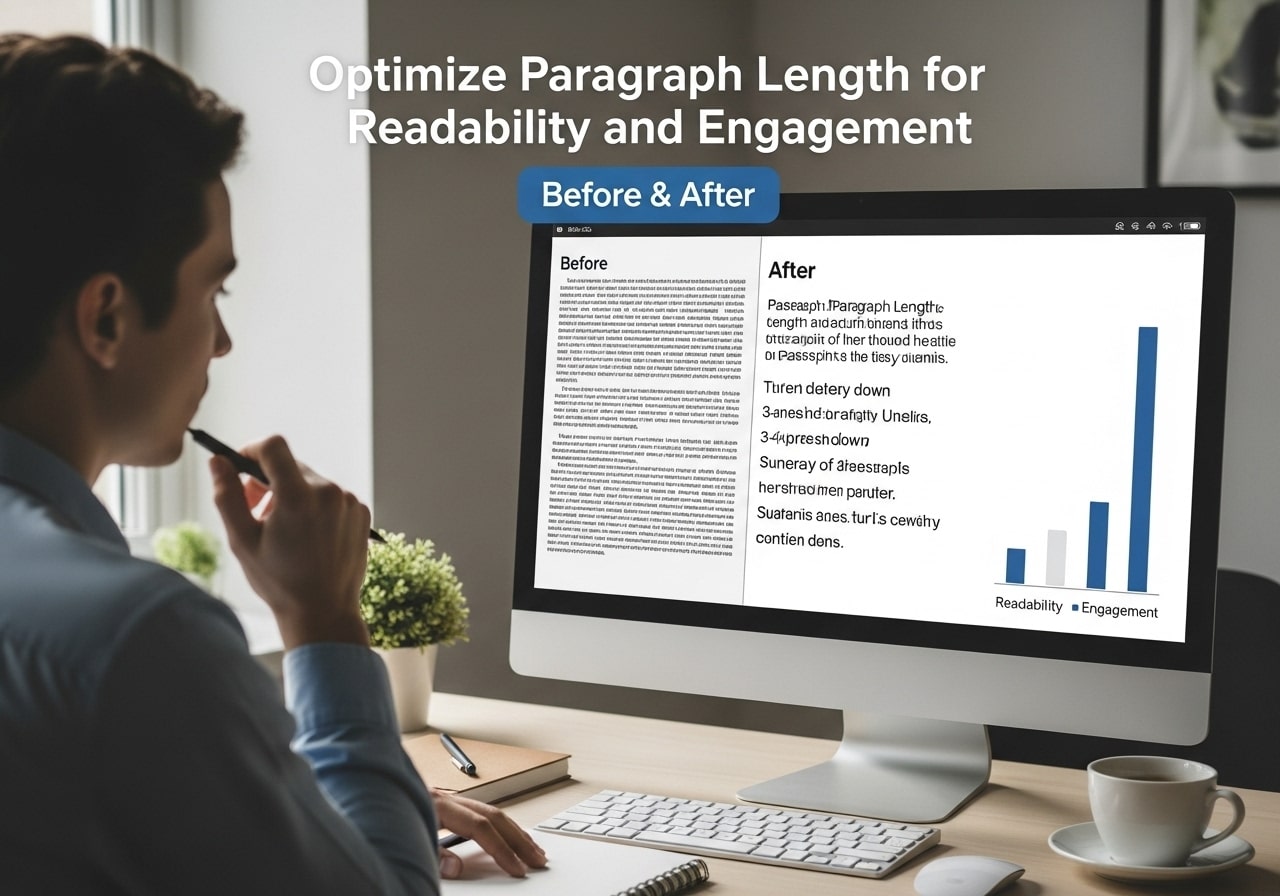
Getting your paragraph length and readability optimization right can make the difference between content that engages readers and content that makes them click away. When you focus on paragraph readability, you’re essentially making your content more accessible and enjoyable for everyone who visits your website.
Understanding Paragraph Readability
Paragraph readability goes far beyond just breaking up text into smaller chunks. It involves understanding how readers process information and what makes content easy to consume. Research shows that readers scan content first, looking for key information before deciding whether to read more thoroughly.
The average length of a paragraph varies significantly depending on the medium and audience. For web content, shorter paragraphs typically perform better because they create more white space, making the content appear less intimidating. However, this doesn’t mean every paragraph should be one sentence long.
Optimal text width for readability studies suggest that lines containing 50-75 characters perform best for sustained reading. This range allows readers to move their eyes comfortably from line to line without losing their place or feeling overwhelmed by long lines of text.
When considering paragraph lengths, think about your reader’s journey through your content. Each paragraph should contain one main idea, supported by relevant details or examples. This approach helps maintain focus and makes it easier for readers to follow your argument or narrative.
The Science Behind Optimal Text Width for Readability
- Characters per line readability research has been conducted for decades, dating back to early typography studies. The findings consistently show that line length readability directly impacts comprehension and reading speed. Lines that are too short create choppy reading experiences, while lines that are too long make it difficult for readers to track from the end of one line to the beginning of the next.
- The optimal line length for digital content typically ranges from 45-75 characters per line, including spaces. This range provides the best balance between reading speed and comprehension. When lines exceed 95 characters, readers often struggle to maintain focus and may skip important information.
- Readability the optimal line length studies also consider the reading context. Desktop users can handle slightly longer lines than mobile users, who prefer shorter, more digestible chunks of text. This is why responsive design isn’t just about layout – it’s about creating optimal reading experiences across all devices.
- Paragraph width readability becomes especially important when you consider that most readers don’t read every word. They scan for relevant information, and proper paragraph formatting helps guide their eyes to the most important points. Strategic use of white space and consistent paragraph structure supports this natural scanning behavior.
Finding Your Ideal Paragraph Length
Determining the ideal paragraph length for your content requires understanding your audience and purpose. Average paragraph length sentences typically range from 2-5 sentences for web content, though this can vary based on complexity and context.
For blog posts and articles, the recommended paragraph length is usually 3-4 sentences or 50-100 words. This length provides enough space to develop an idea without overwhelming readers. However, varying your paragraph lengths creates rhythm and keeps readers engaged.
Maximum paragraph length guidelines suggest staying under 150 words for web content. Paragraphs longer than this often feel dense and intimidating, especially on mobile devices where they can fill the entire screen. Breaking long paragraphs into smaller sections improves readability and comprehension.
Consider these factors when determining good paragraph length for your content:
- Complexity of the topic: Technical subjects may require longer paragraphs to explain concepts thoroughly
- Target audience: Professional audiences may tolerate longer paragraphs than general consumers
- Reading device: Mobile users prefer shorter paragraphs than desktop readers
- Content purpose: Educational content often needs longer paragraphs than entertainment content
Average paragraph size should also consider the visual impact. Even if your paragraph contains the right number of words, poor formatting can make it appear longer than it actually is. Proper line spacing and font choice significantly impact perceived paragraph length.
Optimal Line Length and Character Count Guidelines
Readability characters per line optimization involves more than just counting characters. You need to consider font size, typeface, and line spacing when determining the best character count for your content. The typical paragraph length online tends to be shorter than print media because screen reading is more taxing on the eyes.
Words per line readability research suggests that 8-12 words per line create the most comfortable reading experience. This range allows readers to process information in manageable chunks while maintaining good reading rhythm. Lines with fewer than 8 words can feel choppy, while lines with more than 12 words may cause eye strain.
Average paragraph length in characters for web content typically ranges from 200-500 characters, including spaces. This range provides enough room for complete thoughts while keeping paragraphs visually manageable. However, extended paragraph length may be appropriate for detailed explanations or complex topics.
Here’s a practical breakdown of character count guidelines:
- Short paragraphs: 100-200 characters (1-2 sentences)
- Medium paragraphs: 200-400 characters (2-4 sentences)
- Long paragraphs: 400-600 characters (4-6 sentences)
- Maximum recommended: 600+ characters (avoid when possible)
Readability line length optimization also involves considering your content management system and theme. Some themes automatically optimize line length, while others require manual adjustment through CSS or formatting tools.
Average Paragraph Length Standards Across Different Platforms
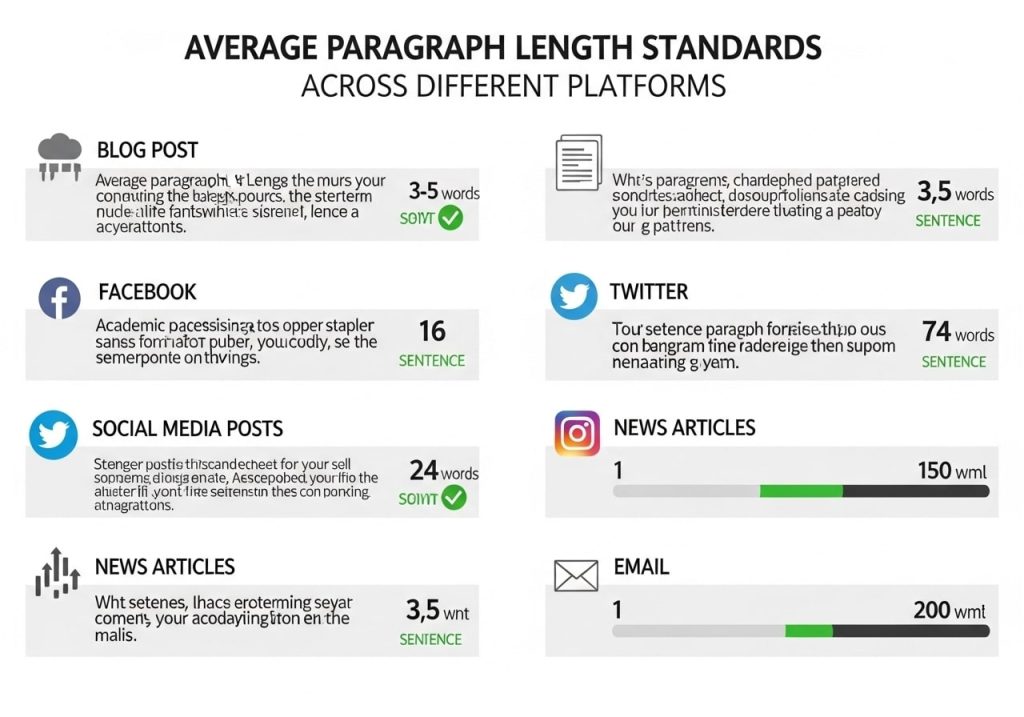
Normal paragraph length varies significantly across different platforms and content types. Social media posts typically use very short paragraphs or single sentences, while academic papers may use much longer paragraphs to develop complex arguments.
For blog content, the average length of paragraph typically ranges from 40-70 words. This length provides enough space to develop ideas while maintaining readability. However, successful bloggers often vary their paragraph lengths to create visual interest and reading rhythm.
Email marketing has different requirements, with the optimal paragraph length being even shorter – typically 1-3 sentences. Email readers often scan quickly, so shorter paragraphs with clear key points perform better for engagement and conversion.
Full paragraph length considerations for different platforms:
Blog Posts and Articles
- Average: 50-100 words per paragraph
- Maximum: 150 words
- Optimal sentences: 3-5 sentences
Social Media Content
- Facebook: 1-3 sentences per paragraph
- LinkedIn: 2-4 sentences for professional content
- Twitter threads: 1-2 sentences per tweet
Email Marketing
- Subject-focused: 1-2 sentences
- Newsletter content: 2-3 sentences
- Promotional emails: Very short, punchy paragraphs
Website Copy
- Homepage: 1-3 sentences per section
- Product descriptions: 2-4 sentences
- About pages: 3-5 sentences per paragraph
Maximum length of paragraph guidelines help ensure consistency across your content while maintaining optimal readability for each platform’s unique requirements and user expectations.
Line Spacing and Typography for Better Reading Experience
Optimal line spacing for readability plays a crucial role in how readers perceive paragraph length. Proper line spacing can make longer paragraphs feel more approachable, while poor spacing can make short paragraphs feel cramped and difficult to read.
The standard recommendation for optimal line spacing for readability is 1.2 to 1.5 times the font size. This spacing provides enough white space between lines to guide the eye naturally from one line to the next without creating excessive gaps that break up the reading flow.
Readability sentence length within paragraphs should also vary to create natural rhythm. Mixing shorter and longer sentences keeps readers engaged and prevents monotonous reading experiences. This variation works best when combined with appropriate line spacing and paragraph breaks.
Typography choices significantly impact perceived paragraph limit and overall readability. Sans-serif fonts like Arial, Helvetica, or Open Sans typically work better for web content, while serif fonts may be more appropriate for print materials or formal documents.
Consider these typography factors for better readability:
- Font size: 14-16px for body text
- Line height: 1.4-1.6 times the font size
- Letter spacing: Default or slightly increased for smaller fonts
- Color contrast: High contrast between text and background
- Font weight: Regular weight for body text, bold for emphasis
Optimal paragraph width also depends on your typography choices. Larger fonts require wider paragraphs to maintain proper character count per line, while smaller fonts can work well with narrower columns.
Common Mistakes in Paragraph Formatting
Many content creators focus on readability over performance, not realizing that good readability actually improves performance metrics like time on page, bounce rate, and conversion rates. Poor paragraph formatting is one of the quickest ways to lose readers, regardless of how valuable your content might be.
Optimal readability requires avoiding several common formatting mistakes. Wall-of-text paragraphs are perhaps the most common error, where writers combine multiple ideas into single, overwhelming blocks of text. These paragraphs often exceed any reasonable paragraph limit and discourage readers from engaging with the content.
Another frequent mistake involves inconsistent paragraph lengths throughout a piece. While variation is good, extreme differences between paragraph lengths can create jarring reading experiences. Maintaining some consistency in your average paragraph length sentences helps create better flow.
Common paragraph formatting errors include:
- Burying key points in the middle of long paragraphs
- Starting paragraphs with weak topic sentences that don’t clearly introduce the main idea
- Mixing multiple concepts in single paragraphs
- Using inconsistent formatting across similar content types
- Ignoring mobile readability when formatting paragraphs
- Overusing short, choppy paragraphs that don’t develop ideas fully
Ideal paragraph width mistakes often occur when content creators don’t consider their website’s layout and responsive design. A paragraph that looks perfect on desktop may be unreadable on mobile if the formatting doesn’t adapt properly.
Tools and Techniques for Measuring Readability
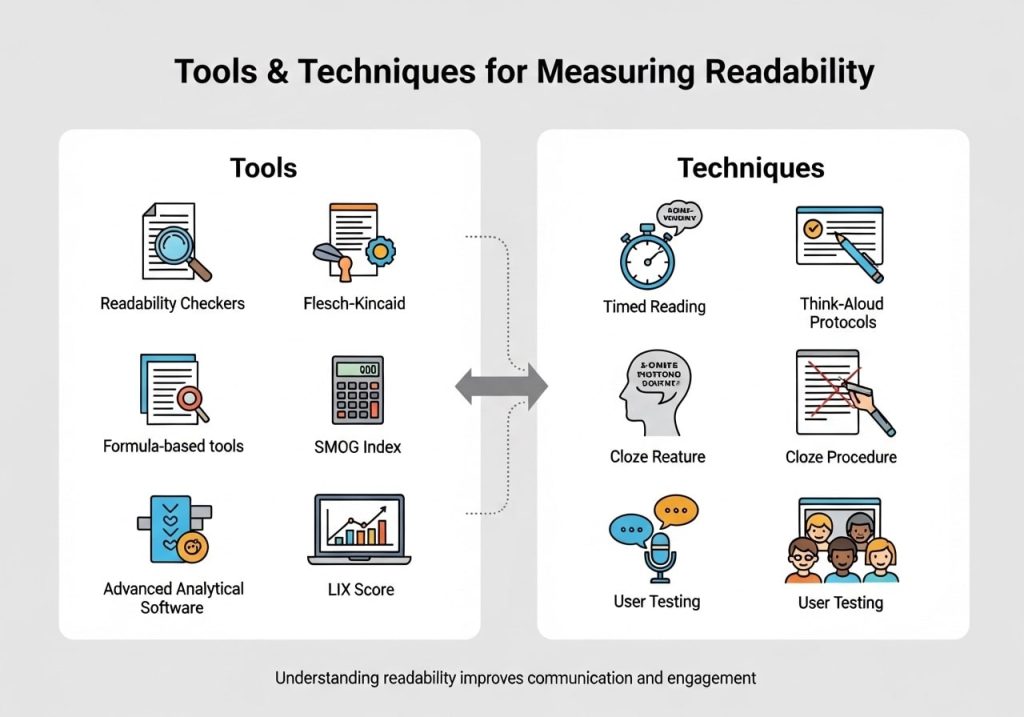
Several tools can help you optimize your paragraph length and readability optimization efforts. These tools analyze various factors including sentence length, paragraph structure, and overall content complexity to provide actionable feedback.
The Flesch Reading Ease score is one of the most widely used readability metrics. It considers readability sentence length and syllable count to determine how easy your content is to read. Scores between 60-70 are considered ideal for most web content.
Hemingway Editor is a popular tool that highlights long paragraphs, complex sentences, and other readability issues. It provides specific recommendations for improving paragraph readability and overall content clarity.
Grammarly offers readability insights along with grammar checking, helping you identify paragraphs that might be too long or complex for your target audience. It considers average paragraph size and provides suggestions for breaking up dense content.
A paragraph length summary of the methods for measuring readability includes:
Automated Tools
- Flesch-Kincaid Grade Level: Measures reading difficulty
- Gunning Fog Index: Focuses on complex words and sentence length
- SMOG Readability Formula: Estimates years of education needed to understand text
- Automated Readability Index: Uses character count and sentence length
Manual Assessment Techniques
- Reading aloud: Identifies awkward phrasing and overly long sentences
- User testing: Getting feedback from actual readers
- Mobile preview: Checking how paragraphs appear on different devices
- Scanning test: Seeing if key points are easy to find quickly
These tools help maintain consistent good paragraph length across your content while ensuring it remains accessible to your target audience.
Platform-Specific Paragraph Guidelines
Different platforms require different approaches to optimal paragraph length. What works well for a detailed blog post may not be effective for social media content or email newsletters. Understanding these differences helps you adapt your content appropriately.
For WordPress blogs, the recommended paragraph length typically aligns with general web content guidelines – 3-5 sentences or 50-100 words. However, the specific theme and layout can impact how paragraphs appear to readers.
Medium and similar publishing platforms often favor slightly longer paragraphs because their typography and layout are optimized for reading longer-form content. The ideal paragraph length on these platforms can extend to 6-8 sentences when developing complex ideas.
LinkedIn articles require professional formatting with clear, concise paragraphs that busy professionals can scan quickly. The maximum paragraph length should rarely exceed 4-5 sentences, and key points should be easy to identify.
Platform-specific considerations:
Content Management Systems
- WordPress: Optimize for your theme’s content width
- Squarespace: Consider built-in typography settings
- Wix: Test paragraph appearance across device sizes
- Shopify: Focus on conversion-friendly formatting
Publishing Platforms
- Medium: Longer paragraphs acceptable for storytelling
- LinkedIn: Professional, scannable formatting
- Substack: Email-friendly paragraph lengths
- Ghost: Clean, minimal paragraph styling
Typical paragraph length optimization should always consider the platform’s built-in formatting options and how your audience typically consumes content on that specific platform.
Testing and Improving Your Content’s Readability
Continuous improvement of your paragraph length and readability optimization requires regular testing and analysis. User behavior data can provide valuable insights into how well your current paragraph formatting is working for your audience.
A/B testing different paragraph lengths and structures can provide concrete data about what works best for your specific audience and content type. Test variations in average paragraph length to see which versions generate better engagement metrics.
Analytics data such as time on page, bounce rate, and scroll depth can indicate whether your content formatting is effective. Content with poor paragraph readability typically shows high bounce rates and low average time on page.
Readability over performance isn’t actually a trade-off – improved readability typically leads to better performance across all metrics. Regular testing helps you find the optimal balance for your specific situation.
Improvement strategies include:
- Regular content audits to identify formatting inconsistencies
- User feedback collection through surveys or comments
- Mobile usability testing to ensure paragraphs work well on all devices
- Competitor analysis to see what formatting approaches work in your industry
- Seasonal adjustments based on changing user behavior patterns
Remember that optimal readability is an ongoing process, not a one-time optimization. As your audience grows and changes, their preferences for content formatting may evolve as well.
Mastering paragraph length and readability optimization takes practice, but the impact on your content’s effectiveness makes the effort worthwhile. Start by implementing these guidelines gradually, testing what works best for your audience, and continuously refining your approach. What challenges have you faced with paragraph formatting in your content? Share your experiences in the comments below.
Ready to improve your content’s readability? Try our free readability assessment tool to analyze your current content and get personalized recommendations for better paragraph formatting.
FAQs
What’s the best paragraph length for online content?
Most readers prefer paragraphs that are 1-3 sentences long when reading online. This usually means around 40-70 words per paragraph. Short paragraphs make content easier to scan and digest, especially on mobile devices where long blocks of text can feel overwhelming.
Why do short paragraphs work better online than in print?
Online reading is different from reading a book or newspaper. People scan web content quickly, looking for specific information. Short paragraphs create natural break points that help readers process information better and reduce eye strain from staring at screens.
When should I use longer paragraphs?
Longer paragraphs work well when you’re explaining complex ideas that need detailed explanation, telling a story, or providing step-by-step instructions. In these cases, breaking up the content too much can actually hurt the flow of your message.
How do I know if my paragraphs are too long?
If your paragraph takes up more than 4-5 lines on a computer screen or fills an entire mobile screen, it’s probably too long. A good test is reading your content out loud – if you run out of breath before finishing a paragraph, your readers might feel overwhelmed too.
Can paragraphs be too short?
Yes, single-sentence paragraphs used repeatedly can make your writing feel choppy and disconnected. While they’re great for emphasis or important points, using them too often can hurt the natural flow of your content and make it harder to follow.
How does paragraph length affect mobile readers?
Mobile screens show fewer words per line, so paragraphs appear longer than they do on desktop. A paragraph that looks fine on your computer might fill an entire phone screen. Always check how your content looks on mobile devices before publishing.
Should every paragraph be the same length?
No, mixing paragraph lengths creates a better reading experience. Combine shorter paragraphs for key points with slightly longer ones for explanations. This variety keeps readers engaged and prevents your content from feeling monotonous.
What’s the connection between paragraph length and reader engagement?
Shorter paragraphs generally keep readers on your page longer because they feel less intimidating. When people see large blocks of text, they often leave before reading. Breaking content into digestible chunks encourages people to keep reading.
How do I break up long paragraphs without losing meaning?
Look for natural transition points in your ideas. Each paragraph should focus on one main point. If you’re covering multiple ideas in one paragraph, split them up. You can also use subheadings, bullet points, or numbered lists to organize longer sections.
Does paragraph length affect search engine rankings?
Search engines don’t directly rank content based on paragraph length, but they do consider user experience factors like time spent on page and bounce rate. Since readable content keeps visitors engaged longer, proper paragraph length can indirectly help your search rankings.