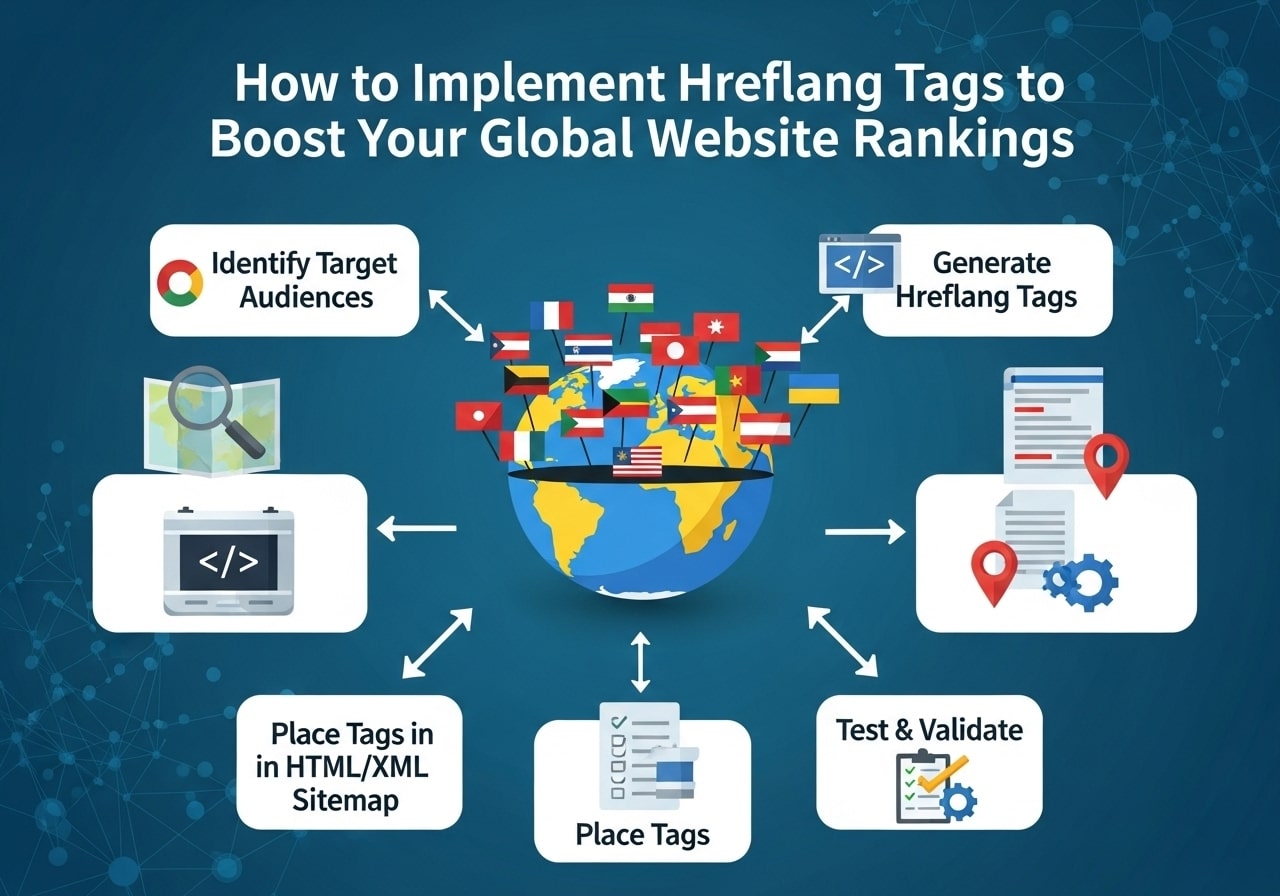
Getting your website to rank well internationally can be tricky, especially when you have content in multiple languages or for different regions. If you’re wondering how to implement hreflang tags correctly, you’re in the right place. These special hreflang tags tell search engines which version of your content to show to users based on their language and location preferences.
What is Hreflang and Why Do You Need It?
What is hreflang? Simply put, hreflang is an HTML attribute that tells search engines about the language and geographical targeting of your web pages. When you have multiple versions of the same content in different languages or for different countries, hreflang tags help search engines understand which version to display to which users.
Think of hreflang tags as traffic directors for your international content. Without them, search engines might show your Spanish content to English speakers or your US-targeted content to visitors from the UK. This creates a poor user experience and can hurt your search rankings.
Why Use Hreflang Tags?
Here are the main reasons why you should implement hreflang tags on your website:
- Better user experience: Users see content in their preferred language and region
- Improved search rankings: Search engines can better understand your content structure
- Reduced duplicate content issues: Prevents similar content from competing against itself
- Higher click-through rates: Users are more likely to click on results in their language
- Better conversion rates: Localized content typically converts better
If your site has no hreflang tags and you serve international audiences, you’re likely missing out on valuable organic traffic and conversions.
Understanding Hreflang Language Codes
Before you learn how to implement hreflang, you need to understand the language codes used. Hreflang uses ISO 639-1 language codes and ISO 3166-1 Alpha 2 country codes.
Common Language Codes:
- en – English
- es – Spanish
- fr – French
- de – German
- it – Italian
- pt – Portuguese
- ja – Japanese
- zh – Chinese
Language and Region Combinations:
- en-US – English for United States
- en-GB – English for United Kingdom
- es-ES – Spanish for Spain
- es-MX – Spanish for Mexico
- fr-CA – French for Canada
- pt-BR – Portuguese for Brazil
You can use language codes alone (like “en” for all English speakers) or combine them with country codes for more specific targeting.
How to Implement Hreflang Tags in HTML
There are three main ways to implement hreflang tags: in the HTML head section, in HTTP headers, or in XML sitemaps. Let’s start with the most common method.
Method 1: HTML Head Implementation
The most straightforward way to implement hreflang in HTML is by adding the tags to your page’s head section. Here’s how to use hreflang tag in HTML:
<head>

  <link rel="alternate" hreflang="en" href="https://example.com/page" />

  <link rel="alternate" hreflang="es" href="https://example.com/es/page" />

  <link rel="alternate" hreflang="fr" href="https://example.com/fr/page" />

  <link rel="alternate" hreflang="x-default" href="https://example.com/page" />

</head>
This hreflang tag example shows how to link different language versions of the same page. Each page must include hreflang tags pointing to all other language versions, including itself.
Method 2: HTTP Headers
For non-HTML files like PDFs, you can implement hreflang through HTTP headers:
Link: <https://example.com/document.pdf>; rel=”alternate”; hreflang=”en”,
<https://example.com/es/document.pdf>; rel=”alternate”; hreflang=”es”
Method 3: XML Sitemap
You can also add hreflang information to your XML sitemap:
<url>
<loc>https://example.com/page</loc>
<xhtml:link rel=”alternate” hreflang=”en” href=”https://example.com/page”/>
<xhtml:link rel=”alternate” hreflang=”es” href=”https://example.com/es/page”/>
</url>
Hreflang Tag Examples for Different Scenarios
Let’s look at some practical hreflang examples for different situations you might encounter.
Example 1: Simple Multi-Language Site
For a website with English, Spanish, and French versions:
<!-- On the English page -->

<link rel="alternate" hreflang="en" href="https://example.com/about" />

<link rel="alternate" hreflang="es" href="https://example.com/es/about" />

<link rel="alternate" hreflang="fr" href="https://example.com/fr/about" />

<link rel="alternate" hreflang="x-default" href="https://example.com/about" />
Example 2: Regional Targeting
For targeting specific countries with the same language:
<link rel="alternate" hreflang="en-US" href="https://example.com/us/products" />

<link rel="alternate" hreflang="en-GB" href="https://example.com/uk/products" />

<link rel="alternate" hreflang="en-AU" href="https://example.com/au/products" />
Example 3: Mixed Language and Regional Targeting
Combining language-only and language-region codes:
<link rel="alternate" hreflang="en" href="https://example.com/page" />

<link rel="alternate" hreflang="es-ES" href="https://example.com/es/page" />

<link rel="alternate" hreflang="es-MX" href="https://example.com/mx/page" />

<link rel="alternate" hreflang="x-default" href="https://example.com/page" />
How to Add Hreflang Tags in WordPress
If you’re using WordPress, you have several options for how to add hreflang tags in WordPress with plugin or manually.
Popular WordPress Hreflang Plugins:
- WPML – Comprehensive multilingual plugin with automatic hreflang implementation
- Polylang – Free multilingual plugin with hreflang support
- Hreflang Tags Lite – Simple plugin focused specifically on hreflang
- Yoast SEO – Premium version includes hreflang functionality
Manual WordPress Implementation:
Add this code to your theme’s functions.php file:
function add_hreflang_tags() {
// Your hreflang logic here
echo ‘<link rel=”alternate” hreflang=”en” href=”‘ . get_permalink() . ‘” />’;
// Add other language versions
}
add_action(‘wp_head’, ‘add_hreflang_tags’);
Understanding Hreflang X-Default
Hreflang x-default is a special value that tells search engines which page to show when no other language/region matches the user’s preferences. Think of it as your fallback page.
When to Use X-Default:
- You want to direct unmatched traffic to your main page
- You have a language selector page
- You want to specify a default version for global audiences
What is an example of a hreflang tag with x-default?
<link rel=”alternate” hreflang=”x-default” href=”https://example.com/” />
This tells search engines to show your homepage to users whose language/region preferences don’t match any of your other hreflang tags.
Common Hreflang Errors and How to Fix Them
How to fix hreflang tags with errors is a common concern. Here are the most frequent issues and solutions:
Error 1: Missing Return Links
Problem: Page A links to Page B, but Page B doesn’t link back to Page A.
Solution: Ensure every page includes hreflang tags for all language versions, including itself.
Error 2: Incorrect Language Codes
Problem: Using invalid language or country codes.
Solution: Stick to ISO 639-1 language codes and ISO 3166-1 country codes.
Error 3: Self-Referencing Issues
Problem: Pages don’t include hreflang tags pointing to themselves.
Solution: Always include a self-referencing hreflang tag.
<!– Correct: Page includes reference to itself –>
<link rel=”alternate” hreflang=”en” href=”https://example.com/current-page” />
Error 4: Conflicting Signals
Problem: Hreflang contradicts other signals like canonical tags or redirects.
Solution: Ensure all your international SEO signals align consistently.
Best Practices for Hreflang Implementation
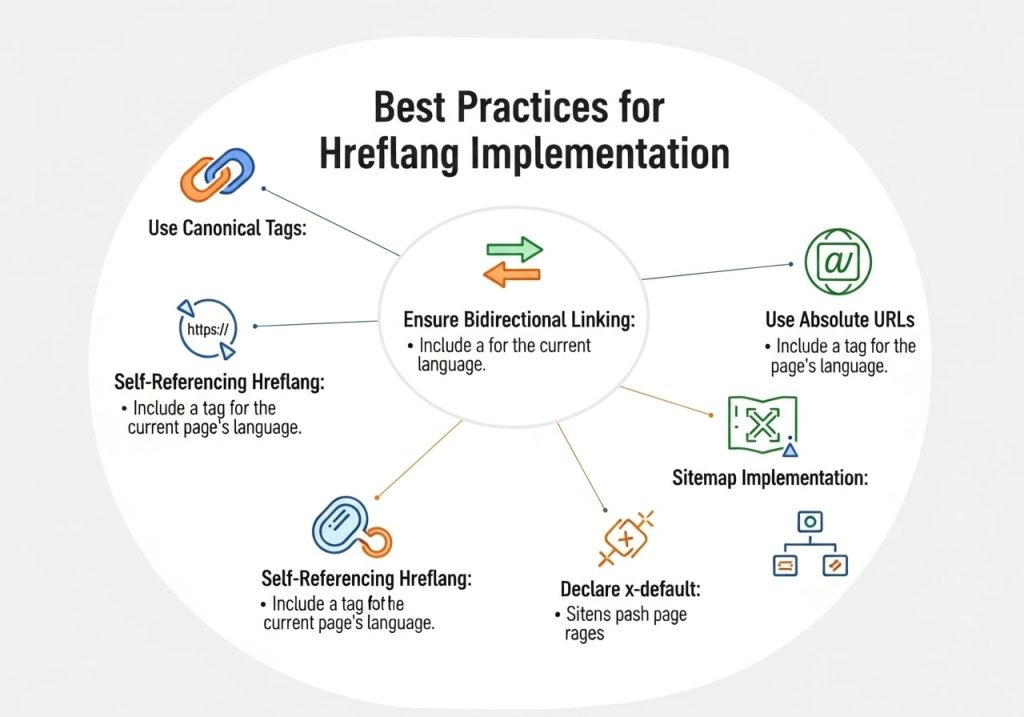
Follow these hreflang best practices for optimal results:
1. Bidirectional Linking
Every page must link to all other language versions and include a self-reference.
2. Use Absolute URLs
Always use complete URLs including the protocol (https://).
<!– Correct –>
<link rel=”alternate” hreflang=”es” href=”https://example.com/es/page” />
<!– Incorrect –>
<link rel=”alternate” hreflang=”es” href=”/es/page” />
3. Consistent Implementation
Use the same implementation method across your entire site. Don’t mix HTML, HTTP headers, and sitemap methods.
4. Match Content Purpose
Only link pages that serve the same purpose. Don’t link your English “About” page to your Spanish “Contact” page.
5. Use Language Codes Strategically
- Use language-only codes (en, es, fr) for broad targeting
- Use language-region codes (en-US, en-GB) for specific regional targeting
- Don’t use both if the content is identical
6. Implement X-Default Wisely
Include x-default to handle unmatched user preferences:
<link rel=”alternate” hreflang=”x-default” href=”https://example.com/global” />
7. Monitor and Validate
Regularly check your implementation using tools like Google Search Console or dedicated hreflang validators.
Tools to Help You Implement Hreflang
Several tools can help you with implementing hreflang correctly:
Free Tools:
- Google Search Console – Shows hreflang errors in your International Targeting report
- Hreflang Tags Generator – Various free online generators help create proper tags
- Screaming Frog SEO Spider – Free version can crawl and analyze hreflang implementation
Premium Tools:
- Ahrefs Site Audit – Comprehensive hreflang error detection
- SEMrush Site Audit – Identifies hreflang issues and provides recommendations
- DeepCrawl – Enterprise-level hreflang analysis
Validation Tools:
Use a hreflang checker to validate your implementation:
- Search Console International Targeting report
- Hreflang validation tools like hreflang.org
- Technical SEO auditing tools
Advanced Hreflang Scenarios
Handling Similar Languages
When dealing with very similar languages or regional variations, be strategic about your approach. For example, if your Spanish content works well for all Spanish-speaking countries, you might use just “es” rather than specific regional codes.
E-commerce Considerations
For e-commerce sites, consider that product availability, pricing, and shipping options might vary by region. Your hreflang implementation should reflect these differences:
<!– Different product pages for different regions –>
<link rel=”alternate” hreflang=”en-US” href=”https://store.com/us/product-123″ />
<link rel=”alternate” hreflang=”en-CA” href=”https://store.com/ca/product-123″ />
Managing Large-Scale Implementation
For websites with thousands of pages, manual hreflang implementation isn’t practical. Consider:
- Automated solutions through your CMS
- Database-driven hreflang generation
- Template-based implementation
- Regular automated auditing
Measuring Hreflang Success
After you implement hreflang tags, monitor these metrics to measure success:
Key Performance Indicators:
- International organic traffic growth
- Improved rankings in target countries
- Reduced duplicate content issues
- Better user engagement metrics (lower bounce rate, higher time on site)
- Increased conversions from international users
Monitoring Tools:
- Google Search Console for international targeting data
- Google Analytics for international traffic patterns
- Rank tracking tools for international keyword performance
Understanding how to implement hreflang tags correctly is essential for any website targeting international audiences. Whether you choose to implement them manually in HTML, use WordPress plugins, or leverage enterprise tools, the key is consistency and attention to detail. Remember that hreflang is just one part of your international SEO strategy, but it’s a crucial foundation that helps search engines understand your content structure and serve the right pages to the right users.
Start with a simple implementation, test thoroughly, and gradually expand your hreflang setup as your international presence grows. With proper implementation and ongoing monitoring, hreflang tags will help you capture more international traffic and provide better user experiences across all your markets.
Ready to implement hreflang on your website? Start by auditing your current international content, choosing your implementation method, and begin with your most important pages. Remember to validate your work and monitor the results through Google Search Console.
FAQs
What are hreflang tags and why do I need them?
Hreflang tags are small pieces of HTML code that tell search engines which language and country your web pages are designed for. If you have a website that serves different countries or languages, these tags help Google show the right version of your page to the right people. Without them, you might confuse search engines and hurt your rankings.
When should I start using hreflang tags on my website?
You should add hreflang tags if you have content in multiple languages or if you target different countries with similar content. For example, if you have English pages for both the US and UK markets, or if you offer your website in Spanish and English, hreflang tags will help search engines understand which version to show to which audience.
Where exactly do I place hreflang tags on my web pages?
You can add hreflang tags in three places: in the HTML head section of your pages, in your XML sitemap, or through HTTP headers. Most people find it easiest to add them directly to the head section of each page using link tags. Just make sure they go between the opening and closing head tags.
How do I write hreflang tags correctly?
The basic format looks like this: <link rel="alternate" hreflang="en-us" href="https://yoursite.com/en-us/" />. The “en-us” part tells search engines this page is in English for US users. You need one tag for each language/country version of your page, including a self-referencing tag for the current page.
What’s the difference between language codes and country codes in hreflang?
Language codes (like “en” for English) tell search engines what language your content is in. Country codes (like “us” for United States) specify which country you’re targeting. You can use just language codes (“en”), just country codes (rare), or both together (“en-us”). Using both gives you more control over who sees your content.
Do I need to add hreflang tags to every single page on my website?
Yes, if you want them to work properly. Each page that has multiple language or country versions needs hreflang tags pointing to all its variations. You can’t just add them to your homepage and expect them to work site-wide. This might seem like a lot of work, but it’s necessary for good results.
What happens if I make mistakes with my hreflang implementation?
Common mistakes can actually hurt your search rankings instead of helping them. Wrong language codes, missing self-referencing tags, or broken links in your hreflang tags can confuse search engines. They might show the wrong version of your page to users or stop trusting your hreflang signals altogether.
How can I check if my hreflang tags are working correctly?
Google Search Console has a helpful feature that shows hreflang errors on your site. You can also use online hreflang testing tools or browser extensions that check your tags. Look for common issues like missing return links, incorrect language codes, or pages that don’t link back to each other properly.
Should I use hreflang tags if my content is exactly the same in different countries?
Yes, even if your content is identical, hreflang tags help search engines understand your geographic targeting. For instance, if you serve the same English content to users in Canada, Australia, and the UK, hreflang tags help Google show the most relevant version based on where someone is searching from.
How long does it take to see results after implementing hreflang tags?
Search engines need time to crawl and process your hreflang tags. You might start seeing changes in a few weeks, but it can take several months for the full impact to show up in your search results. Be patient and monitor your international search performance regularly to track improvements.