Getting Your Website Found: The Complete Guide to Indexation Analysis and Reporting for Website SEO Growth
Search engines can’t rank pages they haven’t discovered and indexed. That’s why indexation analysis has become the backbone of successful SEO strategies for businesses serious about organic growth.
This guide is for SEO professionals, digital marketers, and website owners who want to master how to monitor website indexation, identify coverage gaps, and turn index data into actionable growth strategies.
We’ll walk you through the essential tools for tracking indexation status, from Google Search Console’s index coverage report to specialized indexation monitoring tools that give you deeper insights. You’ll learn how to conduct thorough indexation analysis that reveals exactly which pages are getting indexed and which ones are being left behind.
We’ll also cover advanced reporting techniques that help you present indexation statistics to clients and stakeholders in ways that clearly connect index performance to business results. By the end, you’ll know how to use indexation data to drive real SEO growth and prove the value of your optimization efforts.
Understanding Website Indexation Fundamentals

How Search Engine Crawling and Indexing Works
Search engines discover your website content through a systematic process that begins with crawling. Web crawlers, also known as bots or spiders, navigate through the internet by following links from one page to another. When these bots reach your website, they analyze your content, structure, and metadata before deciding whether to include your pages in their search index.
The indexing process involves several critical steps. First, crawlers evaluate your page’s crawlability by checking your robots.txt file and examining technical elements like site speed and mobile responsiveness. Once a page passes these initial checks, the crawler parses your HTML content, extracts key information, and stores it in the search engine’s massive database.
Google’s indexation process specifically looks for quality signals, relevance indicators, and user experience factors. Pages that meet these criteria get added to the searchable index, making them eligible to appear in search results. The entire process can take anywhere from minutes to weeks, depending on your site’s authority, content quality, and technical health.
Understanding this workflow helps you optimize your indexation strategy. When you monitor indexed pages regularly, you gain insights into how effectively search engines are discovering and processing your content.
Key Indexation Metrics That Drive SEO Performance
Several core metrics determine your website’s indexation success and directly impact your SEO growth potential. The most fundamental metric is your indexation rate, which measures the percentage of your total pages that search engines have successfully indexed.
Primary Indexation Metrics:
- Total Indexed Pages: The absolute number of pages from your site in the search index
- Indexation Coverage Rate: Percentage of submitted pages that achieved indexed status
- Index Status Distribution: Breakdown of valid, error, and excluded pages
- Crawl Frequency: How often search engines visit and re-evaluate your content
- Time to Indexation: Average duration between publishing and indexation
Your indexation report should track these metrics over time to identify trends and opportunities. A healthy website typically maintains an indexation rate above 80%, though this varies by industry and site type. E-commerce sites might see lower rates due to duplicate product variations, while content-focused sites often achieve higher indexation percentages.
Page-level indexation information reveals which content types perform best with search engines. Blog posts, resource pages, and service descriptions usually index faster than technical pages or restricted content areas. This indexation data helps prioritize your content creation and optimization efforts.
Common Indexation Issues That Block Website Growth
Technical problems frequently prevent pages from entering the search index, creating invisible barriers to organic growth. Identifying these indexation issues early prevents significant traffic losses and helps maintain your site’s search visibility.
Critical Indexation Blockers:
| Issue Type | Impact Level | Common Causes |
|---|---|---|
| Crawl Errors | High | Server errors, broken links, timeout issues |
| Noindex Tags | High | Accidental meta robots directives |
| Duplicate Content | Medium | Similar pages, parameter variations |
| Thin Content | Medium | Low word count, insufficient value |
| Technical Blocks | High | Robots.txt restrictions, password protection |
Server-related problems create the most severe indexation roadblocks. When crawlers encounter 404 errors, 500 server errors, or extremely slow loading times, they often abandon the indexation attempt entirely. Your indexation monitoring tools should alert you immediately when these technical issues arise.
Content-related indexation problems develop more gradually but can be equally damaging. Pages with minimal text, excessive keyword stuffing, or near-duplicate content often get excluded from indexation. Regular indexation analysis helps identify these quality issues before they impact your overall search performance.
Robots.txt misconfiguration represents another common problem that blocks legitimate pages from indexation. Many websites accidentally restrict important sections through overly broad disallow directives, preventing valuable content from reaching the search index.
Essential Tools for Tracking Indexation Status
Google Search Console Setup and Configuration
Google Search Console remains the most trusted platform for indexation monitoring and provides direct insights from Google’s perspective. Setting up proper tracking starts with verifying your website ownership through multiple methods – HTML file upload, DNS verification, or Google Analytics integration. Once verified, configure all property variations including HTTP/HTTPS versions and www/non-www subdomains to capture complete indexation statistics.
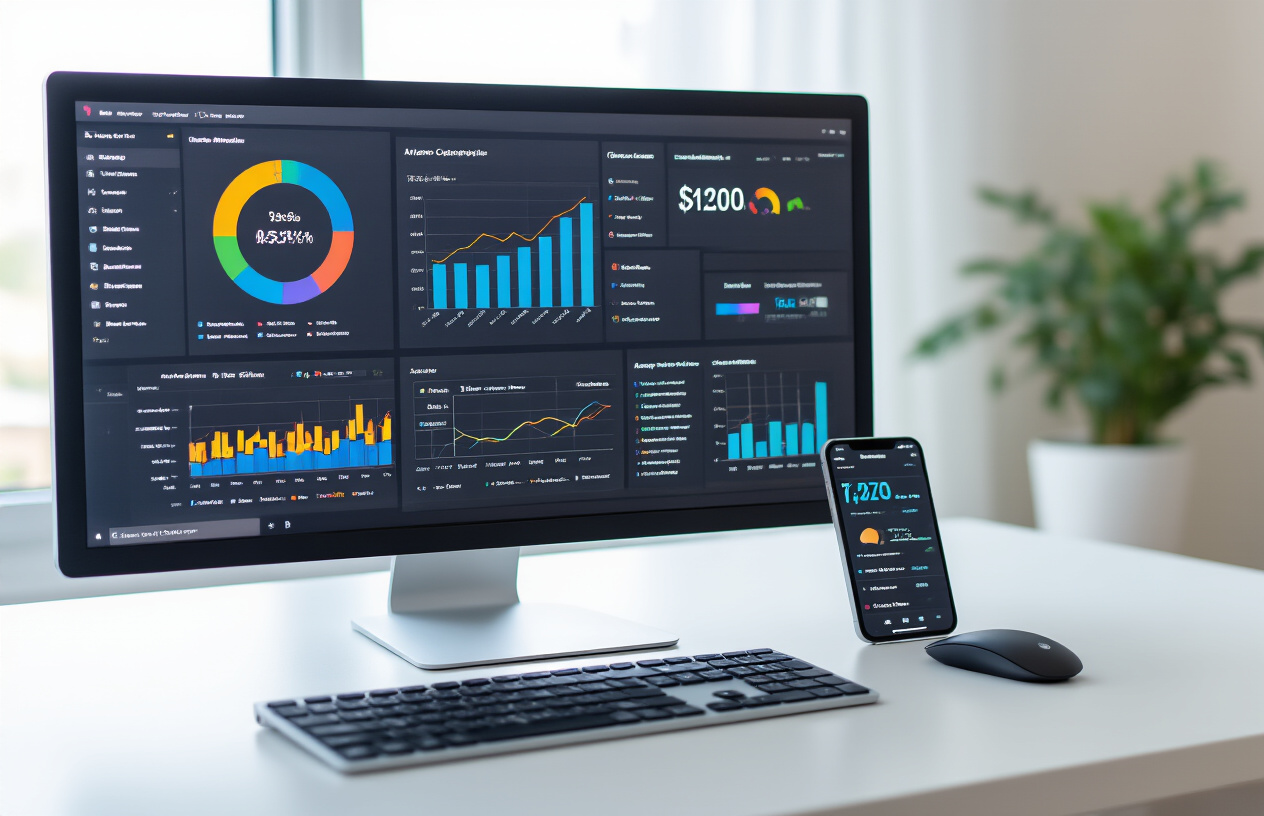
The Coverage report serves as your primary dashboard for index status reports. This tool reveals four critical page categories: valid indexed pages, valid pages with warnings, excluded pages, and error pages. Each category provides actionable insights for your indexation analysis. Set up enhanced eCommerce tracking and enable all available data sharing settings to maximize the depth of indexation information available.
Configure Search Console for mobile-first indexing by submitting your mobile sitemap separately. Enable email notifications for critical issues and connect your property to Google Analytics for cross-platform data correlation. Regular monitoring through the Performance report helps track how indexed pages contribute to organic visibility and click-through rates.
Third-Party SEO Tools for Comprehensive Index Monitoring
Professional indexation services require robust third-party platforms that complement Google Search Console’s native capabilities. Screaming Frog SEO Spider excels at crawling large websites and identifying indexation discrepancies by comparing crawlable pages against actual indexed pages. The tool generates comprehensive indexation reports highlighting orphaned pages, redirect chains, and canonicalization issues.
Ahrefs Site Audit provides automated indexation monitoring tools with weekly crawls that track changes in indexed page counts. The platform’s Site Explorer reveals historical indexation trends and identifies pages losing index status over time. Semrush’s Site Audit similarly offers indexation status tracking with competitive analysis features that benchmark your indexation performance against competitors.
| Tool | Best For | Key Features |
|---|---|---|
| Screaming Frog | Technical Analysis | Deep crawl analysis, redirect mapping |
| Ahrefs | Historical Tracking | Index trend analysis, competitive data |
| Semrush | Comprehensive Audits | Automated reporting, issue prioritization |
| DeepCrawl | Enterprise Sites | Large-scale monitoring, custom alerts |
Enterprise-level platforms like DeepCrawl and Botify provide advanced indexation analysis capabilities including log file analysis, which correlates crawl data with actual Googlebot activity. These tools create detailed index coverage reports that identify crawl budget waste and optimization opportunities.
Creating Custom Tracking Systems for Large Websites
Large websites with thousands of pages need sophisticated custom tracking systems that go beyond standard indexation monitoring tools. Building automated scripts using Google Search Console API allows for programmatic access to indexation information at scale. Python scripts can query the API daily, storing historical data in databases for trend analysis and indexation report generation.
Database-driven solutions track page-level indexation status over time, creating comprehensive indexation statistics that identify patterns and anomalies. Custom dashboards built with tools like Tableau or Google Data Studio visualize indexation trends across different website sections, content types, and publication dates. This approach enables detailed indexation example analysis that reveals which content types achieve faster indexation.
Implement server-side tracking that logs when new pages are published and monitors their progression through crawl, index, and ranking phases. This creates a complete indexation calculation workflow that measures time-to-index for different page types and identifies bottlenecks in your content publication process.
API integrations with multiple data sources – Search Console, Google Analytics, server logs – create unified tracking systems that provide complete visibility into the indexation lifecycle. Custom alerting systems can trigger notifications when indexation drops below predefined thresholds or when critical pages lose index status.
Automated Alerts for Critical Indexation Changes
Proactive indexation monitoring requires automated alert systems that notify teams immediately when critical changes occur. Google Search Console’s built-in alerts cover basic issues, but comprehensive monitoring demands custom notification systems that track specific metrics and thresholds relevant to your business goals.
Set up alerts for sudden drops in total indexed pages, which often indicate technical issues or algorithmic changes. Monitor critical landing pages and revenue-generating content with dedicated alerts that trigger within hours of indexation loss. Category-specific alerts help identify when entire website sections experience indexation problems, enabling rapid response to systematic issues.
Advanced alert systems incorporate machine learning algorithms that establish baseline indexation patterns and identify anomalies that deviate from expected behavior. These systems reduce false positives while ensuring genuine issues receive immediate attention. Integration with Slack, email, and SMS ensures alerts reach responsible team members regardless of their location or availability.
Implement tiered alert systems where minor fluctuations generate informational notifications while significant changes trigger urgent alerts with escalation procedures. This approach prevents alert fatigue while maintaining vigilance for critical indexation status changes that require immediate action.
Conducting Effective Indexation Analysis

Auditing Current Index Coverage and Status
Start your indexation analysis by getting a clear picture of what search engines can actually see from your website. Google Search Console serves as your primary weapon here, offering detailed indexation status reports that show exactly which pages made it into the index and which ones didn’t.
The index coverage report breaks down your site’s pages into four main categories: valid indexed pages, valid pages with warnings, excluded pages, and error pages. Each category tells a different story about your site’s health. Valid indexed pages represent your SEO goldmine – these are the pages that can actually show up in search results and drive organic traffic.
Pay special attention to the trends over time. A sudden drop in indexed pages might signal technical issues, while a gradual decline could indicate content quality problems. Document these baseline numbers as they’ll become your benchmark for measuring improvement.
Cross-reference your sitemap submissions with actual indexation numbers. If you submitted 1,000 pages but only 600 got indexed, you’ve got work to do. This gap reveals the difference between what you think should be indexed versus what search engines actually consider worthy of their index.
Identifying Pages Missing from Search Engine Indexes
Finding missing pages requires detective work across multiple data sources. Start by comparing your XML sitemap against your indexation status. Pages listed in your sitemap but missing from the index deserve immediate attention.
Use the site: search operator to spot-check critical pages. Type “site:yourwebsite.com important-page-url” into Google. If the page doesn’t appear, it’s not indexed. This manual method works well for high-priority pages like product pages or key service offerings.
Common reasons pages go missing:
- Noindex tags preventing indexation
- Canonical tags pointing elsewhere
- Pages blocked by robots.txt
- Orphaned pages with no internal links
- Server errors during crawling
- Duplicate content issues
Export your server logs to identify pages that receive organic search traffic but show as “not indexed” in Search Console. This contradiction often reveals indexation reporting delays or technical glitches worth investigating.
Track missing page patterns. If entire sections consistently fail to get indexed, you’re looking at systematic issues rather than isolated problems. E-commerce sites often struggle with product variant pages, while blogs might see category archive pages getting excluded.
Analyzing Crawl Budget Distribution Across Your Site
Crawl budget represents how many pages search engines will crawl on your site during a given timeframe. Understanding where crawlers spend their time helps optimize your site’s indexation efficiency.
Google Search Console’s crawl stats report shows daily crawling activity, response times, and which areas of your site get the most crawler attention. Large sites with thousands of pages need to pay extra attention to crawl budget optimization.
Key crawl budget factors to monitor:
| Factor | Impact | Optimization Strategy |
|---|---|---|
| Page loading speed | Slow pages consume more budget | Improve server response times |
| Internal linking | Affects page discovery | Create logical link hierarchies |
| Content freshness | Fresh content gets crawled more | Regular content updates |
| Server errors | Waste crawl budget | Fix 404s and 5xx errors |
| Duplicate content | Dilutes crawling efficiency | Implement proper canonicalization |
Review your log files to see which pages crawlers visit most frequently. High-value pages should receive regular crawling attention, while low-priority pages might get crawled less often. If crawlers spend too much time on unimportant pages like tag archives or parameter-heavy URLs, you’re wasting precious crawl budget.
Spotting Technical Barriers to Proper Indexation
Technical issues create roadblocks that prevent search engines from properly discovering, crawling, and indexing your content. These barriers often fly under the radar until they cause significant indexation problems.
JavaScript rendering issues top the list of modern indexation problems. If your content loads primarily through JavaScript, search engines might struggle to see it. Test your pages using Google’s Mobile-Friendly Test tool or URL Inspection tool to see how search engines render your content.
Server configuration problems create another layer of indexation barriers. Check for:
- Incorrect HTTP status codes
- Missing or malformed XML sitemaps
- Robots.txt blocking important sections
- HTTPS/HTTP canonicalization issues
- Redirect chains longer than 3-5 hops
Database-driven sites often generate URLs with session parameters or tracking codes that create infinite crawling loops. These parameter variations can exhaust your crawl budget on duplicate content versions.
Mobile-first indexing adds complexity since Google primarily uses your mobile site version for indexation. Desktop-only content might disappear from search results if it’s missing from your mobile version.
Monitor your indexation monitoring tools for patterns in blocked URLs or crawling errors. A spike in 4xx errors might indicate broken internal links, while 5xx errors suggest server stability issues affecting indexation.
Evaluating Index Bloat and Low-Quality Page Issues
Index bloat happens when search engines index too many low-value pages from your site, diluting your overall domain authority and wasting crawl budget on content that doesn’t drive results.
Common sources of index bloat:
- Faceted navigation creating thousands of filter combinations
- Auto-generated tag and category pages with thin content
- Paginated content series without proper rel=next/prev tags
- Print-friendly page versions
- Internal search result pages
- Parameter-heavy URLs from tracking systems
Run a content quality audit by analyzing your indexed pages’ performance metrics. Pages with zero organic clicks over 6-12 months might be candidates for noindexing or removal. Low engagement metrics like high bounce rates and short dwell times can signal content quality issues to search engines.
Use Google Analytics to identify your worst-performing indexed pages. Sort by organic traffic and conversion metrics to find pages that consume indexation resources without delivering value. These pages often feature thin content, keyword stuffing, or outdated information.
Quality evaluation checklist:
- Word count and content depth
- Unique value proposition compared to competitors
- User engagement metrics (bounce rate, time on page)
- Organic search performance over time
- Internal and external linking patterns
- Content freshness and accuracy
Consider consolidating similar low-quality pages into comprehensive resources rather than maintaining dozens of thin pages. This approach improves your content’s authority while reducing index bloat and creating better user experiences.
Advanced Reporting Techniques for Stakeholders

Building Executive-Level Indexation Dashboards
Creating an effective indexation dashboard for executives requires focusing on high-level metrics that directly tie to business outcomes. Your executive dashboard should prominently display total indexed pages versus total site pages, showing the percentage of content Google actually recognizes. Include month-over-month growth trends in indexed content, as this demonstrates your SEO progress visually.
Key performance indicators for executive dashboards include:
- Index coverage percentage – Total indexed pages divided by total discoverable pages
- New page indexation rate – How quickly new content gets indexed after publication
- Critical page status – Indexation status of revenue-generating pages
- Competitive index comparison – Your indexed pages versus key competitors
Use color-coded status indicators (green, yellow, red) to make indexation problems immediately visible. Executives need to understand issues at a glance without diving into technical details. Include brief explanations for any red-flag metrics, such as “25% of product pages not indexed – potential revenue impact $X.”
Your indexation report should connect directly to business metrics. Show how indexation improvements correlate with organic traffic increases and revenue growth. This connection helps executives understand why indexation monitoring tools and indexation services matter for the bottom line.
Creating Actionable Reports for Development Teams
Development teams need granular indexation information to fix technical issues efficiently. Your indexation report for developers should include specific page URLs, error codes, and recommended fixes. Break down indexation statistics by page type, template, and technical classification.
Structure your developer reports with these sections:
| Report Section | Content Details | Action Items |
|---|---|---|
| Crawl Errors | 404s, server errors, redirect chains | Fix broken links, optimize server response |
| Blocked Content | Robots.txt issues, noindex tags | Review blocking rules, update directives |
| Duplicate Content | Canonicalization problems | Implement proper canonical tags |
| Mobile Issues | Mobile-first indexing problems | Fix responsive design issues |
Include sample indexation examples showing before and after scenarios. For instance, demonstrate how fixing a robots.txt file increased indexed pages from 500 to 1,200 within two weeks. These real-world indexation calculation examples help developers understand the impact of their work.
Provide direct links to Google Search Console’s index coverage report for each problematic page. This saves developers time hunting for specific issues and accelerates the fix process.
Tracking Indexation Trends Over Time
Long-term indexation analysis reveals patterns that single-point measurements miss. Track your indexation status across multiple time periods to identify seasonal trends, algorithm update impacts, and the effectiveness of your SEO initiatives.
Monitor these trend indicators monthly:
- Total indexed pages growth rate
- New content indexation velocity
- Previously indexed pages dropping out
- Index status changes by content category
Create visual trend reports showing indexation performance over 3, 6, and 12-month periods. These charts help you spot gradual declines before they become major problems. For example, if your e-commerce site shows declining product page indexation during peak shopping seasons, you can proactively address the issue.
Document correlations between indexation trends and major site changes. When you launch new features, redesign sections, or implement technical updates, track how these changes affect your overall indexation statistics. This historical data becomes invaluable for planning future updates and avoiding past mistakes.
Correlating Index Changes with Traffic Performance
The most compelling indexation reports connect index status directly to organic traffic and conversions. This correlation analysis transforms technical metrics into business-relevant insights that drive decision-making and resource allocation.
Track these correlation patterns:
- Pages gaining index status versus organic traffic increases
- Lost indexed pages versus traffic drops
- Index coverage improvements versus keyword ranking gains
- Indexation speed versus time-to-traffic for new content
Use your indexation monitoring tools to create before-and-after analyses. When you resolve indexation issues, measure the traffic impact over 30, 60, and 90-day periods. This data proves the ROI of your indexation services and technical SEO efforts.
Build correlation dashboards that update automatically, pulling data from Google Search Console, your analytics platform, and indexation information sources. These automated reports help you quickly identify when indexation problems start affecting traffic performance, enabling faster response times to critical issues.
Document case studies showing specific indexation improvements and their traffic results. These real examples strengthen your arguments for continued investment in indexation analysis and technical SEO resources.
Optimization Strategies Based on Index Data

Prioritizing Pages for Improved Indexation
Your indexation analysis reveals which pages get crawled and indexed while others get left behind. Smart prioritization starts with identifying high-value pages that aren’t making it into Google’s index. Focus on pages that drive revenue, contain your primary keywords, or serve as important entry points for users.
Create a priority matrix that weighs business impact against indexation difficulty. Pages with high conversion rates or traffic potential deserve immediate attention, especially when they’re currently missing from search results. Check your indexation status regularly to spot patterns – maybe product pages consistently struggle while blog posts get indexed quickly.
Use your indexation report data to identify quick wins. Pages with minor technical issues often need simple fixes like adding internal links or updating meta tags. These low-hanging fruit can boost your overall index coverage without major development work.
Implementing Technical Fixes for Crawl Issues
Technical problems block search engines from properly crawling your site. Your index coverage report highlights specific issues that need fixing. Common culprits include slow page speeds, broken internal links, and server errors that return 5xx status codes.
Start with crawl budget optimization. Large sites especially benefit from removing duplicate content and fixing redirect chains that waste crawler resources. When Google’s bots hit these obstacles, they might skip other important pages entirely.
Address mobile crawling issues since Google uses mobile-first indexing. Pages that don’t render properly on mobile devices often get excluded from the index. Check your Google indexation report for mobile usability errors and fix responsive design problems.
| Common Technical Issues | Impact on Indexation | Priority Level |
|---|---|---|
| Server errors (5xx) | Prevents crawling completely | High |
| Slow page speed | Reduces crawl frequency | Medium |
| Broken internal links | Limits page discovery | Medium |
| Mobile rendering issues | Affects mobile-first indexing | High |
Strategic Use of Robots.txt and XML Sitemaps
Your robots.txt file acts as a gatekeeper, controlling which pages search engines can access. Review this file regularly because blocking important pages by mistake is surprisingly common. Many sites accidentally block their entire blog section or product pages through overly broad disallow rules.
XML sitemaps guide search engines to your most important content. Don’t just submit a sitemap and forget about it – use indexation monitoring tools to verify that sitemap URLs actually get indexed. Remove pages from your sitemap that consistently fail to get indexed, as this improves the overall quality signal.
Create targeted sitemaps for different content types. Separate sitemaps for products, blog posts, and category pages make it easier to track indexed pages by content type. This granular approach helps you spot indexation patterns and optimize accordingly.
Update sitemaps immediately when you publish new content or make significant changes. Fresh sitemaps signal to search engines that your site has new content worth crawling.
Content Optimization for Better Index Visibility
Content quality directly impacts indexation success. Pages with thin, duplicate, or low-quality content often get filtered out during Google’s indexing process. Your indexation statistics can reveal which content types perform best in getting indexed.
Optimize content depth and uniqueness for better indexation results. Pages with comprehensive, original content get crawled more frequently and stay in the index longer. Add substantial value through detailed explanations, examples, and user-focused information that competitors don’t provide.
Internal linking strategy plays a huge role in content discovery. Pages buried deep in your site architecture struggle to get found and indexed. Create clear navigation paths and use contextual internal links to help search engines discover your content naturally.
Monitor indexed pages regularly to identify content that drops out of the index. This often signals quality issues or increased competition. Refresh and expand this content to regain indexation and improve search visibility.
Measuring SEO Growth Through Index Performance

Establishing Baseline Metrics for Index Health
Creating solid benchmark metrics forms the foundation of meaningful indexation analysis. Your baseline should capture several key data points: total indexed pages, indexation rate percentage, and page discovery speed. Start by documenting your current indexed page count through Google Search Console’s index coverage report alongside third-party indexation monitoring tools.
Calculate your indexation rate by dividing indexed pages by total crawlable pages, then multiply by 100. For example, if you have 1,000 crawlable pages and 750 are indexed, your indexation rate sits at 75%. This indexation example provides a clear starting point for future comparisons.
Track these baseline metrics weekly for the first month, then shift to monthly monitoring. Document seasonal fluctuations, algorithm updates, and technical changes that might affect your indexation status. Strong baseline data makes it easier to identify when indexation improvements actually drive growth versus normal website fluctuations.
| Metric | Measurement Method | Tracking Frequency |
|---|---|---|
| Total indexed pages | GSC Index Coverage | Weekly |
| Indexation rate | Manual calculation | Monthly |
| Page discovery time | GSC URL Inspection | Bi-weekly |
| Error page count | GSC Coverage Issues | Weekly |
Monitoring Organic Traffic Impact from Index Improvements
Your indexation statistics directly correlate with organic visibility and traffic patterns. When newly indexed pages start appearing in search results, you should see corresponding traffic increases within 2-4 weeks. Monitor this connection by comparing your index status report data with organic traffic metrics from Google Analytics.
Set up custom segments in Google Analytics to isolate traffic from pages that were recently indexed. This approach helps you measure the direct impact of your indexation services efforts. Create monthly reports showing the relationship between newly indexed pages and organic session increases.
Pay attention to traffic quality, not just quantity. Newly indexed pages might initially attract low-intent visitors until Google better understands the page content and starts ranking it for more relevant queries. Track bounce rates, session duration, and conversion rates for traffic coming from recently indexed pages.
Use Google Search Console’s Performance report to identify which newly indexed pages receive the most impressions and clicks. This indexation information helps you understand which content types Google prioritizes for indexing and user engagement.
Tracking Keyword Rankings Related to Newly Indexed Pages
Ranking improvements often lag behind indexation by several weeks, so patience becomes crucial when tracking keyword performance. Start by identifying target keywords for newly indexed pages, then monitor their ranking positions using tools like SEMrush, Ahrefs, or Google Search Console.
Create a tracking spreadsheet that connects specific pages to their target keywords and indexation dates. This indexation report template helps you spot patterns in how quickly Google assigns rankings to different page types. Blog posts might rank faster than product pages, while cornerstone content could take longer but achieve stronger positions.
Focus on long-tail keyword:
Focus on long-tail keyword opportunities first, as newly indexed pages typically rank easier for specific, lower-competition terms before climbing toward broader keywords. Track keyword ranking improvements over 90-day periods to account for Google’s ranking algorithm processing time.
Monitor featured snippet opportunities for newly indexed pages, as fresh content sometimes captures these positions faster than established pages. Document which indexed pages earn featured snippets and analyze their content structure for replication across other pages.
Set up automated alerts when newly indexed pages break into top 50 rankings for target keywords. This early warning system helps you identify successful content patterns and optimization strategies worth scaling across your website.

Website indexation serves as the foundation of your SEO success. Getting your pages discovered and properly indexed by search engines determines whether your content can even compete in search results. The tools and techniques we’ve covered help you monitor indexation status, identify problem areas, and make data-driven decisions that actually move the needle.
Regular indexation analysis isn’t just about tracking numbers – it’s about understanding what those numbers tell you about user experience, content quality, and technical health. When you combine solid reporting with actionable optimization strategies, you create a clear path toward sustainable SEO growth. Start monitoring your indexation data today, set up regular reporting cycles, and watch how small improvements in index performance can lead to significant gains in organic traffic and search visibility.
FAQs
What is indexation analysis and why does my website need it?
Indexation analysis is the process of checking which pages of your website are being saved and recognized by search engines like Google. When search engines index your pages, they can show up in search results. Without proper indexation, your website content remains invisible to people searching online, which means you miss out on potential visitors and customers.
How do I know if my website pages are properly indexed?
You can check your website’s indexation status in several ways. The easiest method is using Google Search Console, a free tool that shows you exactly which pages Google has indexed. You can also do a simple site search by typing “site:yourwebsite.com” in Google to see how many of your pages appear in search results.
What are the most common reasons why pages don’t get indexed?
Pages typically don’t get indexed due to technical issues like robots.txt blocking, noindex tags, server errors, or poor website structure. Sometimes pages are too similar to existing content, have very little text, or aren’t linked properly from other pages on your site. Slow loading speeds and mobile compatibility issues can also prevent indexation.
How often should I run indexation analysis on my website?
For most websites, checking indexation monthly is sufficient. However, if you frequently add new content or make significant changes to your site, you should monitor indexation weekly. E-commerce sites or news websites that update daily may need to check even more frequently to ensure new content gets indexed quickly.
What should I look for in an indexation report?
A good indexation report should show you the total number of indexed pages compared to your actual page count, identify pages that aren’t indexed and explain why, highlight any indexation errors or warnings, and track changes over time. It should also include recommendations for fixing any issues found.
Can indexation problems hurt my website’s search rankings?
Yes, indexation problems can significantly impact your search performance. If important pages aren’t indexed, they won’t appear in search results at all. Even partial indexation issues can reduce your website’s visibility and limit your ability to attract organic traffic from search engines.
How long does it typically take for new pages to get indexed?
New pages can get indexed anywhere from a few hours to several weeks, depending on various factors. Well-established websites with regular content updates usually see faster indexation. You can speed up the process by submitting new pages directly through Google Search Console or ensuring they’re linked from already-indexed pages.
What’s the difference between crawling and indexing?
Crawling is when search engines visit and scan your website pages, while indexing is when they actually save and store that information in their database. A page can be crawled but not indexed if search engines find issues with the content or receive signals not to index it.
Should I be concerned if not all my pages are indexed?
Not necessarily. It’s normal for some pages not to be indexed, especially if they’re duplicate content, thank you pages, or internal search results. However, if important pages like your main services, products, or valuable content pages aren’t indexed, then you should investigate and fix the underlying issues.
How can regular indexation monitoring help grow my website traffic?
Regular indexation monitoring helps you quickly identify and fix problems that prevent your content from appearing in search results. By ensuring all your valuable pages are properly indexed, you maximize your chances of ranking for relevant searches and attracting more visitors to your website over time.