Getting your Shopify store noticed online isn’t just about having great products anymore. With millions of online stores competing for attention, implementing the best SEO strategies for Shopify stores has become essential for success. Whether you’re just starting out or looking to improve your existing store’s performance, this comprehensive guide will walk you through proven shopify seo best practices that can help drive more organic traffic and increase sales.
Why SEO Matters for Your Shopify Store
Search engine optimization isn’t just a nice-to-have feature for ecommerce businesses—it’s a necessity. When someone searches for products you sell, you want your store to appear at the top of search results. Here’s why focusing on SEO strategy shopify implementation is crucial:
- Cost-effective traffic: Unlike paid ads, organic traffic doesn’t cost you money for each click
- Higher conversion rates: People searching for specific products are more likely to buy
- Long-term results: Good SEO work continues to benefit your store for months and years
- Brand credibility: Higher search rankings make your store look more trustworthy
- Competitive advantage: Many Shopify stores still neglect SEO, giving you an opportunity to stand out
The best part about ecommerce seo strategies is that Shopify already provides many SEO-friendly features built into the platform. However, knowing how to use these features effectively makes all the difference.
Shopify SEO Fundamentals
Understanding How Search Engines View Your Store
Before diving into specific tactics, it’s important to understand what search engines like Google look for when ranking websites. The best seo for shopify starts with these core elements:
- Content Quality: Search engines want to show users helpful, relevant information. Your product descriptions, blog posts, and page content should provide real value to visitors.
- User Experience: Google pays attention to how people interact with your site. Fast loading times, easy navigation, and mobile-friendly design all impact your rankings.
- Technical Structure: Your website needs to be organized in a way that search engines can easily understand and index.
Setting Up Basic SEO Settings
Shopify makes it relatively easy to configure basic SEO settings. Here’s your shopify seo step by step setup process:
- Access your SEO settings: Go to Online Store > Preferences in your Shopify admin
- Set your title tag: This appears in search results and browser tabs
- Write your meta description: This text appears under your title in search results
- Configure your social media settings: This controls how your store appears when shared on social platforms
Your homepage title should include your main keywords while clearly describing what you sell. For example: “Premium Organic Coffee Beans | Free Shipping | Your Store Name”
Technical SEO for Shopify
Site Speed Optimization
Page loading speed is a crucial ranking factor and directly impacts your conversion rates. Here are key ways to optimize seo shopify through speed improvements:
- Choose a fast theme: Not all Shopify themes are created equal. Research theme speed before making your selection.
- Optimize images: Large image files are often the biggest culprit behind slow loading times. Use tools like TinyPNG to compress images without losing quality. Shopify also automatically creates different image sizes, but you should still upload optimized images.
- Minimize apps: Each app you install can potentially slow down your store. Regularly audit your apps and remove ones you’re not actively using.
- Enable browser caching: This helps returning visitors load your pages faster.
URL Structure and Navigation
Clean, descriptive URLs help both users and search engines understand your site structure. Shopify automatically creates URLs based on your page and product names, but you can customize them:
- Keep URLs short and descriptive
- Include target keywords when natural
- Use hyphens to separate words
- Avoid unnecessary parameters or numbers
Your navigation structure should be logical and make it easy for visitors to find what they’re looking for. A well-organized site helps search engines understand your content hierarchy.
XML Sitemaps and Robots.txt
Shopify automatically generates XML sitemaps for your store, which help search engines discover and index your pages. You can find your sitemap at: yourstore.com/sitemap.xml
The robots.txt file tells search engines which parts of your site they should or shouldn’t crawl. Shopify handles this automatically, but you can customize it if needed through your theme files.
Product SEO Optimization
Writing SEO-Friendly Product Titles
Your product titles are one of the most important SEO elements. They should be descriptive, include relevant keywords, and appeal to potential customers. Here’s how to create effective product titles:
- Include the main keyword: If you’re selling running shoes, make sure “running shoes” appears in the title.
- Add descriptive details: Include brand, color, size, or other relevant specifications.
- Keep it readable: Don’t stuff keywords at the expense of readability.
- Consider search intent: Think about what terms customers actually search for.
Example: Instead of “Shoe Model XR-2000”, use “Nike Air Max Running Shoes – Men’s Black Athletic Sneakers”
Product Descriptions That Convert and Rank
- Product seo shopify optimization goes beyond just titles. Your product descriptions should serve both customers and search engines:
- Write unique descriptions: Never copy manufacturer descriptions or use the same description for multiple products.
- Focus on benefits: Explain how the product solves problems or improves the customer’s life.
- Use natural keyword placement: Include relevant search terms naturally throughout the description.
- Format for readability: Use bullet points, short paragraphs, and headers to make descriptions easy to scan.
- Include technical details: Specifications, dimensions, materials, and other details help with long-tail keyword rankings.
Image Optimization
Images play a crucial role in ecommerce SEO. Here’s how to optimize them:
- Use descriptive file names: Instead of “IMG_1234.jpg”, use “red-leather-handbag-front-view.jpg”
- Write detailed alt text: This helps search engines understand your images and improves accessibility.
- Create multiple angles: Show products from different perspectives to provide comprehensive visual information.
- Maintain consistent quality: All product images should have similar lighting, background, and quality standards.
Content Marketing Strategies
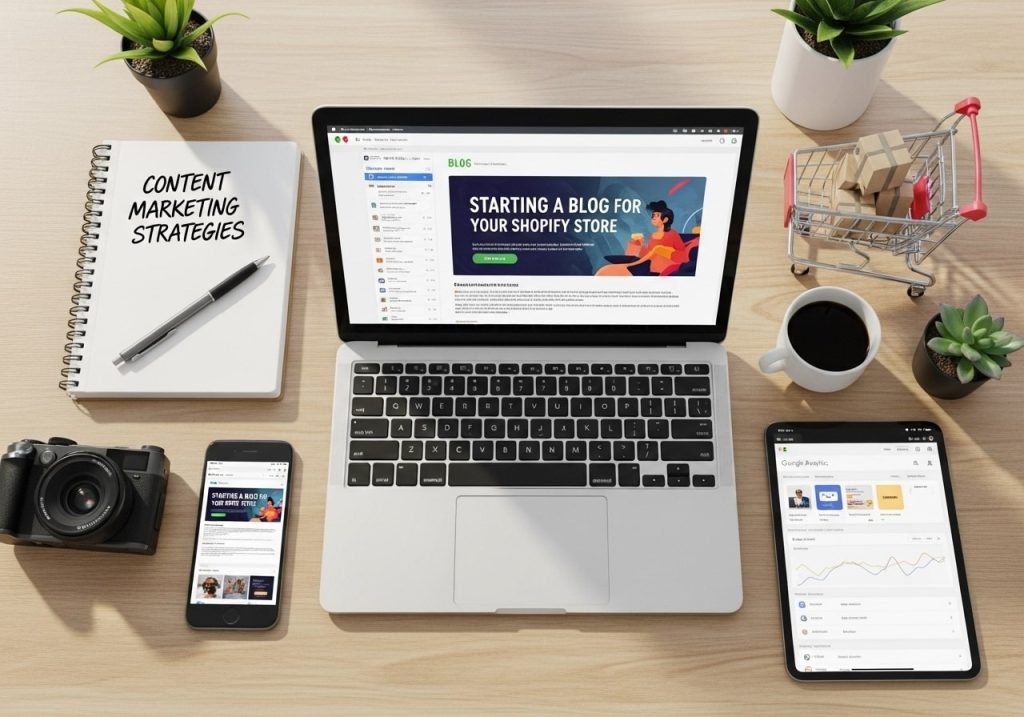
Starting a Blog for Your Shopify Store
Content marketing is one of the most effective marketing strategies for shopify store success. A blog helps you target keywords that your product pages might not cover and provides value to potential customers.
- Choose relevant topics: Write about subjects related to your products and industry. If you sell fitness equipment, you might write about workout routines, nutrition tips, or equipment maintenance.
- Target long-tail keywords: Blog posts are perfect for targeting longer, more specific search terms that have less competition.
- Create helpful content: Focus on solving problems or answering questions your customers have.
- Maintain consistency: Regular posting helps establish authority and gives search engines fresh content to index.
Content Ideas That Drive Traffic
Here are proven content types that work well for ecommerce stores:
- How-to guides: Teach customers how to use your products or solve related problems.
- Product comparisons: Help customers choose between different options in your catalog.
- Industry news and trends: Share updates about your industry or niche.
- Customer stories: Feature testimonials and case studies.
- Behind-the-scenes content: Show how products are made or introduce your team.
- Seasonal content: Create content around holidays, seasons, or special events relevant to your products.
Internal Linking Strategy
Internal links help search engines understand your site structure and can improve your rankings. They also help customers discover more products:
- Link from blog posts to relevant product pages
- Create links between related products
- Use descriptive anchor text that includes relevant keywords
- Don’t overdo it—focus on natural, helpful linking
Link Building for Ecommerce
Building Authority Through Backlinks
Getting other websites to link to your store is still one of the most powerful ecommerce seo best practices. Here are legitimate ways to earn quality backlinks:
- Create valuable content: When you publish helpful guides, infographics, or research, other sites naturally want to link to them.
- Partner with complementary businesses: Look for non-competing businesses that serve similar customers and explore partnership opportunities.
- Get listed in directories: Submit your store to relevant industry directories and local business listings.
- Reach out to bloggers and influencers: If they mention your products or industry, consider reaching out with additional information or resources.
- Guest posting: Write articles for other websites in your industry, including natural links back to your store.
Local Link Building
If you have a physical location or serve specific geographic areas, local link building can be particularly effective:
- Get listed in local business directories
- Partner with local organizations and events
- Sponsor community activities
- Join local business associations
Local SEO for Shopify Stores
Google My Business Optimization
If your Shopify store has a physical location, claiming and optimizing your Google My Business listing is essential:
- Complete your profile: Fill out every section with accurate information.
- Add photos: Include pictures of your store, products, and team.
- Encourage reviews: Positive reviews help improve your local rankings.
- Post updates: Share news, special offers, and events.
- Respond to reviews: Engage with customers who leave feedback.
Local Schema Markup
Schema markup helps search engines understand your business information. For local businesses, include:
- Business name and address
- Phone number and hours
- Product information
- Review ratings
Shopify themes often include some schema markup automatically, but you may need to add local business schema manually.
Mobile Optimization
Responsive Design Essentials
Most Shopify themes are mobile-responsive by default, but you should still verify that your store provides a great mobile experience:
- Test on multiple devices: Check how your store looks on different screen sizes.
- Optimize touch elements: Make sure buttons and links are easy to tap on mobile screens.
- Simplify navigation: Mobile menus should be easy to use and access.
- Speed up mobile loading: Mobile users are particularly sensitive to slow loading times.
Mobile-First Indexing
Google now uses mobile-first indexing, which means it primarily looks at the mobile version of your site for ranking purposes. This makes mobile optimization even more critical for google seo shopify success.
SEO Tools and Analytics
Essential SEO Tools for Shopify
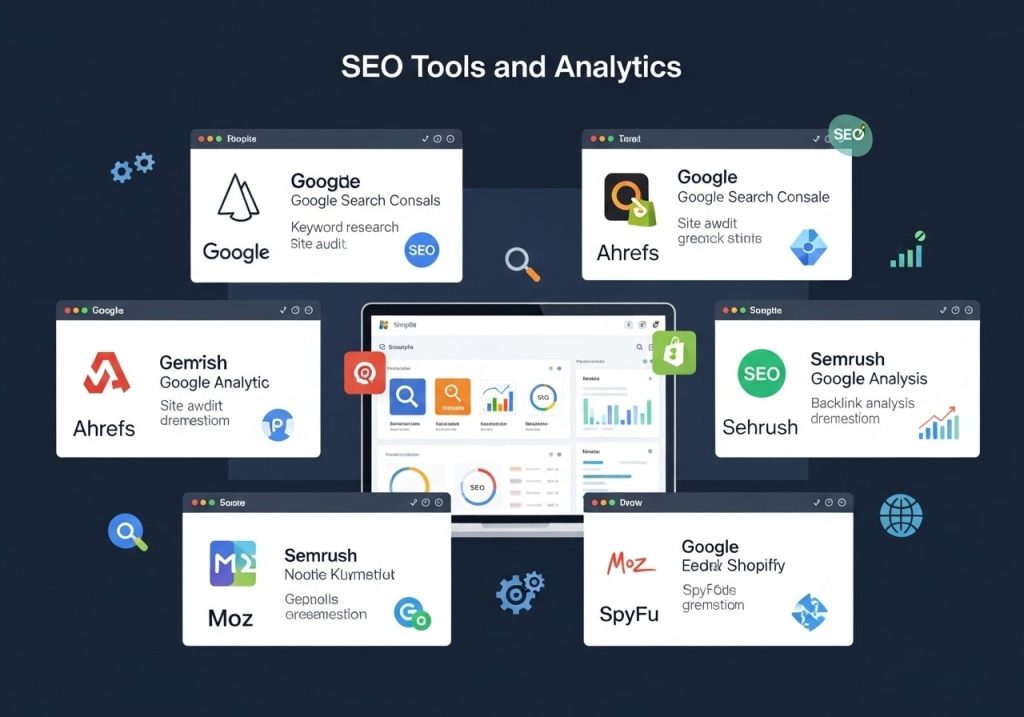
To effectively improve seo on shopify, you need the right tools to track your progress:
- Google Analytics: Essential for understanding your traffic sources and user behavior.
- Google Search Console: Shows how your site appears in search results and identifies issues.
- SEMrush or Ahrefs: Comprehensive SEO tools for keyword research and competitor analysis.
- Shopify Analytics: Built-in analytics provide ecommerce-specific insights.
- PageSpeed Insights: Google’s tool for analyzing site speed.
Setting Up Tracking and Monitoring
Proper tracking helps you understand which shopify strategies are working:
- Set up Google Analytics: Connect it to your Shopify store to track traffic, conversions, and user behavior
- Configure Google Search Console: Monitor your search performance and identify technical issues
- Set up conversion tracking: Track which traffic sources lead to actual sales
- Create custom dashboards: Focus on metrics that matter most to your business
Common SEO Mistakes to Avoid
Technical Mistakes
Many Shopify store owners make these common SEO mistakes:
- Duplicate content: Using the same product descriptions as other retailers or having multiple pages with identical content.
- Missing alt text: Not including descriptive alt text for images.
- Poor internal linking: Failing to connect related products and content.
- Ignoring page speed: Not optimizing images and apps that slow down the site.
- Weak URL structure: Using default URLs instead of descriptive, keyword-rich ones.
Content Mistakes
- Thin product descriptions: Writing only a few sentences about each product instead of providing comprehensive information.
- Keyword stuffing: Overusing keywords in an unnatural way that hurts readability.
- Neglecting long-tail keywords: Focusing only on competitive short keywords instead of targeting longer, more specific phrases.
- No content strategy: Publishing blog posts randomly without a clear strategy or purpose.
Advanced Shopify SEO Techniques
Schema Markup for Ecommerce
Schema markup helps search engines understand your content better and can lead to rich snippets in search results:
- Product schema: Include price, availability, reviews, and other product details.
- Organization schema: Provide information about your business.
- Breadcrumb schema: Help search engines understand your site structure.
- Review schema: Showcase customer ratings in search results.
Advanced Keyword Strategy
As you become more comfortable with basic SEO, you can implement more sophisticated keyword strategies:
- Competitor keyword analysis: Use tools to see what keywords your competitors rank for.
- Seasonal keyword planning: Optimize for keywords that spike during certain times of year.
- Voice search optimization: Consider how people might search using voice assistants.
- Featured snippet optimization: Structure content to potentially appear in Google’s featured snippets.
Technical SEO Auditing
Regular SEO audits help identify opportunities for improvement:
- Check for crawl errors in Google Search Console
- Identify and fix broken links
- Optimize page load speeds
- Review and improve internal linking
- Ensure all pages have unique meta descriptions and title tags
Measuring Your SEO Success
Key Metrics to Track
Understanding whether your seo optimization shopify efforts are working requires tracking the right metrics:
Organic traffic: The number of visitors coming from search engines.
Keyword rankings: Where your pages appear in search results for target keywords.
Conversion rates: What percentage of organic visitors make purchases.
Revenue from organic traffic: The actual sales generated from SEO efforts.
Click-through rates: How often people click your listings in search results.
Page load speeds: How quickly your pages load for users.
Setting Realistic Expectations
SEO is a long-term strategy. While some improvements can be seen quickly, significant results typically take 3-6 months or longer. Here’s what to expect:
1-2: Technical improvements and on-page optimization
3-4: Beginning to see traffic improvements for less competitive keywords
5-6: More significant traffic growth and improved rankings
6+ months: Continued growth and ability to compete for more competitive terms
Conclusion
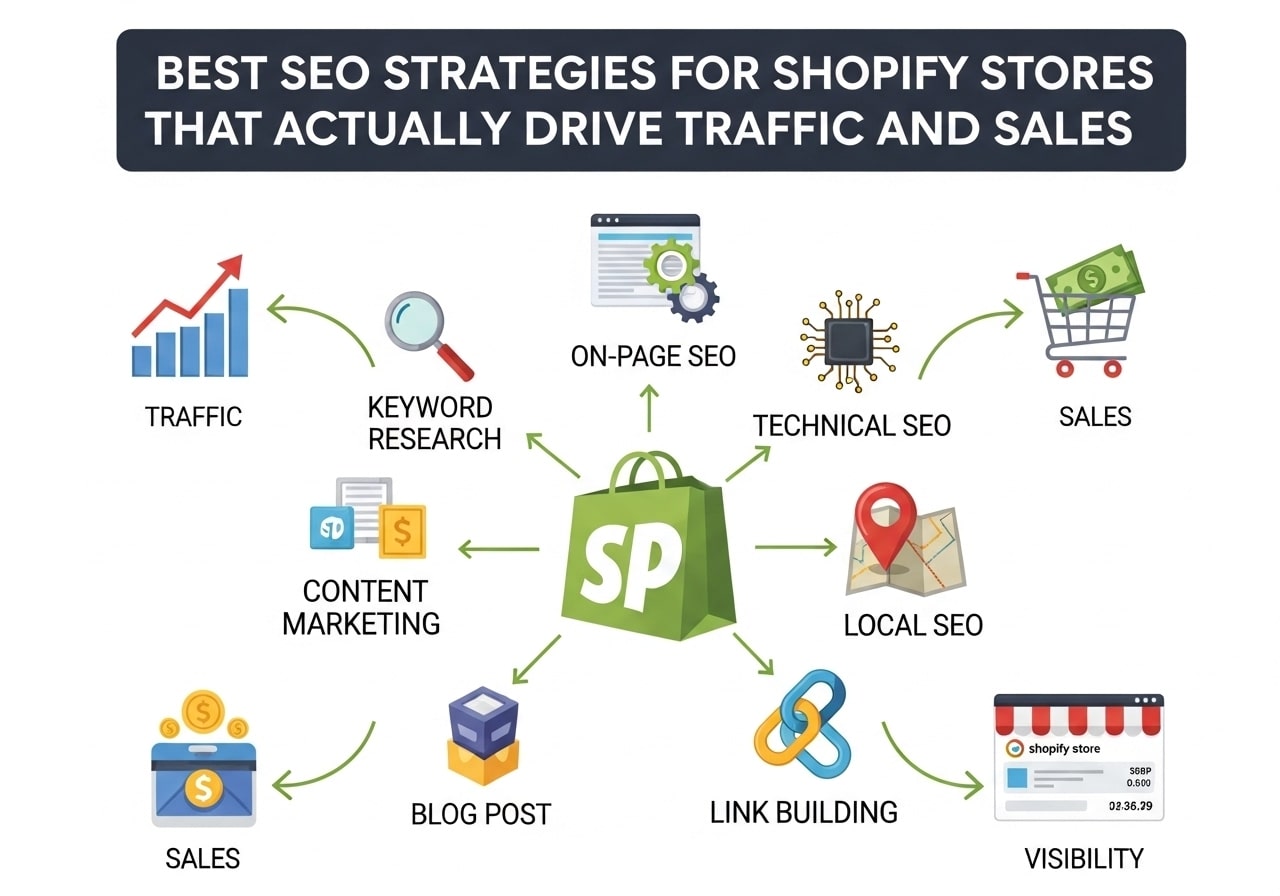
Implementing the best SEO strategies for Shopify stores requires patience, consistency, and attention to detail. From technical optimization and product page improvements to content marketing and link building, each element plays a crucial role in your overall SEO success.
Remember that SEO is not a one-time task but an ongoing process. Search engines continuously update their algorithms, new competitors enter the market, and customer behavior evolves. The most successful Shopify store owners treat SEO as an integral part of their business strategy, not just a checklist to complete.
Start with the fundamentals covered in this guide: optimize your product pages, improve your site speed, create valuable content, and build quality backlinks. As you become more comfortable with these basics, you can explore advanced techniques and strategies.
The investment in shopify seo best practices will pay dividends over time through increased organic traffic, higher conversion rates, and sustainable business growth. Whether you’re just starting your SEO journey or looking to refine your existing strategy, the techniques outlined in this guide provide a solid foundation for long-term success.
Ready to start improving your Shopify store’s SEO? Begin with a comprehensive audit of your current setup, identify the areas that need the most attention, and create a prioritized action plan. Remember, small consistent improvements often yield better results than trying to change everything at once.
FAQs
What makes SEO different for Shopify stores compared to regular websites?
Shopify stores have unique challenges like duplicate content from product variants, URL structures you can’t fully control, and the need to optimize both category pages and individual product listings. You’re dealing with e-commerce specific elements like product descriptions, reviews, and shopping-focused search intent that regular websites don’t have to worry about.
Should I focus on product pages or collection pages for better SEO results?
Both are important, but start with your collection pages. These typically target broader keywords that bring in more traffic. Once you have strong collection pages ranking well, focus on optimizing your best-selling product pages. Think of collection pages as your traffic drivers and product pages as your conversion tools.
How do I handle duplicate content issues that Shopify creates automatically?
Use canonical tags to point search engines to your preferred version of similar pages. For product variants, set the main product page as the canonical. Also, write unique descriptions for each product instead of using manufacturer descriptions that appear on hundreds of other sites.
What’s the biggest SEO mistake Shopify store owners make?
Ignoring page loading speed. Shopify stores often get heavy with apps, large images, and complex themes. A slow site kills both your search rankings and sales. Compress your images, remove unnecessary apps, and choose a lightweight theme. Your site should load in under 3 seconds.
How important are product reviews for Shopify SEO?
Product reviews are gold for SEO. They create fresh, unique content on your product pages, often include keywords customers actually use, and can show up as rich snippets in search results. Set up automated review requests and make sure your review system is properly structured for search engines to read.
Should I create a blog for my Shopify store, or is it unnecessary?
A blog can drive significant traffic if done right. Focus on topics your customers actually search for – how-to guides, product comparisons, and industry insights. Don’t just write about your products; create content that helps people solve problems related to what you sell.
How do I optimize my Shopify store for local SEO?
Add location-based keywords to your product titles and descriptions if you serve local customers. Set up Google My Business, get listed in local directories, and encourage local customers to leave reviews. If you have a physical store, make sure your address and phone number are consistent everywhere online.
What’s the best way to handle seasonal products and SEO?
Start optimizing for seasonal keywords 2-3 months before the season begins. Create dedicated collection pages for seasonal items and update your homepage to reflect current seasons. Don’t delete seasonal pages after the season ends – leave them up but update them to say “coming back next year” to maintain their SEO value.
How can I improve my product page rankings without spending money on ads?
Focus on long-tail keywords that are specific to your products. Instead of competing for “running shoes,” target “waterproof trail running shoes for women.” Write detailed product descriptions, use high-quality images with descriptive file names, and make sure your product titles include the keywords people actually search for.
What are the most effective free SEO tools for Shopify store owners?
Google Search Console is essential – it shows you which keywords bring traffic and highlights technical issues. Google Analytics helps you understand how visitors behave on your site. For keyword research, try Ubersuggest’s free version or Google’s Keyword Planner. Also, use Google PageSpeed Insights to check your site speed regularly.