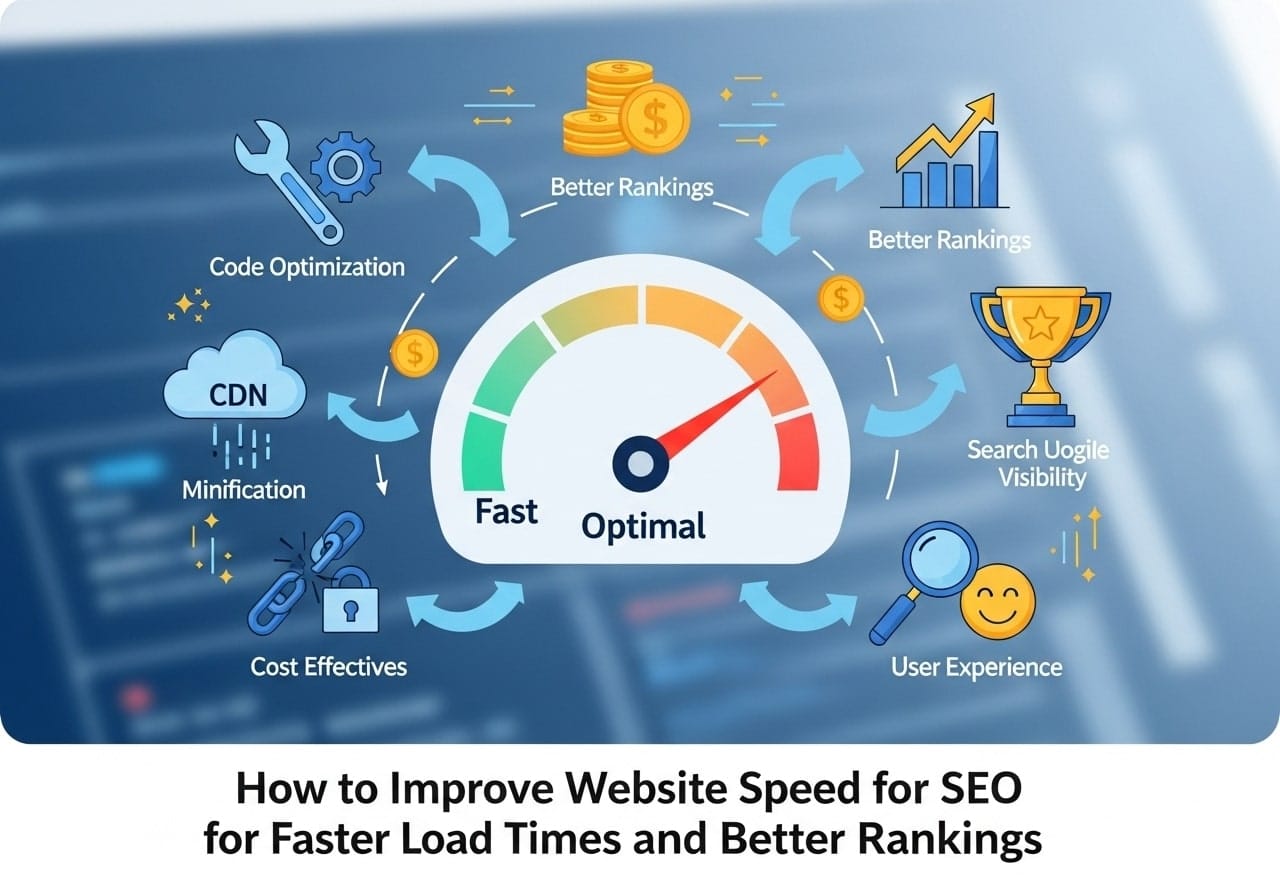
Website speed directly impacts your search engine rankings, user experience, and bottom line. If you’re wondering how to improve website speed for SEO, you’re asking the right question. Slow-loading websites lose visitors, hurt conversions, and rank lower in search results. Understanding website speed optimization is crucial for any website owner who wants to succeed online.
Why Website Speed Matters for SEO
Does site speed affect SEO? Absolutely. Google has made page speed a ranking factor since 2010, and it became even more important with the introduction of Core Web Vitals in 2021. When users click on your website, they expect it to load quickly. Studies show that 53% of mobile users abandon sites that take longer than 3 seconds to load.
Search engines prioritize user experience, and fast-loading websites provide better user experience. When your website loads quickly, users stay longer, browse more pages, and are more likely to convert. This positive user behavior sends strong signals to search engines that your website provides value.
What is a good site speed? Google recommends that websites load within 2-3 seconds. However, the faster, the better. Websites that load in under 1 second provide the best user experience and typically see higher conversion rates.
The relationship between speed and SEO goes beyond rankings. Fast websites have lower bounce rates, higher page views per session, and better engagement metrics. These factors all contribute to improved SEO performance over time.
How to Measure Site Speed the Right Way
Before you can improve your website’s speed, you need to know how to measure it accurately. Many website owners make the mistake of testing their site speed incorrectly, leading to misleading results.
Essential Speed Testing Tools
GTmetrix is one of the most comprehensive website performance optimization tools available. It provides detailed insights into your website’s loading speed, identifies specific issues, and offers actionable recommendations. The GTmetrix site speed test analyzes both technical performance and user experience metrics.
PageSpeed Insights is Google’s official google website speed test tool. Since Google owns this tool (Is PageSpeed Insights owned by Google? Yes), its recommendations carry significant weight for SEO. The tool provides separate scores for mobile and desktop performance, along with specific suggestions for improvement.
When using these tools, test your website multiple times and from different locations. Website speed can vary based on server location, time of day, and network conditions. Take an average of several tests to get accurate baseline measurements.
Understanding Speed Metrics
Modern speed testing focuses on user-centric metrics rather than just technical load times. Core Web Vitals include:
- Largest Contentful Paint (LCP): Measures loading performance
- First Input Delay (FID): Measures interactivity
- Cumulative Layout Shift (CLS): Measures visual stability
What is the ideal website loading speed for SEO? For LCP, aim for 2.5 seconds or faster. FID should be 100 milliseconds or less, and CLS should be 0.1 or lower.
Understanding Speed Testing Tools
Different speed testing tools provide various insights into your website’s performance. Understanding what each tool measures helps you make informed optimization decisions.
GTmetrix site speed testing combines Google PageSpeed Insights and Yahoo YSlow metrics. It provides waterfall charts showing exactly how your page loads, which files take the longest to download, and where bottlenecks occur.
The PageSpeed Insights tool focuses on real-world performance data from Chrome users. It provides both lab data (controlled environment testing) and field data (real user experiences). This combination gives you a complete picture of your website’s performance.
When testing ecommerce site speed, pay special attention to product pages, shopping cart functionality, and checkout processes. These pages directly impact revenue, so even small speed improvements can significantly affect your bottom line.
Core Web Vitals and SEO
Google’s Core Web Vitals represent the most important speed and user experience metrics for SEO. These metrics directly influence your search rankings and user satisfaction.
Largest Contentful Paint (LCP) measures when the main content becomes visible to users. Poor LCP often results from slow server response times, render-blocking resources, or unoptimized images. To improve LCP, optimize your largest images, use efficient image formats like WebP, and ensure your server responds quickly.
First Input Delay (FID) measures how quickly your website responds to user interactions. Heavy JavaScript execution typically causes poor FID scores. Reduce JavaScript bundle sizes, defer non-critical JavaScript, and optimize third-party scripts to improve FID.
Cumulative Layout Shift (CLS) measures visual stability. Elements that move around as the page loads create poor user experience and hurt CLS scores. Reserve space for images, ads, and dynamic content to prevent unexpected layout shifts.
How to Quickly Improve Website Loading Speed
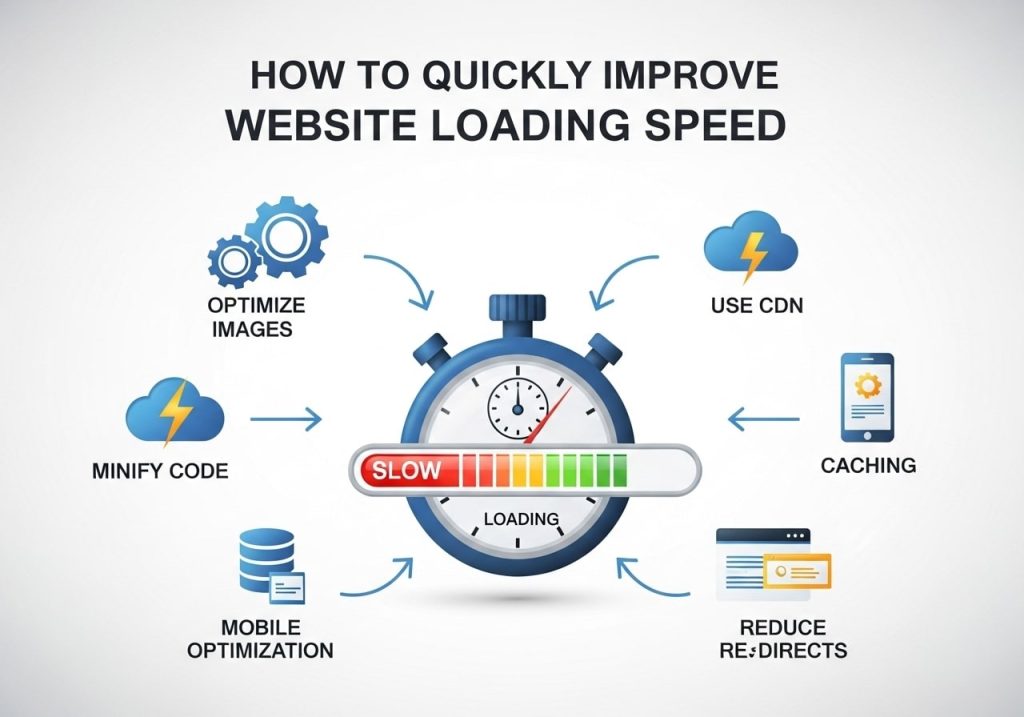
Now that you understand how to measure speed, let’s explore practical techniques for how to increase website speed.
Image Optimization
Images often account for 60-70% of a webpage’s total size. Optimizing images provides the biggest impact on how to improve website loading speed.
Convert images to modern formats like WebP, which provides 25-35% better compression than JPEG. Resize images to appropriate dimensions before uploading. A 4000px wide image displayed at 400px wastes bandwidth and slows loading times.
Implement lazy loading for images below the fold. Does lazy loading improve SEO? Yes, it reduces initial page load times and improves Core Web Vitals scores. Most modern browsers support native lazy loading with the loading=”lazy” attribute.
Minimize HTTP Requests
Every file your webpage loads requires a separate HTTP request. Reducing these requests significantly improves loading speed.
Combine CSS files, minimize JavaScript files, and use CSS sprites for small icons. Remove unnecessary plugins, widgets, and third-party scripts that add extra HTTP requests without providing significant value.
Enable Compression
Gzip compression can reduce file sizes by 70-90%. Most web servers support Gzip compression, but it needs to be enabled. Compressed files transfer faster, reducing loading times significantly.
Modern servers also support Brotli compression, which provides even better compression ratios than Gzip for text-based files.
WordPress Website Speed Optimization
Word Press powers over 40% of websites, but it can be slow without proper optimization. WordPress website speed test results often reveal common issues that are relatively easy to fix.
Choose a Fast Hosting Provider
Your hosting provider significantly impacts website speed. Shared hosting plans often provide poor performance due to resource limitations and server overcrowding.
Consider managed WordPress hosting providers that specialize in WordPress optimization. These providers typically offer server-level caching, Content Delivery Networks (CDNs), and WordPress-specific performance optimizations.
Optimize Your WordPress Database
WordPress databases can become bloated over time with revisions, spam comments, and unused data. Regular database cleaning improves query performance and reduces server response times.
Use plugins like WP-Optimize or WP Rocket to clean your database regularly. Remove unused themes and plugins, as they can slow down your website even when inactive.
Implement Caching
Caching stores static versions of your dynamic WordPress pages, dramatically reducing server processing time. Install a caching plugin like WP Rocket, W3 Total Cache, or WP Super Cache.
Configure page caching, browser caching, and database caching for maximum performance improvements. Properly configured caching can reduce loading times by 70-80%.
Ecommerce Site Speed Best Practices
Ecommerce site speed directly impacts revenue. Amazon found that every 100ms of latency cost them 1% in sales. For ecommerce websites, speed optimization requires special considerations.
Optimize Product Images
Product pages typically contain multiple high-resolution images. Implement image optimization techniques specifically for ecommerce:
Use progressive JPEG loading so images appear to load gradually rather than all at once. Implement image zoom functionality efficiently to avoid loading unnecessarily large images. Consider using thumbnail galleries with lazy loading for product variants.
Streamline Checkout Process
The checkout process is critical for ecommerce success. Optimize checkout pages for maximum speed by minimizing form fields, reducing external scripts, and ensuring fast payment processing.
Remove unnecessary fields, combine checkout steps where possible, and use autofill functionality to speed up the checkout process.
Manage Third-Party Scripts
Ecommerce sites often use numerous third-party scripts for analytics, chat widgets, reviews, and marketing tools. Each script adds loading time and can impact user experience.
Audit all third-party scripts regularly. Load non-critical scripts asynchronously and defer scripts that aren’t immediately necessary. Consider removing scripts that don’t provide significant value.
Advanced Website Performance Optimization Techniques
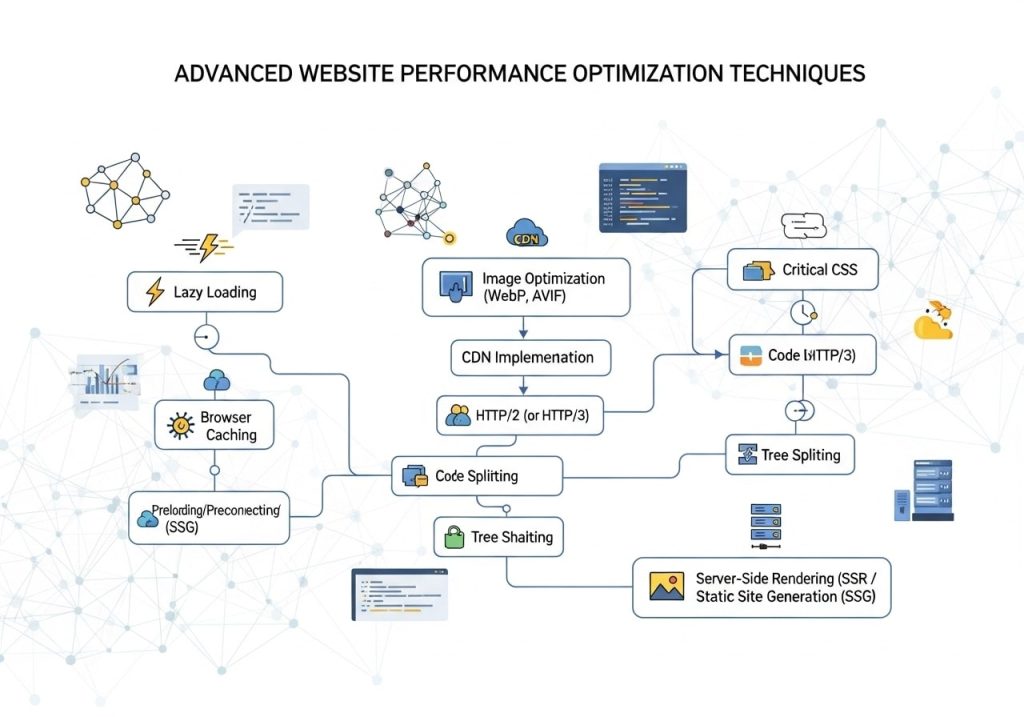
For websites requiring maximum performance, advanced optimization techniques can provide additional speed improvements.
Content Delivery Networks (CDNs)
Does CloudFlare speed up websites? Yes, CloudFlare and other CDNs significantly improve website speed by serving content from servers geographically closer to users.
CDNs also provide additional benefits like DDoS protection, improved security, and reduced server load. Popular CDNs include CloudFlare, AWS CloudFront, and KeyCDN.
Server-Side Optimization
Server response time significantly impacts overall website speed. Optimize your server configuration by:
Using fast SSD storage instead of traditional hard drives. Implementing server-level caching like Redis or Memcached. Optimizing your web server configuration (Apache, Nginx) for better performance.
Consider upgrading to HTTP/2 or HTTP/3, which provide better performance than HTTP/1.1 through features like multiplexing and server push.
Advanced Caching Strategies
Implement multiple layers of caching for maximum performance:
Browser caching stores static files locally on users’ devices. CDN caching serves content from edge locations. Server-side caching reduces database queries and processing time.
Configure appropriate cache expiration times for different types of content. Static assets like images and CSS files can be cached for long periods, while dynamic content may require shorter cache times.
Common Speed Issues and Solutions
Understanding common speed problems helps you diagnose and fix issues quickly.
How to fix PageSpeed Insights recommendations:
Eliminate render-blocking resources: Move CSS to the head section and defer non-critical JavaScript. Inline critical CSS directly in the HTML to prevent render blocking.
Reduce unused CSS and JavaScript: Remove or minimize unused code. Many websites load entire CSS frameworks when they only use small portions.
Optimize images: This remains the most common recommendation. Properly sized and formatted images provide immediate speed improvements.
Server Response Time Issues
Slow server response times often indicate hosting problems, database issues, or inefficient code. Monitor your Time to First Byte (TTFB) regularly and investigate if it exceeds 200ms.
Common causes include shared hosting limitations, unoptimized database queries, and inefficient plugins or themes.
Monitoring and Maintaining Fast Load Times
Website speed optimization is an ongoing process, not a one-time task. Regular monitoring helps you maintain fast loading times and identify new issues quickly.
Set up automated monitoring using tools like GTmetrix, Pingdom, or Google Search Console. These tools can alert you when your website speed degrades.
What is a good website speed score? Generally, aim for scores above 90 on PageSpeed Insights and loading times under 3 seconds on GTmetrix. However, focus more on real user experience metrics than arbitrary scores.
How to get 100 page speed scores:
While achieving perfect scores is possible, it’s not always practical or necessary. Focus on providing good user experience rather than chasing perfect scores. Sometimes, achieving 100% requires removing functionality that benefits users.
That said, if you want to pursue perfect scores, eliminate all render-blocking resources, optimize every image perfectly, minimize all code, and remove all third-party scripts.
Regular performance audits help you identify new optimization opportunities. As you add content, install plugins, or make changes to your website, monitor how these changes affect loading speed.
Website speed optimization requires ongoing attention, but the benefits for SEO, user experience, and conversions make it worth the effort. Start with the basics like image optimization and caching, then progress to more advanced techniques as needed. Remember, even small improvements in loading speed can have significant impacts on your website’s success.
Ready to start optimizing your website speed? Begin with a comprehensive speed test using GTmetrix and PageSpeed Insights, then implement the techniques outlined in this guide systematically for best results.
FAQs
Why does website speed matter for SEO rankings?
Search engines like Google use page speed as a ranking factor because they want to show users the best possible experience. When your website loads quickly, visitors are more likely to stay and engage with your content, which tells search engines your site is valuable and worth ranking higher.
What is considered a good website loading speed?
Most experts recommend your website should load in 2-3 seconds or less. Google specifically looks for pages that load within 2.5 seconds for their Core Web Vitals metric. If your site takes longer than 4-5 seconds, you’ll likely see visitors leaving before the page even finishes loading.
How can I test my website’s current speed?
You can use free tools like Google PageSpeed Insights, GTmetrix, or Pingdom to test your site speed. Just enter your website URL and these tools will show you how fast your pages load and give you specific suggestions for improvement. Test both your homepage and important inner pages.
What are the biggest factors slowing down my website?
The most common speed killers are large image files, too many plugins or scripts, poor web hosting, unoptimized code, and lack of caching. Heavy themes with lots of features can also slow things down, especially if you’re not using most of those features.
How do I optimize images to improve loading speed?
Compress your images before uploading them to your website. Use formats like JPEG for photos and PNG for graphics with transparent backgrounds. Tools like TinyPNG or built-in WordPress plugins can automatically compress images. Also, make sure your images aren’t larger than they need to be on the page.
What is caching and how does it help website speed?
Caching stores a copy of your website’s files so they don’t have to be loaded from scratch every time someone visits. Think of it like keeping frequently used items on your desk instead of going to the filing cabinet each time. This makes your site load much faster for repeat visitors and reduces server load.
Does my web hosting affect website speed and SEO?
Yes, your hosting provider plays a huge role in site speed. Cheap shared hosting often means slower loading times because you’re sharing server resources with many other websites. Upgrading to better hosting or using a content delivery network (CDN) can dramatically improve your speed and SEO performance.
How do too many plugins slow down WordPress websites?
Each plugin adds code that needs to load when someone visits your site. Having too many plugins, especially poorly coded ones, can significantly slow down your website. Regularly review your plugins and remove any you don’t actually need. Keep the remaining ones updated to their latest versions.
Will improving my website speed actually increase my search rankings?
While speed alone won’t shoot you to the top of search results, it definitely helps your overall SEO efforts. Faster sites typically have lower bounce rates, better user engagement, and higher conversion rates – all factors that search engines consider when ranking websites. It’s one piece of the larger SEO puzzle.
How long does it take to see SEO improvements after speeding up my website?
You might notice some immediate improvements in user behavior metrics, but search engine rankings typically take 2-6 months to reflect speed improvements. Google needs time to recrawl your pages and factor the changes into their algorithm. Keep monitoring your site speed and make ongoing improvements for the best results.