
GeneratePress WordPress Theme – Why This Fast, Flexible Theme Powers Over 500,000 Websites
Lorem ipsum dolor sit amet, consectetur adipiscing elit. Ut elit tellus, luctus nec ullamcorper mattis, pulvinar dapibus leo.
Generate Press Theme For WordPress
Get the Premium Generate Press Theme
What is the GeneratePress WordPress Theme?
The GeneratePress WordPress theme has become one of the most trusted and widely used themes in the WordPress community. With over 500,000 active installations, this lightweight theme focuses on speed, accessibility, and flexibility without sacrificing functionality.
Unlike many bloated WordPress themes that come packed with features you’ll never use, GeneratePress takes a different approach. It provides a solid foundation that loads quickly and gives you the tools to build exactly what you need. Whether you’re creating a simple blog, a business website, or a complex e-commerce store, this theme adapts to your requirements.
The GeneratePress WordPress theme stands out because it’s built with clean, valid code that follows WordPress best practices. This means better search engine rankings, faster loading times, and fewer compatibility issues with plugins and updates.
GeneratePress WordPress Theme Free vs Premium
GeneratePress WordPress Theme Free
The free version of the GeneratePress WordPress theme available on WordPress.org provides an impressive set of features at no cost. You get:
- Lightning-fast loading speeds (under 30KB)
- Mobile-responsive design
- SEO-optimized code
- Accessibility ready
- Translation ready
- Regular updates and security patches
- Basic customization options through WordPress Customizer
The free version works perfectly for simple websites, blogs, and small business sites. Many users find that the GeneratePress WordPress theme free download meets all their basic needs without requiring premium features.
GeneratePress Premium Themes
The premium version, known as GeneratePress Premium, expands the theme’s capabilities significantly. For a one-time fee, you get access to:
- Advanced typography controls
- Color options for every element
- Multiple layout options
- Header and navigation modules
- WooCommerce styling
- Blog customization features
- Menu Plus module
- Sections (Elementor-style page builder)
- Premium support
GeneratePress WordPress Theme Demo and Examples
Before committing to any theme, it’s essential to see it in action. The GeneratePress WordPress theme demo showcases various website types and industries.
GeneratePress Website Examples
The GeneratePress examples span across different niches:
- Business Websites: Clean, professional layouts with clear call-to-action buttons
- E-commerce Stores: WooCommerce-ready designs with product showcases
- Blogs: Typography-focused layouts that enhance readability
- Portfolios: Visual-heavy designs for creatives and agencies
- Educational Sites: Structured layouts perfect for courses and tutorials
The GeneratePress WordPress theme preview demonstrates how the same theme can look completely different depending on your customization choices. This flexibility is one of the theme’s greatest strengths.
Key Features That Make GeneratePress Special
Speed and Performance
The GeneratePress WordPress theme loads in milliseconds, not seconds. Here’s why:
- Minimal CSS and JavaScript
- No unnecessary features loading by default
- Optimized database queries
- Clean, efficient code structure
- CDN-friendly architecture
Accessibility Features
GeneratePress takes web accessibility seriously:
- Screen reader compatibility
- Keyboard navigation support
- Proper heading structure
- High contrast options
- Skip-to-content links
SEO Optimization
Search engines love the GeneratePress WordPress theme because:
- Clean HTML5 markup
- Proper heading hierarchy
- Fast loading speeds
- Mobile-first responsive design
- Schema markup ready
Developer-Friendly
For those who want to customize further:
- Extensive hook system
- Well-documented code
- Child theme support
- Custom CSS options
- PHP customization possibilities
GeneratePress WordPress Theme Download and Installation

Getting the Free Version
The GeneratePress WordPress theme download is straightforward:
- From WordPress Admin: Go to Appearance > Themes > Add New, search for “GeneratePress.”
- From WordPress.org: Visit the GeneratePress WordPress theme WordPress org page and download directly
- Manual Upload: Download the ZIP file and upload it through your WordPress admin
Installation Steps
- Navigate to your WordPress dashboard
- Click Appearance > Themes
- Click “Add New”
- Search for “GeneratePress”
- Click “Install” then “Activate.”
The WordPress GeneratePress theme installation takes just a few minutes, and you’ll immediately notice the speed improvement over most other themes.
GeneratePress Templates and Customization Options
Built-in Templates
The GeneratePress templates include:
- Homepage layouts
- Blog post templates
- Archive pages
- Single post designs
- WooCommerce product pages
- Landing page options
Customization Through WordPress Customizer
WordPress GeneratePress theme customization happens primarily through the WordPress Customizer:
- Layout Options: Choose sidebar positions, container widths, and content areas
- Typography: Control fonts, sizes, and spacing
- Colors: Customize every color element
- Header Settings: Logo placement, navigation styles, header layouts
- Footer Options: Widget areas, copyright text, layout choices
Advanced Customization Options
For users comfortable with code, GeneratePress offers:
- Custom CSS section
- PHP hooks and filters
- Template overrides
- Custom post type support
WordPress GeneratePress Child Theme Setup
Creating a WordPress GeneratePress child theme protects your customizations during theme updates. Here’s how:
Manual Child Theme Creation
- Create a new folder in /wp-content/themes/ named generatepress-child
- Create a style.css file with the following header:
/*
Theme Name: GeneratePress Child
Description: Child theme of GeneratePress
Template: generatepress
Version: 1.0
*/
@import url(“../generatepress/style.css”);
- Create a functions.php file to enqueue parent theme styles
GeneratePress Child Theme Generator
Several online tools can create a GeneratePress child theme automatically:
- Official GeneratePress child theme generator
- WordPress child theme generators
- Plugin-based child theme creators
GeneratePress WooCommerce Integration
The GeneratePress WooCommerce integration is seamless and powerful. The theme provides:
Built-in WooCommerce Support
- Product page layouts
- Shopping cart styling
- Checkout page optimization
- Product grid layouts
- Mobile-optimized shopping experience
Premium WooCommerce Features
The premium version adds:
- Advanced product page layouts
- Custom WooCommerce colors
- Enhanced mobile shopping experience
- Product image styling options
- Cart and checkout customization
GeneratePress Theme Price and Premium Features
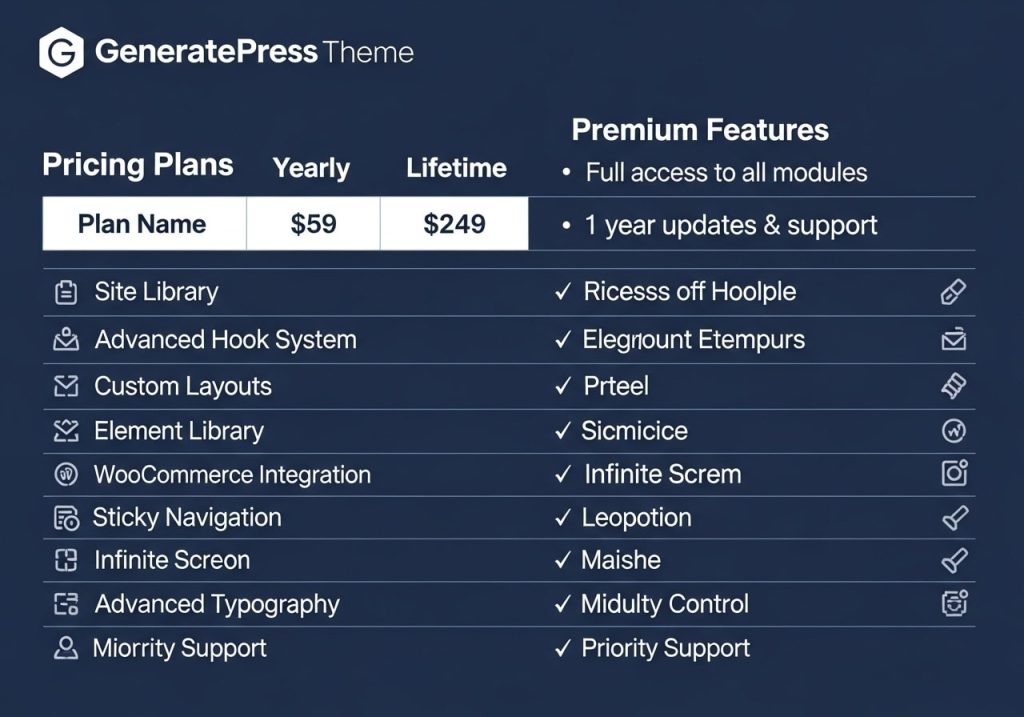
GeneratePress Theme Price Structure
The GeneratePress theme price is refreshingly simple:
- Free Version: $0 (forever)
- Premium License: One-time payment (typically around $59)
- Lifetime Updates: Included with premium purchase
- One Year Support: Included, renewable
What Premium Includes
Your premium purchase unlocks:
- All premium modules
- Site library access
- Priority support
- Unlimited website usage
- Regular feature updates
GeneratePress Review: Pros and Cons
Pros
Based on the GeneratePress Reddit discussions and user feedback:
- Speed: Consistently rated as one of the fastest WordPress themes
- Flexibility: Works for any type of website
- Support: Excellent documentation and community support
- Updates: Regular updates with new features
- Compatibility: Works with all major page builders and plugins
Cons
Honest GeneratePress review considerations:
- Learning Curve: Customization requires some technical knowledge
- Premium Features: Advanced features require a paid upgrade
- Design Options: Less visually striking than some theme alternatives
Community Feedback
GeneratePress Reddit communities consistently praise:
- Performance improvements after switching
- Reliability and stability
- Developer responsiveness
- Documentation quality
Getting Started with GeneratePress Tutorial
Step 1: Installation
Follow the installation steps outlined earlier in this GeneratePress tutorial.
Initial Setup
- Set Site Identity: Upload logo and set site title
- Choose Layout: Select sidebar positions and container width
- Configure Menus: Create and assign navigation menus
- Set Colors: Customize your color scheme
Content Creation
- Create Pages: Build your essential pages (Home, About, Contact)
- Set Homepage: Configure your static homepage or blog
- Add Widgets: Populate sidebar and footer areas
- Install Plugins: Add necessary functionality
Optimization
- Test Speed: Use tools like GTmetrix or Google PageSpeed Insights
- Check Mobile: Ensure responsive design works properly
- SEO Setup: Configure SEO plugins and meta information
- Backup: Create a backup of your configured site
Frequently Asked Questions
Is GeneratePress really free?
Yes, the GeneratePress WordPress theme’s free version provides full functionality for basic websites. Premium features require a paid upgrade.
How do I get the GeneratePress premium themes?
Purchase the premium license from the official GeneratePress website to access all GeneratePress premium themes and features.
Can I use GeneratePress with page builders?
Absolutely. The GeneratePress WordPress theme works perfectly with Elementor, Beaver Builder, Gutenberg, and other popular page builders.
Do I need coding skills?
Not for basic customization. The WordPress GeneratePress theme provides extensive customization options through the WordPress Customizer. Coding knowledge helps with advanced customizations.
Is GeneratePress good for SEO?
Yes, the GeneratePress WordPress theme is built with SEO best practices, including clean code, fast loading speeds, and proper HTML structure.
The GeneratePress WordPress theme represents an excellent choice for anyone seeking a fast, flexible, and reliable WordPress theme. Whether you choose the free version or upgrade to premium, you’re getting a theme that prioritizes performance, accessibility, and user experience. With its active community, regular updates, and extensive customization options, GeneratePress continues to earn its place as one of WordPress’s most trusted themes.
Ready to transform your website’s performance? Download the GeneratePress WordPress theme today and experience the difference a well-coded, lightweight theme can make for your online presence.