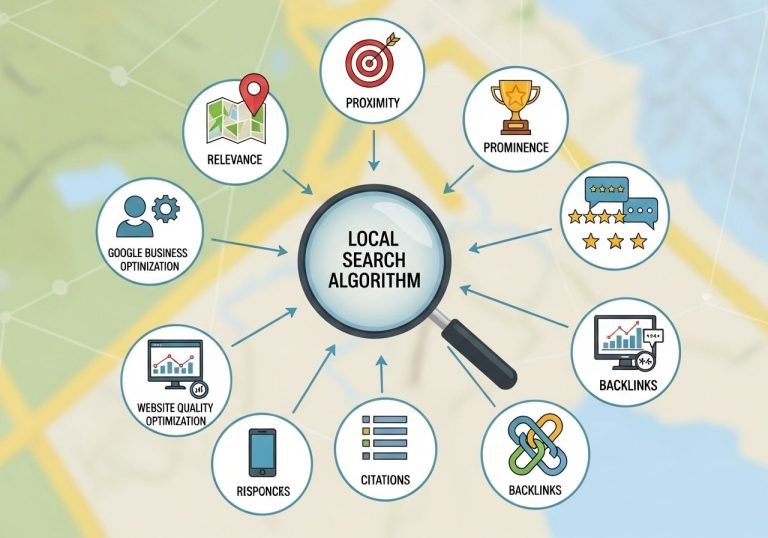
High-quality local business images can make or break your online visibility in search results. When potential customers search for businesses like yours, compelling photos help you stand out from competitors and build trust before they even walk through your door.
This guide is designed for local business owners, marketing managers, and entrepreneurs who want to boost their local SEO rankings through strategic image optimization. Whether you run a restaurant, retail store, or service-based business, the right visual content can drive more foot traffic and online conversions.
We’ll explore how to optimize images for search engines using proven technical strategies that improve your local rankings. You’ll also learn how to select and showcase photos that tell your business story effectively, turning casual browsers into loyal customers. Finally, we’ll cover practical implementation techniques that help your business photos work harder for your local SEO goals.
Understanding the Role of Images in Local SEO Success
How search engines evaluate visual content for local rankings
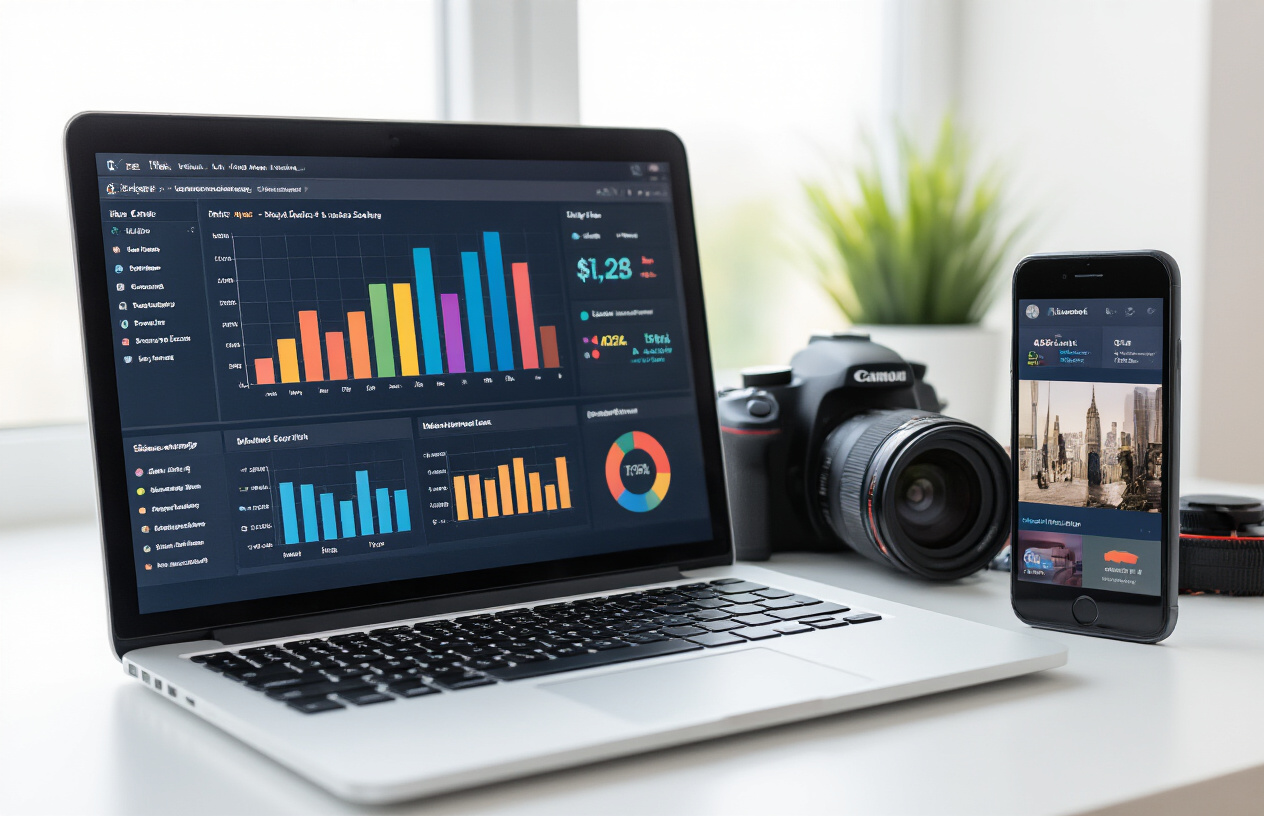
Search engines have become incredibly sophisticated at understanding and evaluating local business images. Google’s algorithms now analyze visual elements like image composition, quality, and relevance to determine how well they represent a local business. The search engine examines metadata, file names, alt text, and surrounding content to understand what your images show and how they relate to local search queries.
Image recognition technology plays a crucial role in this process. Google can identify objects, people, buildings, and even specific business types within your photos. When someone searches for “Italian restaurant near me,” the algorithm looks for visual cues like restaurant interiors, food presentations, and dining atmospheres in your local business images.
Location signals embedded in your photos provide another ranking factor. Images with proper geolocation data help search engines confirm your business location and match it with local search intent. The algorithm also evaluates image freshness – regularly updated photos signal an active, current business.
Quality metrics significantly impact rankings. High resolution images, proper lighting, and professional composition tell search engines your business maintains quality standards. Blurry, poorly lit, or outdated photos can actually hurt your local SEO performance.
Search engines also analyze user engagement with your images. Photos that generate clicks, views, and interactions send positive signals about your business relevance and appeal to local customers.
Connection between image optimization and Google My Business visibility
Your Google My Business profile serves as the primary showcase for your local business photos, making image optimization critical for visibility. Google My Business displays your images prominently in local search results, map listings, and Knowledge Panel sections, directly influencing how potential customers perceive your business.
Profile completeness gets a significant boost from high-quality images. Google rewards businesses that provide comprehensive visual information with better visibility in local search results. Your profile needs various image types: exterior shots, interior views, product photos, team pictures, and behind-the-scenes content.
The platform’s algorithm prioritizes businesses with fresh, relevant imagery. Regular photo updates signal business activity and engagement, leading to improved rankings in local search results. Google My Business also tracks photo performance metrics, including views, clicks, and user interactions.
Photo categories within your GMB profile each serve specific purposes. Cover photos create first impressions, while interior shots help customers visualize visiting your location. Product or service images directly impact purchasing decisions, and team photos build trust and connection.
Image optimization for GMB goes beyond just uploading photos. Proper file naming, strategic posting timing, and encouraging customer photo submissions all contribute to enhanced visibility. Businesses with diverse, high-quality image libraries consistently outperform competitors with limited or poor visual content in local search rankings.
Impact of quality photos on customer engagement and conversions
Professional, high-quality images create immediate credibility and trust with potential customers browsing local business options. Studies consistently show that businesses with compelling visual content receive significantly more clicks, calls, and visits than those with poor or missing images.
Customer decision-making heavily relies on visual cues, especially for local businesses. People want to see what they’re getting before making a commitment. Restaurant photos showcasing appetizing dishes, retail stores displaying clean, organized spaces, and service businesses showing professional teams all influence customer choices.
Quality photos reduce customer uncertainty and objections. When potential customers can clearly see your business environment, products, or services through high resolution images, they feel more confident about choosing your business over competitors. This visual transparency directly translates to higher conversion rates.
Emotional connections develop through compelling imagery. Photos that show happy customers, satisfied results, or inviting atmospheres create positive associations with your brand. These emotional responses drive customer actions more effectively than text descriptions alone.
Mobile users, who represent the majority of local searches, particularly respond to visual content. Quality images load quickly and display properly across devices, keeping mobile users engaged rather than bouncing to competitors. Poor image quality or slow loading times can immediately eliminate your business from consideration.
User-generated content, including customer photos and reviews with images, amplifies your credibility. When real customers share their experiences through photos, it provides authentic social proof that professional marketing images alone cannot achieve.
Essential Image Optimization Techniques for Local Businesses
Choosing the right file formats and compression settings
Most local business owners make a crucial mistake: they upload massive image files that slow down their websites. The three main formats you should consider are JPEG, WebP, and PNG, each serving different purposes for your local business images.
JPEG works best for photographs of your storefront, team members, or products because it handles color gradients well while keeping file sizes manageable. WebP offers superior compression and is supported by all modern browsers, making it perfect for your local business website SEO efforts. PNG should be reserved for logos, icons, and images requiring transparency.
When compressing images, aim for the sweet spot between quality and file size. For most local business photos, 70-85% quality provides excellent visual results while keeping files under 200KB. Tools like TinyPNG or ImageOptim can reduce file sizes by 60-80% without noticeable quality loss.
Consider creating different versions for different uses: high-resolution images for print materials and compressed versions for web use. This strategy ensures your local business highlight photos look crisp across all platforms while maintaining fast loading speeds.
Implementing strategic keyword-rich file naming conventions
Your image file names are invisible SEO goldmines that most local businesses completely ignore. Instead of uploading “IMG_1234.jpg,” rename your files with descriptive, keyword-rich names that tell search engines exactly what they’re looking at.
Effective naming follows this pattern: location-business-type-specific-descriptor.jpg. For example, “chicago-italian-restaurant-homemade-pasta.jpg” or “denver-auto-repair-shop-mechanic-working.jpg.” This approach helps your local business images rank for relevant local searches.
Always use hyphens instead of underscores or spaces, keep names under 60 characters, and include your primary location when relevant. If you’re a local business photographer, name files like “atlanta-wedding-photographer-ceremony-shots.jpg” to capture both your service and location.
Create a naming system and stick to it. This consistency helps search engines understand your content patterns and improves your overall local SEO images strategy.
Writing compelling alt text that boosts local search visibility
Alt text serves two masters: accessibility and SEO. For local businesses, this means describing images in ways that help both screen readers and search engines understand your content while naturally incorporating local keywords.
Good alt text for a local business might read: “Fresh sushi rolls prepared by chef at Tokyo Garden restaurant in downtown Portland.” This description includes the business name, location, and specific details about what’s shown in the image.
Avoid keyword stuffing in alt text. Instead of “local business restaurant food dining Portland Oregon best sushi,” write naturally: “Chef preparing specialty rolls at Portland’s Tokyo Garden sushi restaurant.” The keywords flow naturally while providing genuine value.
Keep alt text under 125 characters when possible, and don’t start with “image of” or “picture of” – screen readers already announce these as images. Focus on the most important elements: what’s happening, where it’s happening, and who’s involved.
Optimizing image dimensions for faster loading speeds
Page speed directly impacts your local search rankings, and oversized images are often the biggest culprits in slow-loading websites. Google’s Core Web Vitals make this optimization critical for local business website SEO success.
Start with the right dimensions from the beginning. Full-width hero images should be no larger than 1920×1080 pixels, while smaller gallery images work well at 800×600 or 600×400 pixels. Profile photos and thumbnails rarely need to exceed 300×300 pixels.
Use responsive images with the srcset attribute to serve different sizes based on device capabilities. This means mobile users get appropriately sized images instead of desktop-sized files that waste bandwidth and slow loading times.
Consider lazy loading for images below the fold. This technique loads images only when users scroll to them, dramatically improving initial page load speeds for image-heavy local business websites.
| Image Type | Recommended Dimensions | File Size Target |
|---|---|---|
| Hero Images | 1920x1080px | 150-300KB |
| Gallery Photos | 800x600px | 100-200KB |
| Thumbnails | 300x300px | 50-100KB |
| Profile Images | 400x400px | 75-150KB |
Regular audits of your image performance help identify opportunities for improvement. Tools like Google PageSpeed Insights specifically highlight images that need optimization, making it easy to prioritize which local business images require attention first.
Strategic Photo Selection and Planning for Maximum Impact

Identifying High-Converting Image Categories for Your Business Type
Different types of local businesses need different visual approaches to drive customer action. Restaurants should focus on mouth-watering food shots, cozy dining atmosphere photos, and images of satisfied customers enjoying their meals. These local business images directly influence purchasing decisions and can make the difference between a click and a scroll-past.
For service-based businesses like salons, gyms, or repair shops, before-and-after transformation photos work incredibly well. Show the actual results you deliver. A landscaping company benefits from dramatic property makeovers, while a fitness center should capture people actively working out and achieving their goals.
Retail stores need product displays, shopping experiences, and lifestyle shots showing items in use. Professional services like law offices or accounting firms should showcase their team, office environment, and client interactions to build trust and credibility.
The key is matching your local business photos to what drives action in your specific industry. Study your competitors’ most engaging posts and analyze which of your current images get the most interaction. These patterns reveal what resonates with your local audience.
Creating a Visual Content Calendar Aligned with Local Events
Smart local seo images planning means thinking beyond your business walls. Your community has a rhythm – festivals, sports seasons, holidays, and local celebrations that bring people together. Tap into this energy with strategic photo planning.
Research your area’s event calendar at the beginning of each quarter. When is the local harvest festival? What about high school football season or the annual arts fair? Plan photo shoots that connect your business to these moments. A coffee shop might showcase pumpkin spice drinks during fall festival season, while a clothing store could highlight team colors during championship games.
Create themed photo series around local landmarks, seasonal activities, and community partnerships. If your town has a famous bridge, incorporate it into lifestyle shots. When local teams make playoffs, show your support with relevant displays and customer reactions.
Your visual calendar should also include regular community involvement photos – sponsoring little league teams, participating in charity drives, or hosting local meetings. These support local business images build authentic connections with your audience and strengthen your local search presence.
Balancing Professional Photography with Authentic Behind-the-Scenes Content
High quality images business success doesn’t mean every photo needs a professional photographer. The most engaging content often comes from mixing polished shots with genuine, everyday moments that show your business personality.
Professional photos are essential for your core business images – your storefront, key products, team headshots, and main service offerings. These business high resolution images establish credibility and make strong first impressions. Invest in professional photography for these foundation pieces.
But daily social media and website updates can showcase authentic moments. Staff preparing for the day, customers laughing during service, the organized chaos of a busy afternoon – these candid shots create emotional connections. They show the human side of your business that people want to support.
Train your team to capture quality everyday moments. Teach basic composition rules and ensure good lighting. Modern smartphones can produce excellent local business quality images when used correctly. The authentic energy in these photos often outperforms sterile professional shots in engagement metrics.
Planning Seasonal and Promotional Image Updates
Your local business website seo gets a boost when you keep visual content fresh and relevant. Plan quarterly photo updates that reflect changing seasons, new inventory, staff changes, and evolving services.
Create an annual photo refresh schedule. Spring might bring facility updates and new team members. Summer could showcase outdoor services or expanded hours. Fall and winter photos should highlight cozy indoor experiences and holiday offerings. These seasonal updates keep your business feeling current and active.
Promotional campaigns need dedicated photo planning. Don’t wait until the day before a sale to think about images. Plan promotional photos weeks in advance, considering different angles, customer reactions, and multiple format options for various platforms.
Track which seasonal images perform best each year. Maybe your summer patio photos always generate calls, or your holiday decoration pictures drive the most foot traffic. Use this data to plan even better seasonal content the following year.
Store backup seasonal photos from previous years, but always include fresh current shots. A mix of classic seasonal elements with new offerings keeps your visual story both familiar and exciting to returning customers.
Showcasing Your Business Through Compelling Visual Storytelling

Capturing Your Storefront and Exterior for Instant Recognition
Your storefront serves as the visual anchor for your local business identity. High-quality exterior photos help potential customers instantly recognize your location and create memorable first impressions that drive foot traffic. Focus on capturing your building during different times of day to showcase how your business looks in various lighting conditions.
Key shots to include:
- Wide-angle view showing the entire storefront and surrounding context
- Close-up of your business signage and entrance
- Street-level perspective that customers see when approaching
- Evening shots with interior lighting creating an inviting atmosphere
Make sure your business signage is clearly visible and well-lit in these local business images. Clean windows, fresh paint, and organized outdoor displays all contribute to professional-looking photos that boost your local SEO rankings. Google My Business listings particularly benefit from authentic storefront images that show your actual location.
Highlighting Team Members and Company Culture Authentically
Authentic team photos humanize your brand and build trust with local customers searching for businesses in your area. These local business photos should capture genuine interactions and showcase the personalities behind your company rather than stiff, overly posed corporate headshots.
Effective team photography approaches:
- Candid shots of employees helping customers
- Behind-the-scenes moments that show daily operations
- Group photos during team meetings or celebrations
- Individual portraits in natural work environments
Focus on diversity and inclusion in your team imagery to reflect your community values. Customers connect with businesses where they see themselves represented. These images work particularly well for local business website SEO when optimized with location-specific alt text and file names that include your city or neighborhood.
Documenting Your Products or Services in Action
Action shots demonstrate the real value your business provides to the local community. These dynamic local seo images capture your products being used or services being delivered, creating compelling visual evidence of your expertise and quality.
Product/service documentation strategies:
| Business Type | Action Shot Examples |
|---|---|
| Restaurant | Chefs preparing signature dishes, customers enjoying meals |
| Retail Store | Customers trying on clothing, staff providing personalized service |
| Professional Services | Consultations in progress, completed project results |
| Beauty/Wellness | Treatments being performed, relaxed clients |
These business high quality images should tell a story about the customer experience from start to finish. Document the process, not just the end result. This approach helps potential customers visualize themselves using your products or services, which directly impacts conversion rates from local search results.
Creating Before-and-After Galleries That Demonstrate Value
Before-and-after galleries provide powerful social proof for local businesses, especially those in home improvement, beauty, automotive, or professional services. These compelling visual stories demonstrate tangible results that convince potential customers of your capabilities.
Best practices for before-and-after photography:
- Maintain consistent lighting and angles between shots
- Use the same camera position and settings for accurate comparison
- Include multiple angles to show comprehensive results
- Document the timeline of progress for complex projects
These galleries work exceptionally well for local business highlight purposes on Google My Business and social media platforms. Customers frequently share dramatic transformations, extending your reach within the local community organically. Include brief captions explaining the scope of work, timeline, and customer satisfaction to maximize the impact of these powerful visual testimonials.
The combination of these four visual storytelling approaches creates a comprehensive image library that supports your local SEO efforts while building genuine connections with your community.
Technical Implementation Strategies for Local SEO Success

Leveraging structured data markup for enhanced search results
Schema markup transforms how search engines understand your local business images. When you add LocalBusiness schema to your website, you’re telling Google exactly what each image represents – whether it’s your storefront, team members, or products. This structured data helps your business images appear in rich results, Google My Business listings, and local pack results.
Image schema markup includes properties like contentUrl, thumbnailUrl, caption, and representativeOfPage. For local businesses, combining ImageObject schema with LocalBusiness markup creates powerful connections between your visuals and location data. This approach increases the chances of your business high quality images appearing in “near me” searches and local knowledge panels.
JSON-LD structured data offers the cleanest implementation method. Place your markup in the document head or directly within image containers. Always include alt text that mirrors your schema descriptions, creating consistency across technical and accessibility elements.
Optimizing images across Google My Business and social platforms
Your Google My Business profile serves as the central hub for local business images. Upload photos in multiple categories: exterior shots, interior views, team photos, products, and behind-the-scenes content. Google recommends images at least 720 pixels wide and 720 pixels tall, but higher resolution images perform better in search results.
Cross-platform optimization means adapting your core visual assets for different social media requirements:
| Platform | Optimal Size | Key Features |
|---|---|---|
| Google My Business | 720x720px minimum | Multiple categories, customer photos |
| 1200x630px | Event photos, check-ins | |
| 1080x1080px | Stories, reels, location tags | |
| 1200x627px | Professional team shots |
Maintain consistent branding across all platforms while adapting to each platform’s unique audience expectations. Your local business photos should tell the same story whether someone discovers you through Google Maps or Instagram.
Building location-specific image galleries for multiple business locations
Multi-location businesses need distinct visual identities for each site. Create separate image galleries that highlight unique aspects of individual locations – local landmarks nearby, different store layouts, or location-specific team members. This strategy helps each location rank for hyper-local searches.
Organize your image structure using location-based folders and naming conventions. For example: “chicago-location-exterior.jpg” or “miami-store-team-photo.jpg”. This organization supports both user experience and search engine crawling efficiency.
Implement location-specific landing pages with dedicated image galleries. Each page should showcase that particular location’s personality while maintaining brand consistency. Local landmarks, neighborhood characteristics, and community involvement photos help establish genuine local connections.
Creating mobile-optimized visual experiences for local searchers
Mobile users conduct 76% of local searches, making mobile image optimization critical. Implement responsive images using the srcset attribute to serve appropriately sized images based on device capabilities. This approach reduces load times while maintaining visual quality.
Progressive image loading keeps mobile users engaged. Use lazy loading for images below the fold, but ensure above-the-fold local business images load immediately. WebP format reduces file sizes by 25-35% compared to JPEG without quality loss.
Consider mobile-specific visual elements like click-to-call buttons overlaid on contact images or swipeable gallery formats for showcasing multiple business aspects. Touch-friendly image interactions improve user engagement and conversion rates.
Monitoring image performance through analytics and search console data
Google Search Console’s Performance report reveals which image searches drive traffic to your business. Monitor queries that trigger your images in search results, paying attention to local modifiers like “near me” or city names. This data guides future image optimization decisions.
Track image performance metrics including:
- Click-through rates from image search
- Time spent viewing image galleries
- Mobile vs desktop engagement patterns
- Conversion rates from image-driven traffic
Google Analytics 4’s enhanced ecommerce tracking can connect image interactions to business outcomes. Set up custom events for image gallery engagement, photo submissions, and visual content shares. This comprehensive tracking approach helps you understand which local business images generate actual customer actions rather than just views.
Heat mapping tools reveal how users interact with your visual content across different pages. This behavioral data helps optimize image placement, sizing, and calls-to-action positioning for maximum local SEO impact.
High-quality images aren’t just about making your website look pretty—they’re powerful tools that can seriously boost your local search rankings and bring more customers through your door. From optimizing file sizes and alt text to choosing photos that tell your business story, every image decision you make affects how Google sees your business and how potential customers connect with your brand. The right visual strategy helps search engines understand what you offer while showing local customers exactly why they should choose you over the competition.
Start treating your business photos as marketing investments rather than afterthoughts. Take the time to capture authentic images of your team, products, and location, then optimize them properly with relevant keywords and geographic information. Your local SEO success depends on these visual elements working together with your other marketing efforts. Pick up that camera, update those outdated photos, and watch how better images transform both your search visibility and customer engagement.
FAQs
Why do images matter for local business SEO?
Images help your business show up better in local search results. When people search for businesses near them, Google often displays photos alongside the listings. Good images make your business more attractive and trustworthy to potential customers, which can lead to more clicks and visits.
What types of images should local businesses use for SEO?
Use photos that show your actual business location, products, services, and team members. Include pictures of your storefront, interior spaces, staff at work, popular products, and happy customers. Make sure all images accurately represent your business and what customers can expect.
How should I name my image files for better local SEO?
Give your image files descriptive names that include your location and what the image shows. Instead of “IMG_001.jpg,” use names like “chicago-pizza-restaurant-interior.jpg” or “downtown-barber-shop-haircut.jpg.” This helps search engines understand what your images contain.
What is alt text and why is it important for local business images?
Alt text is a brief description of what’s in your image that helps search engines and people with visual impairments understand the content. Write clear descriptions like “customers dining at Mario’s Italian restaurant in Boston” instead of just “restaurant photo.” This improves your chances of appearing in image searches.
What size should my business images be for the web?
Keep your images under 1MB in size while maintaining good quality. Large images slow down your website, which hurts your search rankings. Use image compression tools to reduce file sizes without making photos look blurry or pixelated.
Should I add location information to my image files?
Yes, include location details in your image file names, alt text, and captions when relevant. Mention your city, neighborhood, or nearby landmarks. This helps search engines connect your images to local searches in your area.
How many images should I use on my local business website?
Use enough images to properly showcase your business without overwhelming visitors. Most local business pages benefit from 5-15 high-quality images. Focus on quality over quantity – a few great photos work better than many average ones.
Can I use stock photos for my local business SEO?
It’s better to use original photos of your actual business. Stock photos don’t show what makes your business unique and may hurt your local search performance. If you must use stock images, combine them with real photos of your location and team.
How do I add images to Google My Business for better local visibility?
Upload photos directly through your Google My Business dashboard or the Google My Business app. Add pictures regularly and include different categories like exterior, interior, products, services, and team photos. Fresh images can improve your local search rankings.
What common mistakes should I avoid with local business images?
Don’t use blurry or dark photos, oversized files that slow your website, generic stock images, or photos without proper descriptions. Avoid using images that don’t match your actual business, and don’t forget to optimize every image with descriptive file names and alt text.