Your Google Business Profile Q&A section can make or break a customer’s decision to visit your business. When potential customers have questions about your hours, services, or location, they want quick, accurate answers right in your profile.
This guide is designed for business owners, marketing managers, and anyone managing a local business’s online presence who wants to turn customer questions into more foot traffic and sales.
We’ll walk you through setting up your Q&A section for maximum impact and show you how to craft professional responses that actually convert browsers into customers. You’ll also learn advanced strategies that help your business stand out from competitors and build trust with potential customers before they even walk through your door.
Understanding Google Business Profile Q&A Features
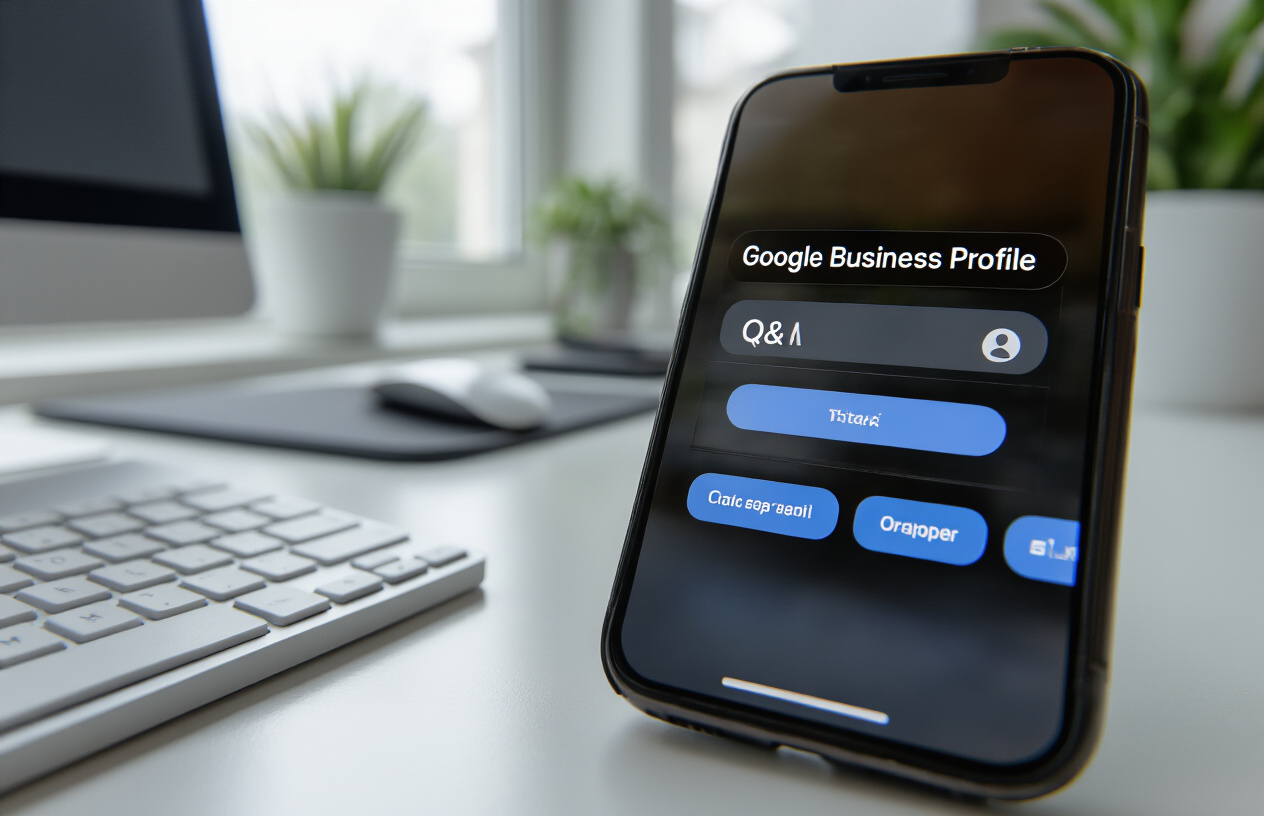
What Google Business Profile Q&A offers for business visibility
The Google Business Profile Q&A feature creates a powerful communication bridge between your business and potential customers. This interactive section appears directly on your business listing, allowing anyone to ask questions about your services, hours, policies, or anything else they want to know. When customers search for your business on Google Search or Google Maps, they can see these questions and answers prominently displayed alongside your basic business information.
This feature significantly amplifies your local visibility by creating fresh, user-generated content that Google’s algorithms love. Each question and answer becomes searchable content associated with your business, potentially matching long-tail search queries that customers use when looking for specific information. The Google Business Profile Q&A section essentially transforms your listing into a dynamic FAQ resource that works around the clock.
Your responses in the Google My Business Q&A section also demonstrate your business’s responsiveness and expertise. When you provide detailed, helpful answers, you’re showing potential customers that you care about their concerns and have the knowledge they’re seeking. This immediate accessibility to information often influences decision-making more than traditional advertising methods.
How customer questions impact local search rankings
Google My Business questions and answers contribute to your local search performance through several mechanisms. Google’s ranking algorithm considers the frequency and quality of customer interactions with your business listing. Active Q&A sections signal to Google that your business is engaged with the community and providing valuable information to users.
The keywords naturally embedded within customer questions often reflect real search queries. When someone asks “Do you offer gluten-free options?” and you provide a comprehensive answer, your business becomes more likely to appear when people search for “gluten-free restaurant near me.” This organic keyword integration happens naturally through genuine customer interactions.
Fresh content updates through new questions and answers also send positive signals to Google’s crawlers. Search engines favor businesses that consistently update their information and engage with customers. Each new interaction in your Google Business Profile Q&A feature represents updated content that can improve your local search visibility.
Responding to customer questions quickly also impacts your business’s perceived reliability. Google tracks response times and engagement levels, using this data as part of their local ranking factors. Businesses that consistently engage with their Q&A sections often see improvements in their local search positions.
Key differences between Q&A and reviews
While both features involve customer interaction, Google Business Profile Q&A and reviews serve different purposes in your digital presence. Reviews focus on past experiences and emotional responses to your business, while Q&A sections address specific informational needs and future interactions.
| Feature | Purpose | Timing | Content Focus |
|---|---|---|---|
| Reviews | Share experiences | Post-visit | Emotional feedback |
| Q&A | Get information | Pre-visit | Factual inquiries |
Reviews typically come from customers who have already used your services, expressing satisfaction or dissatisfaction with their experience. The Google My Business Q&A section, however, attracts prospective customers seeking specific information before making a decision. Someone might ask about your parking situation, payment methods, or service availability without having visited your business.
The moderation approach also differs significantly. While you can respond to reviews, you cannot edit or remove them (except in cases of policy violations). With Q&A Google My Business features, you have more control. You can add your own strategic questions, edit your answers, and even remove inappropriate content more easily.
Q&A interactions tend to be more conversational and informational, while reviews are more evaluative and emotional. Both contribute to your online reputation, but Q&A sections allow you to proactively address common concerns and showcase your expertise before customers even visit.
Why proactive Q&A management drives more conversions
Google Business Profile Q&A manage strategies that focus on proactive engagement consistently outperform reactive approaches. When you anticipate customer questions and provide answers before they’re asked, you remove barriers to conversion and demonstrate forward-thinking customer service.
Proactive Q&A management means identifying the most common inquiries your business receives through phone calls, emails, or in-person visits, then adding these as questions to your profile. This approach ensures that crucial information is immediately visible to potential customers browsing your listing.
The conversion impact comes from reducing decision-making friction. When customers can quickly find answers to their most pressing questions – pricing, availability, policies, or services – they’re more likely to choose your business over competitors who haven’t provided this information. Each answered question removes a potential reason for customers to look elsewhere.
Google Business Profile Q&A best practices include regularly monitoring your Q&A section for new questions and responding within 24 hours when possible. This responsiveness builds trust and shows potential customers that they can expect good communication if they choose your business. Quick, helpful responses often become the deciding factor when customers are comparing similar businesses in their area.
Strategic question seeding also works exceptionally well for conversions. By adding questions that highlight your unique selling points – “Do you offer same-day service?” or “What makes your approach different?” – you create opportunities to showcase what sets your business apart from competitors.
Setting Up Your Q&A Section for Maximum Impact
Enabling Q&A Functionality on Your Business Profile
Your Google Business Profile Q&A section activates automatically once your profile goes live – there’s no special setup required. The Q&A feature appears below your business description and above customer reviews, making it highly visible to potential customers browsing your listing. When customers visit your profile, they’ll see a “Ask a question” button that allows them to submit inquiries directly.
To access your Q&A management tools, log into your Google Business Profile dashboard and navigate to the “Messages and Q&A” section. Here you’ll find all submitted questions waiting for responses, along with any answers you’ve provided. The interface shows question timestamps, making it easy to prioritize recent inquiries that need immediate attention.
Business owners can also seed their Q&A section by posting their own questions and answers. This proactive approach helps you control the narrative and address common customer concerns before they become problems. Consider asking yourself questions about your hours, services, pricing, or policies – then provide comprehensive answers that showcase your expertise.
Optimizing Your Business Information to Prevent Common Questions
Complete business profiles significantly reduce repetitive questions about basic information. Start by ensuring your business hours are accurate and include special holiday hours or seasonal changes. Many customers ask “Are you open?” simply because this information is missing or outdated.
Your business description should clearly explain what you do, who you serve, and what makes you different. Instead of generic descriptions, include specific services, specialties, and unique selling points. For example, rather than “We’re a restaurant,” write “Family-owned Italian bistro specializing in fresh pasta and wood-fired pizzas with gluten-free options available.”
Add comprehensive attributes to your profile. These structured data points answer common questions automatically:
- Service options: Delivery, takeout, dine-in
- Accessibility: Wheelchair accessible, hearing loop
- Payment methods: Credit cards, cash, mobile payments
- Amenities: Wi-Fi, parking, outdoor seating
- Health and safety: Masks required, staff vaccinated
Upload high-quality photos showing your storefront, interior, products, and team. Visual content answers questions about your atmosphere, professionalism, and offerings before customers need to ask. Include captions that provide context and highlight important details.
Keep your contact information current, including phone number, website, and physical address. Many questions stem from customers struggling to reach you through outdated contact methods.
Creating a Monitoring System for New Questions
Set up Google Business Profile notifications to receive immediate alerts when new questions arrive. Access notification settings through your dashboard and enable email alerts for Q&A activity. This ensures you never miss time-sensitive inquiries that could impact customer decisions.
Mobile notifications through the Google My Business app provide real-time alerts when you’re away from your computer. Download the app and enable push notifications to respond quickly, even during busy periods or after hours.
Create a response schedule that works for your business rhythm. Some businesses check and respond to questions multiple times daily, while others designate specific times for Q&A management. Consistency matters more than frequency – customers appreciate knowing when to expect responses.
Assign Q&A responsibilities to specific team members if you have staff. Train them on your brand voice, approved responses for common questions, and escalation procedures for complex inquiries. Document frequently asked questions and approved answers to maintain consistency across different responders.
Track question patterns to identify gaps in your business information or recurring customer concerns. If you repeatedly answer the same questions, consider updating your business description, adding relevant photos, or creating more detailed service listings. This proactive approach reduces your response workload while improving customer experience.
Consider using spreadsheets or simple tracking tools to monitor response times, question categories, and resolution rates. This data helps you optimize your Google Business Profile Q&A management process and identify opportunities for improvement.
Adding Strategic Questions and Answers to Your Profile

Identifying high-value questions your customers ask most
Start by analyzing the questions customers repeatedly ask during phone calls, in-person visits, or through other channels. Common high-value questions often revolve around hours of operation, pricing, services offered, location details, and appointment booking. Look at your customer service logs, review existing online reviews, and survey your staff to identify patterns.
Create a list of 10-15 questions that address your customers’ primary concerns. These might include “Do you accept walk-ins?”, “What forms of payment do you accept?”, or “How far in advance should I book an appointment?” Focus on questions that help potential customers make purchasing decisions or remove barriers to choosing your business.
Consider seasonal or industry-specific questions too. A restaurant might address “Do you have outdoor seating?” while a medical practice could cover “Do you accept my insurance plan?” The goal is to proactively answer the questions that influence customer decisions before they even think to ask.
Writing compelling answers that showcase your expertise
Your google business profile q&a responses should demonstrate knowledge while remaining approachable. Keep answers between 50-150 words to maintain readability while providing comprehensive information. Start with a direct answer to the question, then add helpful context or additional details.
Instead of simply saying “Yes, we’re open Sundays,” expand with “Yes, we’re open Sundays from 10 AM to 6 PM. Sunday tends to be our quieter day, making it perfect for customers who prefer a more relaxed shopping experience. We also offer complimentary gift wrapping on Sundays.”
Show personality in your responses while maintaining professionalism. Share unique aspects of your business, mention special services, or highlight what sets you apart from competitors. Use this opportunity to build trust and connection with potential customers who are researching your business.
Using keywords naturally in your Q&A content
Incorporate relevant keywords into your google business profile questions and answers without forcing them. Natural keyword placement helps with local search visibility while keeping content readable. Include location-based terms, service-related keywords, and industry-specific phrases that your customers actually use.
For example, instead of “We provide automotive services,” write “Our auto repair shop in downtown Springfield specializes in brake repair, oil changes, and transmission services.” This approach includes location, industry, and specific service keywords naturally.
Avoid keyword stuffing, which can make your content sound robotic and may hurt your search rankings. Focus on answering questions thoroughly while naturally incorporating terms your customers search for. This balance helps your google business profile q&a section attract more qualified leads.
Timing your Q&A posts for optimal visibility
Post your strategic questions and answers during peak hours when your target audience is most active online. For most businesses, this means posting between 9 AM and 5 PM on weekdays. However, analyze your Google Business Profile insights to understand when your customers are most engaged with your listing.
Space out your q&a posts over several days or weeks rather than adding them all at once. This approach creates ongoing activity on your profile and gives you multiple opportunities to appear in local search results. Consistent posting also signals to Google that your business is active and engaged with customers.
Consider timing posts around busy seasons or promotional periods. If you’re a tax preparation service, add relevant questions and answers in the months leading up to tax season. This strategic timing ensures your most important information is fresh and visible when customers need it most.
Adding photos and links to enhance answer quality
Enhance your google business profile q&a responses with relevant photos that support your answers. If someone asks about your outdoor seating, include a photo of your patio. Questions about services can be answered with images showing your team at work or before-and-after shots of your results.
Include your website URL in answers when appropriate, directing customers to detailed service pages, online booking systems, or contact forms. This drives traffic from your google business profile to your website while providing customers with easy access to additional information.
Keep photo file sizes optimized for quick loading and ensure images are high-quality and well-lit. Avoid adding too many visual elements to a single answer, as this can overwhelm readers. One relevant, high-quality image per answer typically works best for maintaining clean, professional appearance while adding visual appeal to your google business profile q&a section.
Managing Customer Questions Effectively

Setting up notifications for instant question alerts
Your Google Business Profile won’t automatically send you notifications about new customer questions, so you need to set up your own alert system to stay on top of incoming inquiries. The most reliable way to monitor your google business profile q&a section is by regularly checking your Google Business Profile dashboard and setting up email notifications through your Google My Business app.
Download the Google My Business app on your mobile device to receive push notifications when customers post new questions. Enable all notification settings in the app to catch questions as they come in. You can also set up email alerts by adjusting your notification preferences in your Google Business Profile manager account.
Create a daily routine to check your Q&A section, ideally at the same time each morning and evening. This consistency helps you catch questions quickly and shows customers you’re actively engaged with your business profile. Consider setting phone reminders or calendar alerts to make this habit stick.
Prioritizing urgent questions that need immediate responses
Not all customer questions carry the same weight, and learning to prioritize them can make or break your customer service reputation. Questions about your business hours, location, or contact information should get immediate attention since these directly impact whether someone will visit or call your business today.
Emergency-related questions or complaints about service issues need your fastest response. These situations can escalate quickly on public platforms, so addressing them within an hour shows you care about customer concerns. Questions about pricing, availability, or booking appointments also deserve quick responses since these often come from customers ready to make a purchase.
Create a simple priority system for your google business profile q&a management:
- Immediate (respond within 1 hour): Complaints, emergency situations, business hours/location questions
- High priority (respond within 4 hours): Pricing, availability, booking inquiries
- Standard (respond within 24 hours): General information, product details, policy questions
- Low priority (respond within 48 hours): Casual inquiries, compliments, general feedback
Flagging inappropriate or spam questions
Your google business profile q&a section can attract unwanted content, and you need to know how to handle it properly. Google allows you to flag questions that violate their guidelines, including spam, fake reviews disguised as questions, promotional content from competitors, or inappropriate language.
To flag a question, click on the three-dot menu next to the question and select “Flag as inappropriate.” Google will review flagged content, but don’t expect immediate removal. Document problematic questions with screenshots before flagging them, especially if they contain false information about your business.
Watch out for these common types of inappropriate content:
- Questions with embedded links to competitor websites
- Fake questions designed to make your business look bad
- Spam questions with no real business purpose
- Questions containing offensive language or discriminatory content
- Promotional questions that are actually advertisements
You can’t delete customer questions directly, but you can respond professionally to false or misleading questions while waiting for Google to review your flag. A calm, factual response often neutralizes negative content better than ignoring it completely.
Organizing your Q&A workflow for team collaboration
Managing google business profile questions effectively requires a clear system when multiple team members are involved. Start by designating specific people to monitor and respond to questions, avoiding confusion about who should handle what.
Create a shared document or use a project management tool to track questions and responses. Include columns for the question date, content, assigned team member, response status, and follow-up actions needed. This system prevents duplicate responses and ensures nothing falls through the cracks.
Establish response templates for common questions while maintaining a personal touch. Your team should have approved answers for frequently asked questions about hours, services, pricing, and policies. This speeds up response time while keeping your brand voice consistent across all team members.
Set up a review process where responses to sensitive questions get approved by a manager before posting. This extra step prevents miscommunication and protects your business reputation. Train your team on your google business profile q&a best practices, including tone, response time goals, and escalation procedures for difficult situations.
Regular team meetings to review Q&A performance help identify patterns in customer questions and improve your overall customer service approach. Track metrics like average response time, question volume, and customer satisfaction to refine your process over time.
Crafting Professional Responses That Convert

Writing tone and voice guidelines for consistent responses
Your Google Business Profile Q&A responses shape how customers perceive your brand. Every answer becomes part of your company’s voice, so consistency matters more than you might think. Start by defining your brand personality – are you friendly and casual, professional and authoritative, or somewhere in between?
Keep your responses conversational but informative. Write like you’re helping a friend who stopped by your business with a quick question. Avoid overly technical jargon unless your audience expects it. Instead of saying “We utilize state-of-the-art equipment,” try “We use the latest equipment to get the job done right.”
Match your tone across all Google Business Profile Q&A responses. If you’re playful in one answer, don’t suddenly become formal in the next. Customers notice these inconsistencies, and they can make your business seem unprofessional or confused about its identity.
Keep answers brief but complete. Most people scan Q&A sections quickly, looking for specific information. Front-load your most important details, then add supporting information if needed. A good rule of thumb: if you can’t say it in 2-3 sentences, break it into smaller points or bullet lists.
Including calls-to-action in your answers strategically
Smart Google Business Profile Q&A management includes weaving gentle calls-to-action into your responses without sounding pushy. Every answer is an opportunity to guide potential customers toward the next step, whether that’s visiting your store, calling for more information, or checking out your website.
Place your calls-to-action naturally within helpful information. Instead of ending every response with “Call us today!”, work the action into your answer: “Our lunch specials change weekly – give us a call at [phone number] or stop by to see this week’s menu.”
Different types of questions call for different actions. Price inquiries work well with “Contact us for a personalized quote,” while location questions can include “Visit us at [address] – we’re easy to find with plenty of parking.” Service questions might end with “Schedule your appointment online at [website].”
Vary your call-to-action language to avoid sounding robotic. Mix phrases like:
- “Stop by anytime during business hours”
- “Give us a call to discuss your specific needs”
- “Check out our website for more details”
- “We’d love to help you in person”
Addressing negative questions without damaging your reputation
Negative questions in your Google Business Profile Q&A section can feel like public attacks, but they’re actually opportunities to show your professionalism and commitment to customer service. How you respond often matters more to future customers than the original complaint.
Stay calm and professional, even when questions feel unfair or hostile. Acknowledge the person’s concern without necessarily agreeing with their assessment. “Thanks for bringing this to our attention” works better than defensive responses that make you look argumentative.
Take responsibility when appropriate, but don’t admit fault for things outside your control. If a customer complains about parking, you might say “We understand parking can be challenging during busy times. We’re working with the city on solutions and appreciate your patience.”
Move detailed discussions offline when possible. Public Q&A sections aren’t the place for lengthy back-and-forth conversations about specific incidents. Try responses like “We’d like to learn more about your experience. Please email us at [email] or call [phone number] so we can address this properly.”
Turn negatives into positives by highlighting improvements or policies that prevent similar issues. If someone complains about wait times, mention new scheduling systems or additional staff you’ve added. This shows other potential customers that you listen to feedback and take action.
Remember that many people reading your Google Business Profile questions and answers never experienced the problem firsthand. They’re watching to see how you handle difficult situations, which can actually build trust when done well.
Advanced Q&A Strategies for Business Growth

Using Q&A data to improve your products and services
Your Google Business Profile Q&A section is a goldmine of customer feedback that can drive meaningful improvements in your business. When customers ask questions about your services, they’re revealing what matters most to them and where your current offerings might fall short.
Start by tracking recurring themes in customer questions. If multiple people ask about parking availability, extended hours, or specific services, these patterns highlight areas for business enhancement. Create a simple spreadsheet to categorize questions by topic – service inquiries, pricing concerns, accessibility questions, or operational details.
Pay close attention to questions that suggest confusion about your offerings. If customers frequently ask “Do you offer X service?” when you actually do, your marketing materials or Google Business Profile description needs clarification. These insights help you refine your messaging and highlight important features customers care about.
Customer questions also reveal unmet needs. When someone asks about a service you don’t currently offer, consider whether adding it makes business sense. Multiple inquiries about the same missing service could indicate a profitable expansion opportunity.
Leveraging popular questions for content marketing opportunities
Transform your most popular Google Business Profile Q&A topics into comprehensive content marketing assets. The questions customers ask repeatedly represent genuine search intent and real information needs in your market.
Create blog posts that expand on your most common Q&A responses. If customers frequently ask about your return policy, write a detailed blog post explaining your approach and why it benefits customers. Turn questions about service processes into helpful how-to guides or explainer videos.
Use Q&A data to inform your social media content strategy. Popular questions make excellent social media posts, allowing you to share valuable information while driving engagement. Create FAQ carousel posts on Instagram or informative threads on Twitter based on your Google Business Profile questions.
Consider developing downloadable resources like checklists or guides that address multiple related questions from your Q&A section. This approach positions your business as a helpful authority while capturing leads through valuable content offers.
Encouraging satisfied customers to ask positive questions
Happy customers can help showcase your business strengths through strategic Q&A engagement. While you can’t directly ask customers to post fake questions, you can encourage genuine inquiries that highlight your best features.
During positive customer interactions, mention specific aspects of your service they might want to know more about. For example, if a customer compliments your fast service, you might say, “Many people wonder how we maintain such quick turnaround times. Feel free to ask about our process on our Google listing if you’re curious.”
Share examples of helpful questions with your customer base through newsletters or social media. Frame it as helping other customers by asking questions that everyone wonders about. This approach encourages authentic questions while highlighting positive aspects of your business.
Train your team to identify opportunities for encouraging questions during customer interactions. When customers express satisfaction with particular services or policies, team members can suggest they share their experience or ask follow-up questions on your Google Business Profile.
Monitoring competitor Q&A sections for market insights
Your competitors’ Google Business Profile Q&A sections offer valuable intelligence about customer expectations and market gaps. Regular monitoring reveals what potential customers prioritize when evaluating businesses in your industry.
Analyze the types of questions competitors receive to understand customer pain points and decision-making factors. If competitors frequently get questions about pricing, hours, or specific services, prepare comprehensive answers for these topics on your own profile before customers ask.
Look for gaps in competitor responses – unanswered questions or vague replies create opportunities for your business to stand out with detailed, helpful answers. When competitors struggle to address certain concerns, your business can develop solutions or messaging that directly addresses these customer needs.
Study how top-performing competitors structure their Q&A responses. Note their tone, level of detail, and which questions they choose to answer publicly versus privately. This intelligence helps you refine your own Google Business Profile Q&A best practices and develop more effective response strategies.
Track new questions appearing on competitor profiles to spot emerging trends or concerns in your market. Early awareness of shifting customer priorities helps you adapt your services and messaging before competitors catch up.

The Google Business Profile Q&A section gives you a direct line to connect with potential customers before they even walk through your door. By taking control of this feature, you’re not just answering questions – you’re building trust, showcasing your expertise, and guiding customers toward making that crucial decision to choose your business. Smart business owners who seed their profiles with helpful questions and answers, respond quickly to customer inquiries, and use this space to highlight their best features see real results in their local search visibility and customer engagement.
Don’t let your Q&A section sit empty or become a missed opportunity. Start by adding those common questions your customers always ask, keep your responses helpful and professional, and make it a habit to check for new questions regularly. When you treat this feature as seriously as any other customer service touchpoint, you’ll find it becomes one of your most powerful tools for converting searchers into paying customers.
FAQs
What is the Q&A feature on Google Business Profile?
The Q&A feature allows customers to ask questions directly on your Google Business Profile, and you or other users can provide answers. These questions and answers appear publicly on your business listing and help potential customers learn more about your services, hours, policies, and other important details.
How do I add my own questions and answers to my Google Business Profile?
You can add questions and answers by logging into your Google Business Profile account, going to the Q&A section, and clicking “Ask a question.” Write a helpful question that customers might have, then provide a clear answer. This helps you control some of the information displayed and address common concerns proactively.
How quickly should I respond to customer questions on my Google Business Profile?
Try to respond to customer questions within 24-48 hours when possible. Quick responses show that you’re active and care about customer service. Google may also show response time information to potential customers, so consistent timely responses can improve your business’s appearance.
Can I delete inappropriate or spam questions from my Google Business Profile?
You cannot directly delete questions, but you can flag inappropriate content to Google for review. Focus on providing helpful answers to legitimate questions, as this often makes unhelpful content less visible. Your professional responses will stand out more than any problematic questions.
What should I include in my answers to customer questions?
Keep answers clear, accurate, and helpful. Include specific details like hours, pricing ranges, services offered, or policies. If the question requires a longer explanation, provide key points in your answer and invite them to contact you directly for more detailed information.
How do customer questions and answers affect my local search ranking?
Active Q&A engagement can positively impact your local search performance. Regular responses show Google that your business is active and engaged with customers. The keywords in questions and answers may also help your business appear for relevant local searches.
Should I encourage customers to ask questions on my Google Business Profile?
Yes, encouraging questions can be beneficial. You can mention it in your communications with customers or add a note in your business description. More engagement typically helps your visibility, and answering questions publicly helps other potential customers too.
What happens if someone else answers a question about my business incorrectly?
You can provide your own answer with the correct information. As the business owner, your responses typically carry more weight and visibility. Make sure to provide accurate, detailed answers that clearly address the question to help customers get the right information.
How can I use the Q&A feature to improve my customer service?
Monitor the Q&A section regularly to understand what information customers need most. Use common questions to improve your business description, website, or other marketing materials. This helps you address customer needs before they even have to ask.
Are there any best practices for writing effective answers on Google Business Profile?
Write in a friendly, professional tone and keep answers concise but complete. Use natural language that includes relevant keywords about your business and services. Always double-check that your information is current and accurate, especially for details like hours, prices, or policies.